Category: Shopify

  • Top 5 Benefits of Switching to a Headless Ecommerce Platform for Your Business 

    Top 5 Benefits of Switching to a Headless Ecommerce Platform for Your Business 

    Top 5 Benefits of Switching to a Headless Ecommerce Platform for Your Business

    Operating an ecommerce company is not the same as it was several years ago. Customers no longer simply go to your site and put the products in the cart and check them out. They shop on the go message on social media and even shop with the help of apps or smart gadgets. 

    Customer visits your internet site but it takes an additional few seconds to load. In frustrating fashion they go shopping with your competitor. Sounds familiar? It is precisely in this regard that ecommerce is running down. 

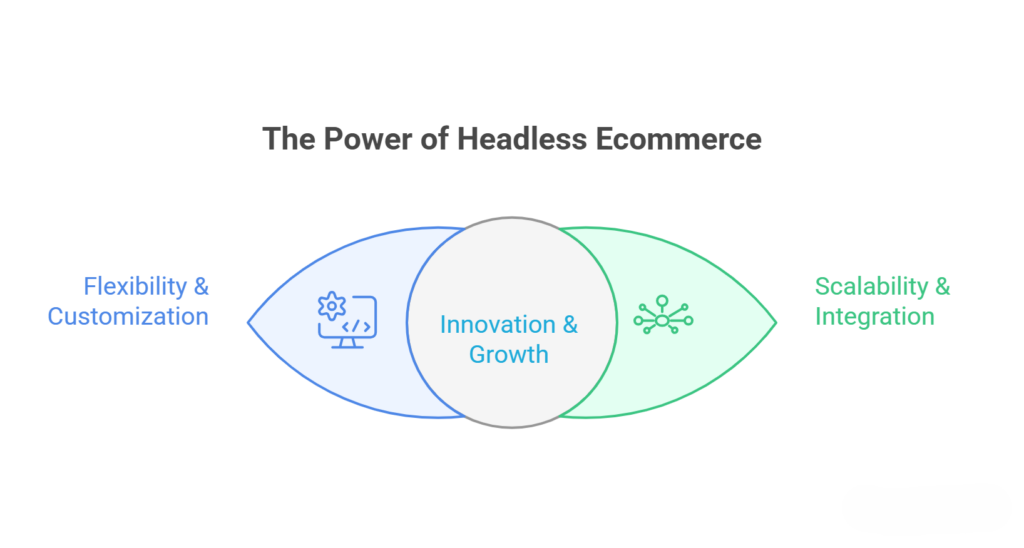
    That is why headless ecommerce is becoming more popular towards business model shifts. It is not only a trend but smarter to ensure flexible fast and future-ready online stores. Provided that you still use the old set-up you could be already losing out on the opportunities without even noticing it. 

    The top 5 benefits of switching to a headless ecommerce platform and why it can be a game changer for your business. 

    Why Headless Ecommerce is Becoming the Smart Choice for Modern Businesses 

    Why Headless Ecommerce is Becoming the Smart Choice for Modern Businesses 

    Freedom to Create Unique Customer Experiences 

    Design constraints are considered one of the largest threats of conventional ecommerce platforms. You are often forced to use already built themes and as such you will find your store resembling many others.  

    Headless ecommerce does not necessarily commit to the front-end. This leaves you to have full creativity to come up with your own way of doing your web site. It can be its sophisticated animations, special layouts, or its interactive product pages on which you can construct an experience founded on what reflects your brand. 
     

    Split it this way as opposed to renting a service house that is already fully furnished you are constructing your own house just the way you want. 

    Faster Website Performance That Keeps Users Engaged 

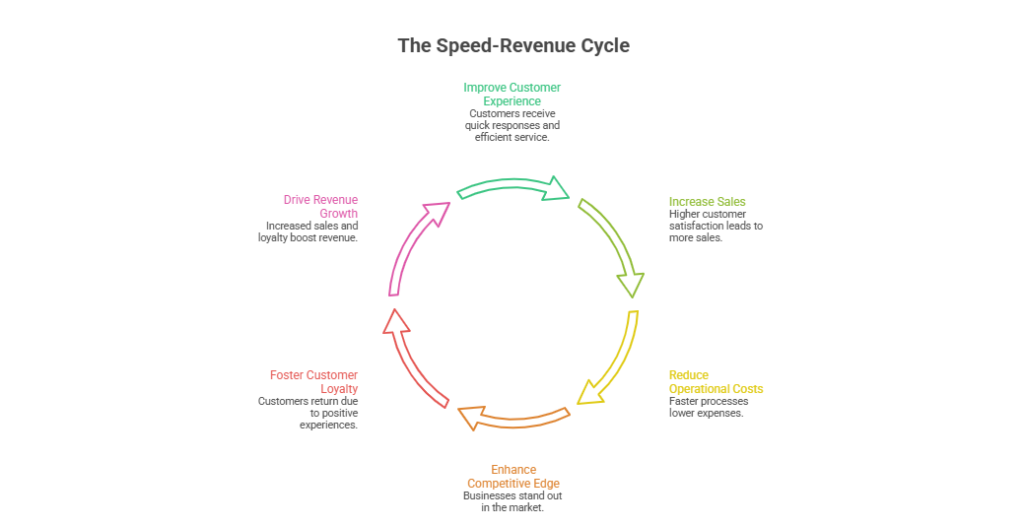
    Speed matters more than ever. Research indicates that a one-second delay in page load can lead to less conversion. The customers now demand quick solutions and wait until your site loads will not happen.  

    The reason why headless ecommerce enhances performance is that it further decouples the front-end and the back end. This also enables developers to maximize the speed without references to the backend processes.  

    The result? Faster smoother shopping experience that keeps the users entertained and charts lower bounces. And in ecommerce faster is virtually always better selling. 

    Seamless Omnichannel Selling Without Extra Hassle 

    The current consumers do not follow a single platform. They may find out about your product on Instagram may review your site and may end up buying it with your mobile application.  

    A traditional system may be frustrating and time consuming to manage all these channels separately. However, with headless ecommerce, all the things are combined by means of APIs so it is not hard to run multiple platforms using a single backend.  

    That is to say that you maintain your products prices and stocks all across without requiring any additional effort. Its similarity is that it has the capability to control more than one screen through one remote. 

    Faster Updates and Time-to-Market 

    In online business, time is of the essence. Delay may cost you money whether it is a seasonal sale launching of a new product or a marketing activity. The traditional platforms can take a long time to implement because they entail numerous rearrangements throughout the system.  

    That is what Headless ecommerce offers you to make updates and not interfere with the whole set-up. Do you need to create a landing page for a new campaign? You can do it faster. Need to tweak your design? No problem. This flexibility assists businesses to be flexible and act fast in the market. 

    Scalability That Grows with Your Business 

    The purpose of every ecommerce business is to grow and growth has its challenges such as increased traffic increased products, and increased complexity. The traditional systems are notorious in that they fail to play along with this growth. Headless ecommerce is constructed on the basis of scalability. When you can deal with surges in traffic enter new markets and Elements with development of sophisticated tools without having to recreate your entire infrastructure.  

    Ahead of a startup intending to grow or with an established brand moving to new markets around the globe, headless architecture prevents your platform from growing on top of you. 

    What Makes Headless Ecommerce a Long-Term Investment 

    Better Personalization for Modern Customers 

    The current customers demand customization. They desire products suggestions that are aligned to their interests and the content that they find relevant.  

    Headless ecommerce simplifies the process of incorporating personalization tools and providing custom experience on various channels. This not only augments customer satisfaction but also augments the conversion rates. 

    Stronger Integration with Modern Technologies 

    Technology is changing fast whether it is AI-driven suggestions, voice search, or any smart gadget. Conventional channels have difficulties in keeping pace with these developments. 

    Headless systems nevertheless are created in such a way that they can be easily integrated with new tools and technology. This ensures that your business does not undergo huge system renovations. 

    Reduced Dependency on a Single Platform 

    When you use the conventional ecommerce site you tend to be bound by its functions and news. When the platform alters anything you must fit.  

    Headless ecommerce minimizes this reliance by providing you with control over various sections of your system. It is possible to upgrade or replace any part without influencing the entire setup. 

    Improved Security and Stability 

    The isolation of the front and the back end provide additional security. Although one component of the system may have a hitch, it does not cause a problem in the rest of the system.  

    This gives your ecommerce to store a more stable state and is less vulnerable to major disruptions. 

    Competitive Advantage in a Crowded Market 

    There is a high level of competition in the ecommerce. There are thousands of outlets that sell similar products at potentially the same prices often. The only thing that is really differentiating is the experience you have.  

    Headless ecommerce enables you to build a more rapid intelligent and engaging experience which might give you an advantage over your rivals. And in the contemporary market that can be the difference. 

    Final Thoughts 

    Replacing a headless ecommerce is not merely an experience of changing your technology but it is an experience of changing your whole business strategy. The proliferation of the users of better performance and flexibility to scalability and personalization is difficult to overlook.  

    Although the first transformation might be associated with planning and investment it can be justified by the long-term benefits. Headless ecommerce is the right place to be, in case you want to remain competitive and stay future-ready. 

  • Shopify App Overload: Why Fewer Apps Can Increase Your Sales 

    Shopify App Overload: Why Fewer Apps Can Increase Your Sales 

    Shopify App Overload: Why Fewer Apps Can Increase Your Sales

    Shopify apps are designed to make your store better smarter and more profitable. But there’s a point where adding more apps stops helping and starts hurting. 

    Many store owners don’t notice when this shift happens. They keep installing apps for every new feature, assuming it will improve performance. This often leads to a slower store with a cluttered interface and a frustrating user experience. 

    The Hidden Impact of Too Many Apps 

    The Hidden Impact of Too Many Apps 

    Why Every App Adds More Than Just Features 

    When you install a Shopify app, you’re not just adding functionality you’re also adding extra code that needs to load every time a visitor opens your store. This includes scripts styles and background processes that all compete for speed and performance. 

    Over time these small additions build up. What once was a fast and smooth store gradually becoming heavy and slower to respond especially on mobile devices where performance matters the most. 

    How App Stacking Creates Performance Issues 

    Most apps are built independently which means they are not always optimized to work efficiently together. When multiple apps try to load at the same time they can delay how quickly your store becomes usable. 

    This doesn’t always break your site, but it creates subtle delays that affect how users experience your store and those delays are enough to make people leave. 

    How App Overload Affects Your Sales 

    Slower Speed Pushes Visitors Away 

    A slow-loading store is one of the fastest ways to lose potential customers. Visitors expect pages to load quickly and when they don’t they leave without exploring further. 

    This directly increases your bounce rate and reduces the number of people who even get a chance to see your products. 

    Too Many Elements Reduce Clarity 

    When your store is filled with popups, banners chat widgets and promotional tools it can feel overwhelming. Instead of guiding users toward a purchase it creates distractions that break their focus. 

    Checkout Experience Becomes Less Reliable 

    The checkout process is where everything matters most. If additional apps slow down or interfere with this step even interested buyers may abandon their carts. This is one of the costliest effects of app overload because it impacts users who are already ready to buy. 

    Why Fewer Apps Often Perform Better 

    A Lean Store Loads Faster and Feels Smoother 

    When you reduce the number of apps your store becomes lighter. Pages load faster navigation feels smoother and users can move through your site without delays. 

    This creates a seamless experience that naturally encourages visitors to stay longer and explore more. 

    Cleaner Design Improves Decision-Making 

    With fewer distractions users can focus on what actually matters to your products. A clean and simple interface makes it easier for customers to understand your offerings and act. 

    How to Reduce Apps Without Losing Functionality 

    Focus on What Actually Drives Results 

    Start by reviewing each app and asking whether it directly contributes to sales or user experience. If an app doesn’t clearly support your goals it’s likely unnecessary. 

    Avoid Feature Duplication 

    Many stores unknowingly use multiple apps for similar purposes. This adds extra load without adding real value. Consolidating features into fewer tools can significantly improve efficiency. 

    Use Shopify’s Built-In Capabilities 

    Shopify already includes many features that store owners overlook. Relying on built-in functionality reduces the need for additional apps and keeps your store lighter. 

    Final Thoughts 

    Using Shopify apps is essential but using too many can quietly damage your store’s performance. What feels like improvement on the surface often creates hidden friction underneath. 

    If your goal is to increase sales the solution isn’t always adding more features. Sometimes it’s about simplifying your store and focusing on what truly matters. 

    A faster cleaner and more focused store don’t just look better it performs better. And in eCommerce, better performance always leads to better results. 

    Frequently Asked Questions (Shopify App Overload: Why Fewer Apps Can Increase Your Sales)

    How do you increase your sales on Shopify?

    Increase sales on Shopify by optimizing speed improving UX using upsells SEO email marketing ads mobile optimization high-quality images and reducing checkout friction effectively.

    What are the most common Shopify mistakes to avoid?

    Common Shopify mistakes include slow themes too many apps poor UX weak SEO bad product pages unclear pricing ignoring mobile optimization, and complicated checkout processes hurting conversions.

    Does having an app increase business?

    Having an app can increase business by improving customer experience engagement and retention but success depends on usability value marketing and how well it complements your overall strategy.

    Is headless Shopify worth it?

    Headless Shopify is worth it for large brands needing flexibility and speed, but small businesses often find it costly, complex, and unnecessary compared to traditional setups.

  • Headless Shopify Explained: Costs Benefits and Setup 

    Headless Shopify Explained: Costs Benefits and Setup 

    In today’s ecommerce world every brand wants a fast smooth and personalized shopping experience. 

    Traditional Shopify works well and is reliable but as your store grows its default setup can start to feel limiting. 

    This is where Headless Shopify comes in. It gives you complete freedom to design your store improve speed and elevate the customer experience. 

    In this article, we’ll cover: 

    • What Headless Shopify is 
    • Key benefits and advantages 
    • Costs and investments 
    • Setup process and maintenance tips 

    What Is Headless Shopify? 

    What Is Headless Shopify? 

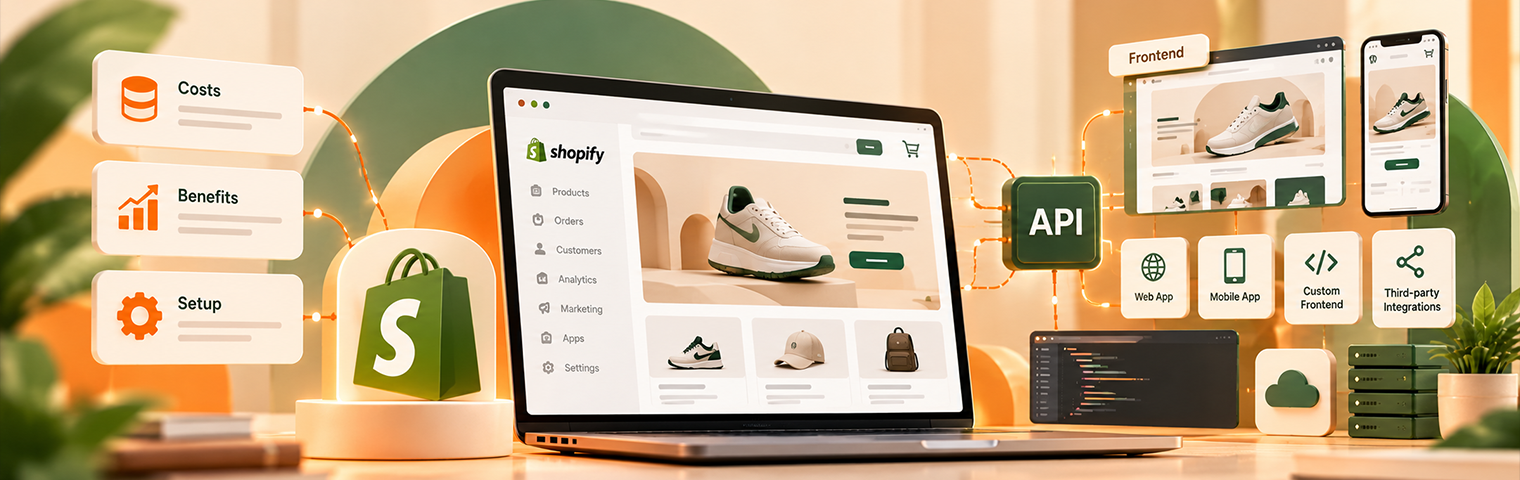
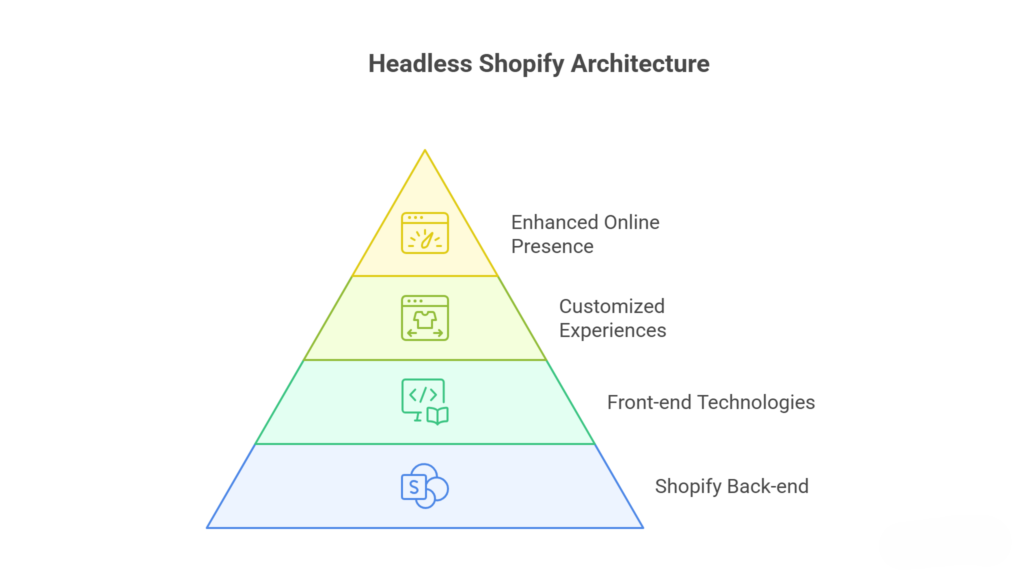
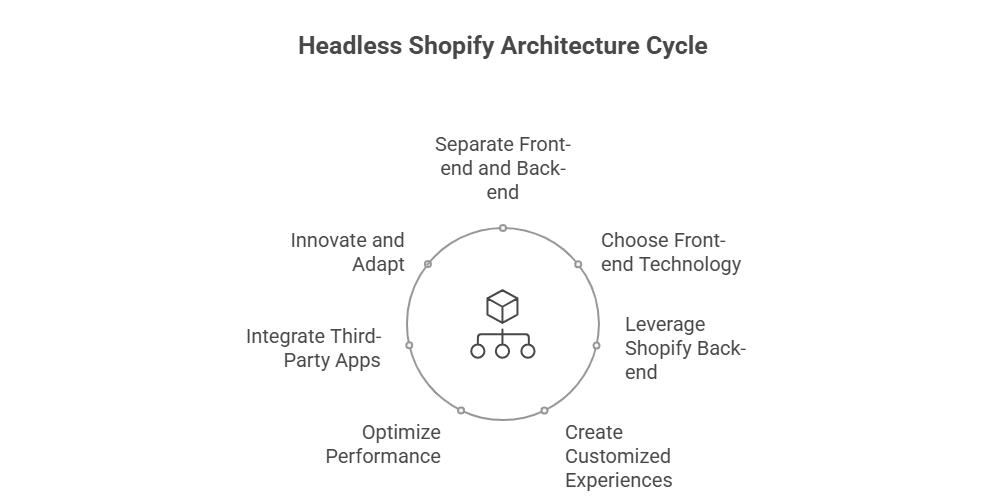
    Headless Shopify is essentially separating the frontend from the backend. 

    • The backend is handled by Shopify products inventory orders and checkout. 
    • The frontend is built separately using technologies like React Next.js or Vue.js. 

    The biggest advantage? You can customize the design and functionality of your store without limitations. 

    Think of it this way Shopify’s backend is the engine and the frontend is the body and design of a luxury car you aren’t restricted to the factory default look. 

    Benefits of Headless Shopify 

    1. Lightning-Fast Performance 

    Speed matters. Slow-loading pages mean customers leave. 

    With Headless Shopify you can: 

    • Build lightweight fast-loading pages 
    • Handle large product catalogs smoothly 
    • Provide a seamless experience on both mobile and desktop 
    • Improve Core Web Vitals boosting SEO rankings 

    2. Personalized Customer Experience 

    Personalization is key to keeping customers engaged. Headless Shopify allows you to: 

    • Recommend products based on user behavior 
    • Show dynamic content blocks and custom landing pages 
    • Customize the checkout experience 
    • Create interactive product pages 

    Most of this is difficult to achieve with traditional Shopify themes without heavy coding. 

    3. Multi-Channel Selling Made Easy 

    Today, customers shop everywhere apps marketplaces social media. 

    Headless Shopify allows you to: 

    • Integrate seamlessly with mobile apps 
    • Expand to marketplaces and social media platforms 
    • Maintain consistent branding across all channels 

    This ensures your customers have a smooth shopping experience no matter where they interact with your brand. 

    4. Full Design Freedom 

    Traditional Shopify themes have design limitations. With Headless Shopify you can: 

    • Build fully custom product pages and layouts 
    • Add animations and interactive elements 
    • Design campaign-specific landing pages 
    • Merge content and commerce seamlessly 

    This level of flexibility helps your brand stand out with a unique online presence. 

    5. Marketing and SEO Advantages 

    Headless Shopify gives marketers more control: 

    • Optimize pages for search engines 
    • Launch campaign-specific landing pages quickly 
    • Track analytics accurately 
    • Test different content and layout variations 

    A faster flexible store not only improves user experience but also boosts search visibility and conversion rates. 

    Costs of Headless Shopify 

    While Headless Shopify is powerful it comes at a higher cost than traditional Shopify. 

    You may need to invest in: 

    • Custom frontend development 
    • Ongoing developer or agency support 
    • Hosting separate from Shopify 
    • API integrations and maintenance 

    The initial investment is higher but for larger stores the improved speed flexibility and scalability often justify the cost. 

    For smaller startups traditional Shopify is simpler and more cost-effective until growth demands headless architecture. 

    How to Set Up Headless Shopify 

    Step 1: Plan Your Store Architecture 

    Decide your frontend design layout and how content products and checkout will interact via Shopify APIs. 

    Step 2: Build a Custom Frontend 

    Use frameworks like React Next.js or Vue.js to create the storefront. Focus on speed mobile optimization and smooth UX. 

    Step 3: Integrate with Shopify Backend 

    Connect the frontend to Shopify via APIs. Make sure products inventory orders and checkout work seamlessly. 

    Step 4: Test Before Launch 

    Check your store for: 

    • Page speed and performance 
    • Mobile responsiveness 
    • Checkout functionality 
    • Analytics tracking 

    Step 5: Ongoing Maintenance 

    Headless Shopify requires regular upkeep: 

    • Update frameworks and frontend code 
    • Monitor API connections 
    • Optimize performance periodically 
    • Ensure security standards are maintained 

    Is Headless Shopify Right for You? 

    It’s ideal if you: 

    • Have a growing ecommerce brand 
    • Want full control over design and UX 
    • Plan multi-channel selling 
    • Need faster performance and SEO optimization 
    • Can invest in development and maintenance 

    For small stores traditional Shopify remains simpler cheaper and easier to manage. 

    Final Thoughts 

    Headless Shopify isn’t just a technical upgrade it’s a strategic business move. 

    It lets you: 

    • Build fast flexible stores 
    • Deliver unique and personalized shopping experiences 
    • Optimize for marketing SEO and conversions 
    • Scale across multiple channels easily 

    The key is to evaluate your business needs. Start with traditional Shopify if you’re small and consider headless when growth demands more customization speed and advanced user experience. 

    A well-implemented headless store is more than a website it’s a next-level shopping experience your customers will love. 

    Frequently Asked Questions (Headless Shopify Explained: Costs Benefits and Setup)

    What benefits does Shopify have?

    Shopify offers easy setup secure hosting customizable themes, app integrations mobile responsiveness SEO tools reliable payments scalability and strong support for building and growing online businesses efficiently.

    What is Shopify headless?

    Shopify headless means separating frontend from backend using APIs to build custom user interfaces while Shopify manages products payments and store operations independently.

    What is the cost of Shopify features?

    Shopify features cost varies by plan starting around $5–$29/month scaling to $79 $299 or $2,300+ monthly plus transaction app and payment fees.

    How does Shopify work and does it cost money to use it?

    Shopify lets you build manage and sell products online yes it costs monthly subscription fees plus transaction app and payment charges depending on plan and usage.

  • How Headless Shopify Can Transform Online Shopping Experience 

    How Headless Shopify Can Transform Online Shopping Experience 

    How Headless Shopify Can Transform Online Shopping Experience

    Ecommerce is evolving fast. Customers expect faster seamless and personalized shopping experiences. 

    Traditional Shopify works well for most stores but as brands grow its limitations become visible. This is where Headless Shopify comes in. 

    It can completely transform how customers browse interact and purchase online. 

    What Is Headless Shopify?

    What Is Headless Shopify? 

    Headless Shopify separates the frontend from the backend. 

    In simple words: 

    • Shopify still manages products, inventory, and checkout. 
    • The frontend the storefront design customers see is built separately using frameworks like React Next.js and Vue.js. 

    This architecture allows businesses to build unique shopping experiences that are faster smoother and highly customizable. 

    Faster and Smoother Store Performance 

    Speed is critical. Slow stores mean lost sales. 

    Headless Shopify improves performance by: 

    • Optimizing page load times 
    • Reducing unnecessary scripts 
    • Handling multiple products without slowing down 
    • Ensuring smooth mobile experience 

    A fast store keeps customers engaged and improves conversion rates. 

    Personalized Shopping Experiences 

    Customers love personalization. Headless Shopify allows brands to: 

    • Show products based on user behavior 
    • Offer dynamic content and recommendations 
    • Create interactive landing pages 
    • Tailor checkout experiences 

    This level of customization is hard to achieve with traditional Shopify themes. 

    Multi-Channel Selling Made Easy 

    Headless Shopify makes it simple to sell across multiple platforms. 

    You can: 

    • Sync your store with mobile apps 
    • Sell through social media channels 
    • Integrate with marketplaces 
    • Maintain consistent branding everywhere 

    This creates a seamless shopping journey across all touchpoints. 

    Full Design Freedom 

    Traditional Shopify themes have limits. Headless Shopify removes them. 

    With headless you can: 

    • Design fully custom product pages 
    • Create animated effects and interactive content 
    • Build content-driven storefronts 
    • Test different layouts without affecting backend 

    Brands can stand out with a unique and memorable online presence. 

    Better SEO and Marketing Control 

    Headless architecture gives marketers more flexibility. 

    You can: 

    • Optimize page structure for search engines 
    • Build faster landing pages for campaigns 
    • Track analytics accurately 
    • Test content variations quickly 

    Faster and flexible stores also improve Core Web Vitals which can boost Google rankings. 

    Challenges to Consider 

    Headless Shopify is powerful but not for everyone. 

    • Development is more complex 
    • Requires skilled developers 
    • Higher initial costs 
    • Maintenance is ongoing 

    Small stores or startups may find traditional Shopify simpler and more cost-effective. 

    When Headless Shopify Makes Sense 

    It works best for: 

    • Large ecommerce brands 
    • Stores with high traffic 
    • Businesses needing advanced UX 
    • Brands aiming for omnichannel experiences 
    • Companies investing in content-rich storefronts 

    For these businesses, headless architecture becomes a growth enabler rather than just a tool. 

    Final Thoughts 

    Headless Shopify is more than just a trend. 

    It transforms online shopping by offering: 

    • Faster page loads 
    • Seamless user experience 
    • Personalized customer journeys 
    • Flexible multi-channel capabilities 

    The key is knowing when your store needs it. Start with traditional Shopify if you’re small, and consider headless when growth performance and customization become priorities. 

    A well-implemented headless store is not just a website. It’s an experience that keeps customers coming back. 

    Frequently Asked Questions (How Headless Shopify Can Transform Online Shopping Experience)

    How does Shopify headless work?

    Shopify headless separates frontend from backend. Storefront uses custom frameworks via APIs while Shopify manages products checkout and data giving flexibility speed and omnichannel experience across platforms.

    What are the benefits of headless mode?

    Headless mode improves speed flexibility and scalability lets you customize frontend freely delivers user experience, supports omnichannel and integrates easily with modern tools and APIs.

    Who is Shopify’s biggest competitor?

    Shopify’s biggest competitor is WooCommerce followed by BigCommerce and Magento offering similar features for building, managing, and scaling online stores.

    Can Shopify be used as a headless CMS?

    Yes Shopify can be used as a headless CMS using APIs letting developers manage backend while building custom frontends with modern frameworks for flexibility and performance.

  • Headless Shopify vs Traditional Shopify: Which One Wins? 

    Headless Shopify vs Traditional Shopify: Which One Wins? 

    Headless Shopify vs Traditional Shopify: Which One Wins?

    Many businesses choose Shopify because it is simple powerful and reliable. 

    But once growth begins another question appears. 

    Should you continue with the traditional Shopify setup or move to Headless Shopify architecture? 

    Both approaches work well. But they are built for different needs. 

    Understanding the difference helps businesses choose the right path for long-term growth. 

    The answer is not always obvious. 

    Understanding the Traditional Shopify Setup 

    Understanding the Traditional Shopify Setup 

    Traditional Shopify is what most stores use. 

    The platform provides everything in one place. 

    Your storefront theme backend checkout and hosting all operate within Shopify’s system. 

    This makes launching a store extremely fast. 

    You simply choose a theme customize the layout install apps and start selling. 

    For many businesses this simplicity is the biggest advantage. 

    Traditional Shopify provides: 

    • Fast store setup 
    • Built-in hosting and security 
    • Pre-designed themes 
    • Easy product management 
    • Simple integrations with apps 

    Everything works together in a single ecosystem. 

    For small and medium businesses this approach is often enough. 

    What Headless Shopify Actually Means 

    Headless Shopify separates the frontend from the backend. 

    In simple words the storefront design and user interface are built outside Shopify while Shopify still manages products orders and checkout. 

    Developers use frameworks like React or Next.js to build a completely custom frontend while Shopify runs in the background through APIs. 

    This architecture provides far greater flexibility. 

    Businesses can design unique shopping experiences that go beyond the limitations of standard Shopify themes. 

    Headless Shopify allows: 

    • Custom storefront development 
    • Faster page performance 
    • Full design freedom 
    • Multi-channel experiences 
    • Advanced integrations 

    But this flexibility comes with added complexity. 

    The Biggest Difference Is Flexibility 

    Traditional Shopify follows a structured system. 

    Themes control how the store looks and functions. Customization is possible but only within certain limits. 

    Headless Shopify removes those limits. 

    Developers can design any user experience they want. 

    This means brands can create: 

    • Fully custom product pages 
    • Interactive shopping experiences 
    • Unique mobile interfaces 
    • Content-driven storefronts 
    • Advanced personalization features 

    For brands that prioritize design innovation headless architecture offers a huge advantage. 

    Performance and Speed Considerations 

    Speed is critical for ecommerce success. 

    Traditional Shopify stores perform well but heavy themes multiple apps and scripts can slow them down over time. 

    Headless Shopify often improves performance because the frontend is optimized separately. 

    Developers can create lightweight interfaces that load faster than standard themes. 

    A well-built headless store can deliver: 

    • Faster page load times 
    • Improved Core Web Vitals 
    • Better mobile performance 
    • Smoother browsing experience 

    However performance benefits depend heavily on development quality. 

    A poorly built headless setup can actually become slower than a traditional store. 

    Development Complexity 

    This is where the biggest trade-off appears. 

    Traditional Shopify requires minimal technical knowledge. 

    Most store owners manage their store without developers. 

    Apps handle many advanced features. 

    Headless Shopify is different. 

    It requires experienced developers who understand: 

    • API integrations 
    • Frontend frameworks 
    • Deployment systems 
    • Custom architecture 

    This makes development more complex and more expensive. 

    For businesses without a technical team this can become difficult to maintain. 

    Cost Differences 

    Traditional Shopify is predictable in cost. 

    You pay for: 

    • Shopify subscription 
    • Apps 
    • Themes 

    Most stores operate smoothly within these expenses. 

    Headless Shopify introduces additional costs. 

    These may include: 

    • Custom frontend development 
    • Hosting infrastructure 
    • Developer maintenance 
    • API integrations 

    Initial development alone can be significantly higher. 

    For smaller stores this investment may not be practical. 

    Content and Marketing Flexibility 

    Marketing teams often need flexibility when managing content campaigns and landing pages. 

    Traditional Shopify themes sometimes limit how content is structured. 

    Adding advanced layouts or dynamic sections may require development work. 

    Headless Shopify allows marketing teams to integrate powerful CMS systems like Contentful or Sanity. 

    This enables: 

    • Dynamic landing pages 
    • Personalized content blocks 
    • Advanced storytelling experiences 
    • Flexible campaign pages 

    For brands focused on content marketing this becomes a strong advantage. 

    App Ecosystem and Integrations 

    Shopify’s biggest strength is its app ecosystem. 

    Traditional stores integrate apps easily with minimal configuration. 

    Most apps are built specifically for Shopify themes. 

    Headless setups sometimes require custom integrations because apps cannot directly control the frontend. 

    This means some functionality may require additional development. 

    While headless provides freedom it also increases integration complexity. 

    Maintenance and Long-Term Management 

    Traditional Shopify stores are easier to maintain. 

    Shopify manages hosting security and most technical infrastructure. 

    Store owners simply manage products orders and apps. 

    Headless Shopify requires ongoing monitoring and updates. 

    Businesses must maintain: 

    • Frontend frameworks 
    • Hosting environments 
    • API connections 
    • Performance optimization 

    Without proper technical management the system can become unstable. 

    Maintenance costs are therefore higher. 

    When Traditional Shopify Is the Better Choice 

    For many businesses traditional Shopify remains the best solution. 

    It works especially well for: 

    • Small ecommerce businesses 
    • Startup brands launching quickly 
    • Stores with simple product catalogs 
    • Businesses without in-house developers 

    Traditional Shopify offers reliability speed of launch and easy management. 

    For most stores this balance of simplicity and power is ideal. 

    When Headless Shopify Makes Sense 

    Headless Shopify becomes valuable when businesses outgrow theme limitations. 

    It works best for: 

    • Large ecommerce brands 
    • Stores with heavy traffic 
    • Businesses needing custom experiences 
    • Brands investing in advanced UX design 
    • Companies building omnichannel platforms 

    In these situations the flexibility of headless architecture provides long-term advantages. 

    Which One Actually Wins? 

    There is no universal winner. 

    The best choice depends on the scale and goals of the business. 

    Traditional Shopify wins in simplicity. 

    Headless Shopify wins in flexibility. 

    Most ecommerce stores succeed perfectly with traditional Shopify because it provides everything needed to run a profitable store. 

    Headless Shopify becomes valuable when a brand needs deeper control over design performance and digital experiences. 

    Final Thoughts 

    The debate between Headless Shopify and Traditional Shopify is really about priorities. 

    Do you want simplicity or complete flexibility? 

    Traditional Shopify provides a reliable all-in-one platform that works for the majority of ecommerce stores. 

    Headless Shopify opens the door to advanced customization and unique digital experiences but requires greater investment and technical expertise. 

    For growing brands the smartest approach is often starting with traditional Shopify and moving to headless architecture only when business needs truly demand it. 

    Choosing the right structure is not about trends. 

    It is about building a store that can support sustainable growth. 

    Frequently Asked Questions (Headless Shopify vs Traditional Shopify: Which One Wins?  )

    Is headless Shopify worth it?

    Worth it for large complex stores needing custom UX scalability or omnichannel. Not for most adds cost complexity and dev dependency. Optimize standard Shopify first headless only if you hit real limitations.

    What is the highest earning Shopify store?

    There’s no single highest officially but brands like Fashion Nova are among top Shopify stores, generating hundreds of millions annually with some exceeding $500M+ revenue.

    What are the disadvantages of headless?

    Headless adds higher costs, complex setup, developer dependency longer development time harder maintenance, SEO challenges, and integration issues. It’s not beginner-friendly and can slow updates without strong technical resources or planning.

    Which Shopify account is best?

    Basic suits beginners Shopify plan fits growing stores Advanced is best for scaling with lower fees and Shopify Plus targets enterprises. Choose based on budget, sales volume, and required features.

  • Stop Losing Sales: A Masterclass in Shopify Performance Optimization 

    Stop Losing Sales: A Masterclass in Shopify Performance Optimization 

    Your ads are working. 
    Traffic is coming in. 
    But sales are not where they should be. 

    In many cases, the problem is not your product or pricing. It’s performance. 

    Slow-loading stores quietly kill conversions. Visitors do not complain. They simply leave. That’s why improving shopify site speed is not just a technical task. It’s a revenue decision. 

    This masterclass breaks down what actually affects performance and how to fix it without overcomplicating your store. 

    Why Speed Directly Impacts Revenue

    Why Speed Directly Impacts Revenue

    Customers expect websites to load almost instantly. If your homepage takes more than a few seconds drop-offs begin. If product pages lag trust drops. If checkout slows down carts get abandoned. 

    Speed influences: 

    • Conversion rate 
    • SEO rankings 
    • Ad performance 
    • Bounce rate 
    • Customer trust 

    A fast store feels reliable and premium. A slow one feels risky. 

    If you want consistent growth shopify store optimization must start with performance. 

    Step One: Audit Before You Change Anything 

    Before trying random fixes measure your current performance. 

    Check: 

    • Homepage load time 
    • Product page load time 
    • Mobile performance score 
    • Core Web Vitals 
    • App impact on loading 

    Many merchants install multiple apps without realizing each app injects scripts that slow down the site. 

    A performance audit gives clarity. Optimization without data is guessing. 

    The Real Causes of Slow Shopify Stores 

    Let’s break this down clearly. 

    Most performance issues come from five areas: 

    1. Heavy, uncompressed images 
    1. Too many third-party apps 
    1. Bloated themes 
    1. Excessive JavaScript 
    1. Poor mobile optimization 

    If your goal is to speed up shopify website performance these are the areas that need attention first. 

    Image Optimization: The Silent Killer 

    Images are often the biggest performance bottleneck. 

    Large uncompressed product images can dramatically increase load time. The fix is simple but powerful: 

    • Compress all images before uploading 
    • Use modern formats where possible 
    • Avoid uploading oversized banners 
    • Limit unnecessary decorative graphics 

    Visual quality is important but oversized media slows everything down. 

    In most cases optimizing images alone can significantly improve shopify site speed. 

    Reduce App Bloat Without Losing Functionality 

    Apps are useful. But too many apps create performance debt. 

    Each app can: 

    • Add scripts 
    • Increase API calls 
    • Slow down rendering 
    • Conflict with other tools 

    Instead of stacking apps, consider: 

    • Removing unused apps 
    • Replacing multiple apps with one multi-feature solution 
    • Custom-building lightweight features where necessary 

    A clean store always performs better. True shopify store optimization is often about removing things not adding more. 

    Optimize Your Theme Structure 

    Not all themes are built equally. Some themes are visually impressive but technically heavy. 

    If your theme includes: 

    • Large animation files 
    • Sliders with multiple scripts 
    • Complex layout frameworks 

    You may be sacrificing speed for aesthetics. 

    Sometimes, simplifying your design improves both usability and performance. A clean structured layout improves shopify site speed and conversion at the same time. 

    Mobile Performance Is Not Optional 

    Most customers shop on mobile devices. Yet many stores are optimized primarily for desktop. 

    Mobile optimization includes: 

    • Fast tap response 
    • Lightweight design 
    • Minimal popups 
    • Clear call-to-action buttons 
    • Streamlined navigation 

    If your mobile experience is slow, your revenue suffers silently. 

    To truly speed up shopify website performance test everything on mobile first. 

    Advanced Optimization: When Basic Fixes Are Not Enough 

    For growing brands basic fixes may not be sufficient. Larger catalogs and higher traffic require deeper improvements. 

    Advanced performance strategies include: 

    • Lazy loading below-the-fold images 
    • Reducing render-blocking scripts 
    • Optimizing checkout experience 
    • Implementing structured data properly 
    • Improving server response time 

    This is where professional shopify store optimization becomes strategic rather than reactive. 

    Performance should scale with your business not limit it. 

    The Hidden Link Between Speed and SEO 

    Google considers page speed a ranking factor. Slow websites struggle to compete in organic search. 

    Improving shopify site speed can: 

    • Improve search rankings 
    • Lower bounce rates 
    • Increase time on site 
    • Improve crawl efficiency 

    If you are investing in SEO or paid ads slow performance reduces your return on investment. 

    Speed amplifies every marketing channel. 

    Measuring the Business Impact 

    Optimization should not stop at technical metrics. Measure business outcomes. 

    Track: 

    • Conversion rate before and after optimization 
    • Cart abandonment rate 
    • Average session duration 
    • Revenue per visitor 

    Many brands see noticeable revenue growth after they properly speed up shopify website performance. 

    Speed is not just technical improvement. It’s conversion optimization. 

    Performance as a Continuous Strategy 

    One common mistake is treating speed as a one-time project. 

    As you: 

    • Add new products 
    • Install new apps 
    • Launch campaigns 
    • Redesign pages 

    Performance can decline again. 

    Ongoing shopify store optimization ensures that growth does not come at the cost of speed. 

    Regular audits prevent future revenue leaks. 

    Final Thoughts 

    You might be losing sales right now without realizing it. 

    Customers will not email you to say your store is slow. They will simply leave and buy from someone else. 

    Improving shopify site speed is one of the highest ROI actions you can take. When you speed up shopify website performance and approach shopify store optimization strategically you create: 

    • Better user experience 
    • Higher conversions 
    • Stronger SEO 
    • Better ad efficiency 
    • More predictable growth 

    Speed is not a technical detail. 
    It is a competitive advantage. 

    Frequently Asked Questions (Stop Losing Sales: A Masterclass in Shopify Performance Optimization)

    Why do 90% of people doing Shopify with FB ads fail?

    90% fail due to poor product-market fit weak ad strategy, high costs low conversion rates and neglected store optimization.

    How do I improve my Shopify performance?

    Improve Shopify performance by optimizing images using fast themes enhancing UX minimizing apps enabling caching and monitoring site speed regularly.

    What are common Shopify selling mistakes?

    Common Shopify selling mistakes include poor product selection weak branding low-quality images slow site speed unclear pricing and weak marketing.

    What are performance optimization techniques?

    Performance optimization techniques include caching image compression code minification fast hosting lazy loading CDN usage database optimization and reducing HTTP requests.

  • The Anatomy of a Results-Driven Web Design for Shopify 

    The Anatomy of a Results-Driven Web Design for Shopify 

    The Anatomy of a Results-Driven Web Design for Shopify 

    A beautiful website is nice to have. 
    A website that brings sales every day is powerful. 

    Many brands invest in design but forget one important thing. Design should drive results. That’s where results driven web design makes a difference. 

    When it comes to shopify website design the goal is not just to look modern. The goal is to create a system that guides visitors, builds trust and turns traffic into paying customers. 

    Let’s break down the anatomy of a website that actually performs

    Let’s break down the anatomy of a website that actually performs

    1. Clear Positioning Above the Fold 

    The first section of your homepage is critical. Within 5 seconds, a visitor should understand: 

    • What you sell 
    • Who it’s for 
    • Why it’s different 

    A strong headline, a simple subheading and one clear call  to action (CTA) are essential. 

    Many Shopify stores make the mistake of adding sliders, too many buttons or vague messaging. A high performing shopify website design keeps it simple and focused. 

    Clarity increases trust. And trust increases conversions. 

    2. Strong Visual Hierarchy 

    Design is not decoration. It’s direction. 

    A strong visual hierarchy guides the eye from: 
    Headline → Product → Benefits → CTA 

    In a results driven web design, spacing, font sizes, colors and layout are used intentionally to control attention. 

    For example: 

    • Important information is larger. 
    • CTAs are bold and visible. 
    • Sections are separated clearly. 
    • There is enough white space to reduce confusion. 

    When users don’t feel overwhelmed, they stay longer and that improves sales. 

    3. Optimized Product Pages (The Real Money Pages) 

    Your product pages are where conversions happen. If they are weak, your ads and traffic efforts will fail. 

    A high converting shopify store always focuses heavily on product page structure. 

    A strong product page includes: 

    • Clear product title 
    • High-quality images (multiple angles) 
    • Benefit-focused description 
    • Bullet-point highlights 
    • Social proof (reviews, ratings) 
    • Clear pricing 
    • Strong CTA button 

    Don’t just describe features. Explain what the product does for the customer. 

    Instead of: 
    “100% cotton fabric.” 

    Say: 
    “Breathable 100% cotton that keeps you very comfortable all day.” 

    Small changes like this improve performance significantly. 

    4. Speed and Mobile Optimization 

    More than half of online shopping happens on mobile devices. 

    A shopify website design must be: 

    • Fast-loading 
    • Mobile-friendly 
    • Easy to scroll 
    • Easy to tap 

    If your store loads slowly, users leave. If buttons are too small, users get frustrated. If checkout is confusing, sales drop. 

    A results driven web design always prioritizes speed and usability before visual complexity. 

    Performance is part of design. 

    5. Trust Signals Everywhere 

    Customers are careful with their money. They look for signals that your store is legitimate and safe. 

    A high converting shopify store includes: 

    • Customer reviews 
    • Testimonials 
    • Secure payment icons 
    • Clear return policy 
    • FAQ section 
    • Contact information 

    Trust reduces hesitation. When hesitation drops, conversions rise. 

    Trust is not built in one place, it should appear throughout the website. 

    6. Clear and Simple Navigation 

    Confused customers do not buy. 

    Your navigation should be: 

    • Easy to understand 
    • Limited to essential categories 
    • Organized logically 

    Avoid adding too many menu items. Keep it structured. 

    A strong shopify website design makes it easy for visitors to find what they are looking for within seconds. 

    The faster they find products, the faster they move toward checkout. 

    7. Strategic Use of Social Proof 

    People trust other people. 

    Displaying: 

    • Customer reviews 
    • User-generated content 
    • Before-and-after photos 
    • Testimonials 

    helps build confidence. 

    In a results driven web design, social proof is placed strategically: 

    • On the homepage 
    • On product pages 
    • Near the add-to-cart button 

    The goal is to reduce doubt at every stage. 

    8. Seamless Checkout Experience 

    Many stores lose sales at checkout. 

    A high converting shopify store simplifies checkout by: 

    • Minimizing required fields 
    • Offering multiple payment options 
    • Showing progress steps 
    • Reducing distractions 

    The checkout process should feel smooth and secure. 

    If it feels complicated, customers abandon their carts. 

    9. Data-Driven Improvements 

    A real results driven web design is never finished. 

    High-performing Shopify brands constantly test: 

    • Different headlines 
    • Button colors 
    • Product page layouts 
    • Offer placements 

    They track: 

    • Conversion rate 
    • Bounce rate 
    • Average order value 

    Data helps you understand what works and what needs improvement. 

    Design should evolve based on performance, not just opinions. 

    10. Consistent Branding 

    Consistency builds recognition. 

    Your shopify website design should maintain: 

    • Consistent fonts 
    • Consistent color palette 
    • Consistent tone of voice 
    • Consistent image style 

    A consistent brand feels professional. Professional brands convert better. 

    Random design elements create confusion and reduce trust. 

    Final Thoughts 

    A beautiful website is easy to create. 
    A profitable website requires strategy. 

    The anatomy of a high-performing Shopify store includes: 

    • Clear messaging 
    • Strong visual hierarchy 
    • Optimized product pages 
    • Trust signals 
    • Speed and mobile performance 
    • Simple checkout 
    • Data-driven improvements 

    When all these elements work together, you create a high converting shopify store powered by true results driven web design. 

    At the end of the day, design is not about trends. 
    It’s about results. 

    And the best shopify website design is the one that turns visitors into loyal customers consistently. 

    Frequently Asked Questions (The Anatomy of a Results-Driven Web Design for Shopify )

    What is the anatomy of a website design?

    A website design includes layout navigation visuals content typography color scheme branding responsiveness user experience and call-to-action elements.

    What is Shopify web design?

    Shopify web design is creating online stores on Shopify combining visuals layout navigation branding and user experience to drive sales.

    What are the 7 steps in web design?

    The 7 steps in web design are planning research wireframing design content creation development testing and launch.

    What is a Shopify theme?

    A Shopify theme is a pre-designed template controlling an online store’s layout style functionality and overall visual appearance.

  • The Hidden Cost of Neglecting Shopify Store Maintenance 

    The Hidden Cost of Neglecting Shopify Store Maintenance 

    The Hidden Cost of Neglecting Shopify Store Maintenance 

    Most Shopify store owners focus heavily on launching. 

    They invest in branding product photography marketing campaigns and ads. But once the store is live something important often gets ignored: maintenance. 

    The problem is simple. A Shopify store is not a one-time setup. It is a living system. Without proper shopify maintenance performance declines slowly security risks increase revenue leaks begin quietly. 

    The cost is not always visible immediately. But over time it becomes expensive. 

    Small Issues Become Expensive Problems

    Small Issues Become Expensive Problems 

    At first neglect feels harmless. 

    Maybe a theme update is postponed. Maybe unused apps are left installed. Maybe checkout is slightly slower than before None of these seem urgent. 

    But digital systems do not remain stable on their own. 

    Outdated shopify theme updates can cause: 

    • Broken layouts after platform changes 
    • Incompatibility with new apps 
    • Performance slowdowns 
    • Security vulnerabilities 

    When these issues stack up fixing them becomes more complex costly than maintaining them regularly. 

    Performance Decline Happens Gradually 

    One of the biggest hidden costs is performance decay. 

    As new products are added apps accumulate tracking scripts increases the store becomes heavier Load times increase Core Web Vitals worsen. 

    Customers may not complain. They simply leave. 

    Neglecting proper shopify maintenance often results in: 

    • Lower conversion rates 
    • Higher bounce rates 
    • Increased cart abandonment 
    • Reduced SEO rankings 

    These revenue losses rarely get linked back to maintenance gaps they are often connected. 

    Security Risks Are Often Overlooked 

    Ecommerce stores handle sensitive customer information. While Shopify itself is secure customizations and third-party integrations introduce risk. 

    Delaying shopify theme updates or ignoring compatibility issues can expose vulnerabilities. 

    Even something as simple as an outdated app can create security gaps. 

    Professional shopify maintenance services include regular checks updates and monitoring to reduce these risks before they become real threats. 

    Security is not just about preventing hacks. It is about maintaining trust. 

    App Overload and Technical Debt 

    Over time, many stores accumulate apps. 

    Some apps overlap in functionality. Some are no longer needed. Others inject scripts that slow the store down. 

    Without structured shopify maintenance technical debt grows quietly. 

    You may notice: 

    • Slower admin dashboard performance 
    • Conflicts between apps 
    • Checkout inconsistencies 
    • Broken tracking data 

    Cleaning this up later is far more expensive than preventing it. 

    Maintenance keeps your tech stack lean and efficient. 

    SEO and Ranking Impact 

    Search engines favor stable fast and secure websites. 

    If your store experiences: 

    • Broken internal links 
    • Slow-loading pages 
    • Poor mobile performance 
    • Unoptimized images 

    your rankings can drop over time. 

    Regular shopify maintenance services help ensure that technical SEO fundamentals remain strong. 

    Search visibility is not only about content It is also about system health. 

    Revenue Leakage Through Broken Flows 

    Sometimes the biggest losses come from small technical errors. 

    For example: 

    • A discount code not applying correctly 
    • A checkout field glitch 
    • A payment gateway delay 
    • A product variant not displaying properly 

    Without ongoing shopify maintenance these issues may go unnoticed for weeks. 

    Every day a checkout bug exists revenue is lost. 

    Consistent monitoring protects against these silent failures. 

    The Cost Comparison 

    Let’s look at this practically. 

    Neglect leads to: 

    • Emergency developer fixes 
    • Rush security patches 
    • Full theme rebuilds 
    • SEO recovery campaigns 
    • Lost sales during downtime 

    Preventive shopify maintenance typically costs far less than emergency recovery work. 

    Maintenance is predictable Crisis management is expensive. 

    Theme Updates Are Not Optional 

    Many store owners avoid shopify theme updates because they fear breaking the design. 

    But skipping updates long term increases risk. 

    Updates often include: 

    • Performance improvements 
    • Security fixes 
    • Compatibility adjustments 
    • Platform enhancements 

    The key is structured updating not random updating. This is where professional shopify maintenance services provide real value. 

    Updates should be tested and deployed carefully not ignored completely. 

    Maintenance Is a Growth Strategy 

    Maintenance is not just about fixing things. 

    It is about optimizing continuously. 

    Through proper shopify maintenance, you can: 

    • Improve speed gradually 
    • Refine user experience 
    • Test checkout improvements 
    • Remove unnecessary scripts 
    • Monitor analytics accuracy 

    This creates stronger foundation for scaling ads expanding catalogs and increasing traffic. 

    A well-maintained store grows more predictably. 

    Final Thoughts 

    Ignoring maintenance does not save money. It delays costs. 

    The hidden cost of neglecting shopify maintenance shows up in lost conversions declining SEO security vulnerabilities and expensive emergency fixes. 

    Regular shopify theme updates and structured shopify maintenance services ensure your store remains: 

    • Fast 
    • Secure 
    • Stable 
    • Scalable 

    Your Shopify store is a revenue engine Like any engine it needs regular care. 

    Maintenance is not an expense. 
    It is protection for your growth. 

    Frequently Asked Questions (The Hidden Cost of Neglecting Shopify Store Maintenance )

    How much does Shopify maintenance cost?

    Shopify maintenance typically costs $50–$500+ per month for basic to standard upkeep and $500–$2,000+ per month for advanced or enterprise‑level support depending on store size and services.

    What is the failure rate of Shopify stores?

    About 90%–95% of Shopify stores fail (don’t reach sustainable profitability or close) and many don’t survive past the first few months or year, with only about 5%–10% succeeding long‑term.

    What are the most common Shopify mistakes to avoid?

    Common Shopify mistakes are poor product choice, weak branding, slow site speed ignoring SEO inadequate marketing high shipping costs weak customer support, no mobile optimization neglecting analytics and maintenance.

    What is the biggest problem with Shopify?

    The biggest Shopify problem is high competition and store failure risk often caused by poor marketing weak branding and lack of long-term strategy.

  • Integrating Shopify With Your Existing Tech Stack A Guide To Seamless Digital Strategy 

    Integrating Shopify With Your Existing Tech Stack A Guide To Seamless Digital Strategy 

    Integrating Shopify With Your Existing Tech Stack A Guide To Seamless Digital Strategy 

    Why do some Shopify stores struggle to deliver consistent performance? Multiple factors influence website efficiency, from poorly optimized tech stack to lack of real-time automation or scalable workflows. You can’t rely solely on design professional development, ongoing maintenance, and support directly impact how your Shopify store performs and how your customers experience your e-commerce platform. With smart Shopify integration services, even small budgets starting around a few hundred dollars can streamline operations, automate inventory management, and customize workflows for your business. This guide explores how you can leverage Shopify Plus and custom e-commerce solutions to seamlessly integrate with your existing tech stack, creating a scalable digital strategy that drives results. 

    Seamlessly integrate Shopify with your tech stack to streamline e-commerce, automate processes, enhance scalability, and leverage custom digital strategy solutions. 

    How To Seamlessly Integrate Shopify With Your Tech Stack 

    How To Seamlessly Integrate Shopify With Your Tech Stack 

    Assess Your Current Technology Stack 

    Before you integrate Shopify, evaluate your existing technology stack. Identify key components such as your management system, third-party apps, payment processing tools, and customer data sources. Understanding these elements ensures a seamless integration that aligns with your business needs and supports scalability. 

    Leverage Shopify’s Tools and APIs 

    Shopify provides robust APIs and apps to integrate Shopify with other systems. Tools like Shopify Flow allow you to automate processes, manage workflows, and maintain accurate customer profiles. Integrating email, SMS, and data analysis tools helps you optimize your Shopify tech stack and deliver a personalized shopping experience. 

    Optimize Workflows for Scalability 

    A Shopify tech stack should grow with your customer base. Align workflows across inventory, payment processing, and analytics to streamline operations. Custom solutions or third-party apps can enhance efficiency, automate repetitive tasks, and improve the overall shopping experience for your online business. 

    Maintain and Monitor Performance 

    Continuous monitoring is key. Regularly review integrations, customer data, and workflow efficiency to ensure your Shopify store remains agile, scalable, and capable of meeting evolving business demands. This approach guarantees long-term success and maximizes ROI. 

    Leveraging Shopify Plus For Scalable E-Commerce Solutions Effectively 

    • Understand the Power of Shopify Plus 
    • Shopify Plus enables Shopify merchants to scale their online business with advanced tools, automation, and APIs. 
    • Its robust platform allows you to integrate your online store with existing technology stack for seamless operations. 
    • Automate Processes with Shopify Flow 
    • Use Shopify Flow to automate processes like order routing, inventory updates, and customer segmentation. 
    • Align workflows across payment processing, email and SMS campaigns, and customer profiles to save time and reduce errors. 
    • Leverage Apps and Custom Solutions 
    • Integrate Shopify apps or custom solutions to extend functionality, from apps like Back In Stock to specialized data analysis tools. 
    • Access the Shopify App Store to connect tools and services that improve the shopping experience. 
    • Enhance Customer Data and Insights 
    • Collect and analyze customer data to gain a real-time view of your customer base. 
    • Use Shopify analytics to align business decisions with customer behavior and optimize your tech stack. 
    • Optimize Payment Processing and Checkout 
    • Streamline payment processing for high-volume sales while maintaining a seamless user experience. 
    • Align checkout flows to reduce cart abandonment and boost conversions for your online business. 
    • Maintain a Strong Online Presence and Scalability 
    • Customize your Shopify store to reflect your brand, design, and user experience goals. 
    • Ensure the technology stack with Shopify supports growth, real-time data access, and seamless integrations for long-term scalability. 
    • Professional Guidance and Case Studies 
    • Consider expert Shopify solutions for migration to Shopify Plus or complex integrations. 
    • A case study approach can help you see how other Shopify merchants successfully build relationships with their customers and scale efficiently. 

    Conclusion 

    Integrating Shopify with your existing tech stack is no longer optional it’s essential for scalable, efficient, and customer-focused e-commerce. By assessing your technology stack, leveraging Shopify’s APIs and Flow, automating processes, and aligning workflows, you can streamline operations, enhance the shopping experience, and grow your customer base. Shopify Plus, combined with custom solutions and apps, ensures your online business remains agile, data-driven, and ready to scale. Continuous monitoring and optimization of workflows, payment processing, and customer data guarantee long-term success and maximize ROI. 

    Ready to see how Integriti Studio can transform your Shopify store overnight? 

    Frequently Asked Questions (Integrating Shopify With Your Existing Tech Stack A Guide To Seamless Digital Strategy )

    What is the tech stack for Shopify?

    The tech stack for Shopify includes Ruby on Rails backend, Liquid templating, React for Polaris, MySQL, Redis, and cloud infrastructure powered by Google Cloud.

    How to integrate with Shopify?

    Integrate with Shopify using APIs, webhooks, or apps. Connect inventory, payment, and analytics systems, customize workflows, and ensure secure, real-time data synchronization across platforms.

    What is Shopify’s marketing strategy?

    Shopify’s marketing strategy focuses on content marketing, SEO, social media advertising, partnerships, affiliate programs, email campaigns, and community engagement to attract, convert, and retain merchants globally.

    Is WordPress or Shopify better for SEO?

    WordPress is better for SEO due to flexible plugins, customizable structure, and advanced optimization options, while Shopify offers simpler SEO but limited technical control.


  • Guide To Shopify Page Speed Optimization How To Hit Sub-1-Second Loads

    Guide To Shopify Page Speed Optimization How To Hit Sub-1-Second Loads

    Guide To Shopify Page Speed Optimization How To Hit Sub-1-Second Loads 

    Why does website performance vary so drastically across Shopify stores? Many factors influence site speed and page speed, from poorly coded Shopify themes to unoptimized images or excessive Shopify apps. As a custom web design company, we know that professional development, mobile optimization, and ongoing maintenance directly impact user experience web design and overall SEO. Small improvements, like lazy loading or image compression, can dramatically improve load time, often for budgets starting around $1,000–$2,000 for basic setups. This blog explores Shopify speed optimization strategies, from technical fixes to high converting websites, helping you achieve a Shopify store speed under one second while enhancing conversions. 

    To achieve sub-1-second loads for your Shopify store, focus on Shopify speed optimization through image optimization, lazy loading, and streamlined Shopify themes. Regularly monitor site speed with Google PageSpeed Insights, reduce unnecessary Shopify apps, and implement mobile optimization to enhance user experience web design and boost SEO. 

    Improve Shopify SEO with Fast Store and Core Web Vitals 

    Improve Shopify SEO with Fast Store and Core Web Vitals 

    A fast-loading Shopify store is no longer optional it directly impacts SEO, user experience web design, and conversions. Core Web Vitals measure page performance, including loading speed, interactivity, and visual stability. Optimizing these factors ensures your Shopify store ranks higher on search engines while delivering seamless experiences that keep customers engaged. 

    Why Speed Matters for Shopify SEO 

    Search engines like Google prioritize fast-loading websites. Poor Shopify store speed can hurt rankings, reduce visibility, and negatively affect your ecommerce website design efforts. A slow store frustrates users, increasing bounce rates and reducing chances of turning visitors into customers. 

    Steps to Optimize Your Shopify Store for SEO 

    1. Audit Core Web Vitals 

    Use Google PageSpeed Insights to check metrics like Largest Contentful Paint (LCP), First Input Delay (FID), and Cumulative Layout Shift (CLS). These highlight areas where your user experience web design can be improved for both desktop and mobile visitors. 

    2. Streamline Shopify Themes and Apps 

    Choose lightweight, optimized Shopify themes. Limit unnecessary Shopify apps, as too many plugins can slow down high converting websites. Each addition should have a clear ROI, maintaining a balance between functionality and speed. 

    3. Optimize Images and Product Pages 

    Compress images, implement lazy loading, and optimize product page layouts to reduce page load times. Optimized images not only boost shopify store speed but also improve results-driven web design, ensuring a visually appealing store without performance trade-offs. 

    4. Mobile Optimization 

    With increasing mobile traffic, a fast, responsive Shopify store is crucial. Mobile optimization improves user experience web design, supports SEO, and contributes to high converting websites by making browsing and checkout seamless. 

    5. Monitor and Maintain Performance 

    Regularly review core web vitals and shopify store performance. A custom web design company can help implement ongoing performance optimization, ensuring your ecommerce website design remains fast, efficient, and aligned with results-driven web design strategies. 

    Benefits of a Fast Shopify Store 

    Optimizing for speed and Core Web Vitals leads to: 

    • Better SEO rankings and visibility 
    • Enhanced user experience web design 
    • Higher conversion rates and high converting websites 
    • Long-term performance sustainability for your Shopify store 

    Shopify Store Speed Optimization: Why Site Speed Matters 

    In today’s competitive ecommerce landscape, a slow Shopify store can directly impact sales, customer satisfaction, and overall store performance. Website speed isn’t just a technical factor it’s a key part of user experience web design. A store that loads quickly keeps visitors engaged, encourages repeat purchases, and contributes to high converting websites. 

    Why Site Speed Matters for Shopify Stores 

    When your shopify website takes too long to load, customers may abandon their carts, leading to lost revenue. A delay in page load time can frustrate users, reduce engagement, and harm your brand reputation. Fast loading stores are essential for results driven web design, helping your ecommerce website design meet both customer expectations and business goals. 

    Google also considers page speed in ranking websites, so shopify website speed optimization improves your visibility and supports shopify seo success. A well-optimized store ensures better performance without compromising design or functionality. 

    Common Performance Issues 

    Many slow Shopify stores experience issues like: 

    • Heavy or unoptimized themes 
    • Large images and videos 
    • Excessive third-party apps 
    • Unused Shopify sections 

    Identifying these performance issues is the first step to improve your Shopify store’s performance and optimize your Shopify store for speed. 

    How to Optimize Your Shopify Store 

    To speed up your store and make your store faster, consider these steps: 

    1. Use Shopify automatically uses a CDN for faster content delivery 
    1. Compress images and videos without losing quality 
    1. Limit unnecessary apps and scripts 
    1. Optimize your theme and Shopify sections 
    1. Test your store with tools like Google PageSpeed Insights for performance data 

    Conclusion 

    Optimizing your Shopify store’s speed is no longer optional it’s a critical factor for user experience web design, high converting websites, and overall store performance. From Shopify speed optimization strategies like image compression, lazy loading, and streamlined themes, to monitoring Core Web Vitals and reducing unnecessary apps, every small improvement contributes to faster shopify website loads, better SEO rankings, and higher conversions. 

    A fast, responsive store not only delights your customers but also strengthens your ecommerce website design and ensures long-term sustainability. By regularly auditing your shopify store performance and applying targeted performance optimization techniques, you can create a store that performs seamlessly across devices, delivering results driven web design and exceptional shopping experiences. 

    So, if you want to improve your Shopify store’s performance and achieve a store that loads under a second, do you think contacting Integriti Studio could be the smartest next step for your business? 

    Frequently Asked Questions (Guide To Shopify Page Speed Optimization How To Hit Sub-1-Second Loads)

    How do I optimize my Shopify page speed?

    Optimize images, remove unused apps, use lightweight themes, enable lazy loading, minify code, reduce redirects, and leverage Shopify’s built-in performance tools.

    How to optimize page loading speed?

    Compress images, enable caching, minify CSS and JavaScript, reduce redirects, use a CDN, optimize server response time, and remove unnecessary scripts.

    How to make subpages in Shopify?

    Create a page, then assign it as a child under Navigation by nesting it beneath a parent menu item main.

    What is a good Shopify speed score?

    A good Shopify speed score is above 70, while 80 or higher is excellent for performance, SEO rankings, and user experience.