Category: Studioblogs

  • Custom Shopify Store Design For Maximum Sales 

    Custom Shopify Store Design For Maximum Sales 

    Custom Shopify Store Design For Maximum Sales

    Why do some Shopify stores generate high conversion rates while others struggle despite having quality products? The difference often lies in the shopify store’s layout, user experience, and the effectiveness of its shopify theme. A well-optimized shopify store focuses on clean design, intuitive navigation, optimized product page layouts, and smooth checkout processes that drive conversions and increase sales. 

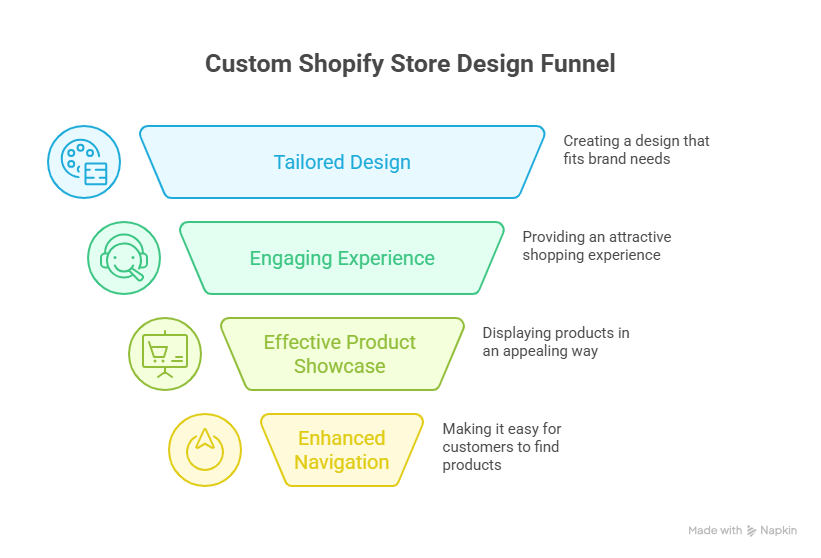
    A custom Shopify store design boosts sales by enhancing user experience, optimizing navigation, showcasing products effectively, integrating apps, and creating a professional, visually appealing, conversion-focused online store. 

    Performance is influenced by multiple factors, including the choice of shopify theme, menu structure, page speed, and the clarity of product descriptions. Investing in professional customization ensures your store is visually appealing, functional, and tailored to your audience. Ongoing maintenance and design support also play a critical role in sustaining growth and maximizing conversion. 

    Basic shopify store setups using standard templates may start from a few hundred dollars, while professionally developed and fully optimized stores with custom layouts, checkout flows, and product optimizations require a higher investment. This ensures long-term performance and scalable results. 

    Best Shopify Themes For Mobile-First And Store Design 
    Best Shopify Themes For Mobile-First And Store Design 

    In today’s fast-paced e-commerce world, your Shopify store design can make or break the shopping experience for your customers. With a majority of online shoppers using mobile devices, a mobile-first design approach is no longer optional it’s essential for success. Selecting the best Shopify themes tailored for mobile responsiveness and engaging store design can significantly boost sales, increase average order value, and enhance your store’s overall performance. 

    Why Mobile-First Design Matters for Your Online Store 

    Understanding the Shopper’s Mobile Experience 

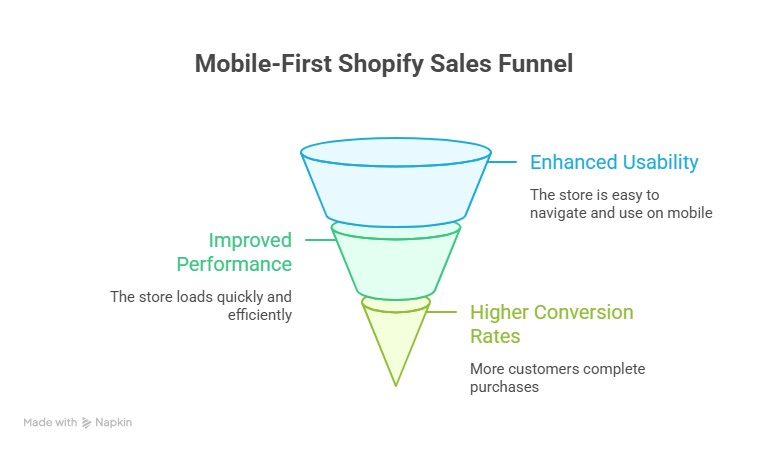
    Modern shoppers expect a seamless experience on their mobile devices. Slow-loading pages, cluttered layouts, or hidden features can frustrate users, increasing cart abandonment and reducing mobile conversion rates. A mobile-first theme ensures that your Shopify website loads quickly, streamlines navigation, and highlights essential design elements like the add to cart button without slowing down your site. 

    Direct Impact on Sales 

    A high-performing store optimized for mobile devices can directly impact your sales volume. By improving customer journey and optimizing the checkout process, mobile-first Shopify store design can increase sales and encourage shoppers to make a purchase confidently. This approach also helps reduce cart abandonment, a critical factor in driving sales conversion rates. 

    Features to Look for in Mobile-First Shopify Themes 

    Streamlined Layouts and Navigation 

    Effective store design prioritizes a clean, intuitive layout. Look for themes that streamline menus, highlight products clearly, and make it easy for shoppers to find what they need. Features like sticky headers, quick view options, and well-placed CTAs can enhance the customer experience and boost your Shopify performance. 

    Customization and Advanced Features 

    A versatile theme allows you to upload original content, integrate apps from the Shopify app store, and implement custom design options without slowing down your site. Advanced features such as product filters, image zoom, and dynamic product recommendations help connect with customers and see what resonates with your audience. 

    Social Proof and Conversion Tools 

    Themes that support social proof, product reviews, and testimonials can influence user behavior and drive sales. Incorporating tools for conversion rate optimization, like countdown timers, pop-ups, and trust badges, ensures your mobile-first design approach not only looks professional but also boosts sales with custom Shopify strategies. 

    Recommended Shopify Themes for Mobile-First Stores 

    Free Themes Like Dawn 

    The Dawn theme is a popular choice for mobile design, offering fast load times, clean layouts, and intuitive shopping experience for both new and established stores. Free themes like Dawn provide excellent flexibility to learn how to build your e-commerce store efficiently. 

    Premium Themes for High-Performing Stores 

    For stores seeking more advanced features, premium Shopify themes offer robust customization options, seamless mobile responsiveness, and tools designed to increase sales. These different Shopify themes are optimized for sales conversion rates and can be tailored to resonate with your audience, helping you boost your Shopify performance without technical hassles. 

    How Mobile-First Shopify Store Design Drives Sales
    How Mobile-First Shopify Store Design Drives Sales


    By implementing a mobile-first design approach, online stores can directly impact mobile sales, enhance shopper engagement, and boost sales with custom Shopify solutions. Focusing on intuitive store design, strategic placement of CTAs, and optimizing the checkout process ensures your shopify store design supports a smooth customer journey and maximizes revenue opportunities. 

    Optimize Product Pages And Checkout To Drive Sales 

    A well-designed product page and streamlined checkout process are essential to boost your e-commerce store’s sales. Optimizing these areas not only improves user experience but also encourages shoppers to make a purchase, helping you increase your average order and improved conversion rates. Below, we explain actionable strategies to showcase your products and create a checkout experience that drives results. 

    Focus on Creating Product Pages That Convert 

    Optimizing your product pages ensures customers can find exactly what they are looking for and are motivated to purchase. Consider these key elements: 

    • Showcase Your Products: Use high-quality images, detailed descriptions, and videos to let customers discover product features easily. 
    • Fonts and Colors: Select readable fonts and colors that align with your brand and enhance clarity. 
    • Options Like Apple Pay: Highlight modern payment options such as Apple Pay to simplify transactions and reduce friction. 
    • Testing Different Elements: Experiment with layouts, CTA buttons, and product descriptions by testing different elements to see what drives improved conversion rates. 
    • Focus on Creating a clear and compelling value proposition for each product to increase shopper confidence. 

    Optimize Checkout for Maximum Conversions 

    A smooth checkout can significantly reduce cart abandonment and help you build long-term customer loyalty. Key strategies include: 

    • Simplify Steps: Limit the number of checkout pages and minimize distractions. 
    • Offer Multiple Payment Options: Integrate options like Apple Pay, credit cards, and digital wallets to increase your average order. 
    • Customer-Friendly Forms: Use autofill, clear labels, and error validation to ensure customers can find and complete necessary fields quickly. 
    • Show Trust Signals: Include security badges and clear return policies to boost shopper confidence. 
    • Encourage Add-Ons: Suggest complementary products during checkout to increase your average order value and enhance improved conversion rates. 

    Continuous Testing and Optimization 

    To ensure your product pages and checkout process are always performing at their best, implement ongoing optimization: 

    • A/B Test Headlines and CTAs: See which wording or placement encourages clicks. 
    • Experiment with Fonts and Colors: Small adjustments can significantly impact improved conversion rates. 
    • Analyze Customer Behavior: Monitor where users drop off to focus on creating solutions that guide them to purchase. 
    • Iterate Based on Data: Use insights to refine your pages and help you build a more profitable e-commerce store. 

    Conclusion 

    A custom Shopify store design is more than just aesthetics—it’s a strategic tool to boost sales, enhance customer experience, and maximize conversion rates. By choosing mobile-first Shopify themes, optimizing product pages, and streamlining the checkout process, your online store can deliver a seamless shopping experience, increase average order value, and reduce cart abandonment. Continuous testing, custom design, and leveraging advanced features from the Shopify app store ensure your store stays competitive and resonates with your audience. 

    Investing in professional customization and focusing on intuitive store design allows you to showcase your products, implement options like Apple Pay, and drive sales with confidence. Remember, the right Shopify store design doesn’t just attract customers it guides them through a smooth customer journey that encourages repeat purchases and long-term loyalty. What’s the best way to get in touch with Integriti Studio? 

    Frequently Asked Questions (Custom Shopify Store Design For Maximum Sales )

    How to maximize sales on Shopify?

    Maximize Shopify sales by using a mobile-friendly design, clear product pages, fast checkout, upsells, discounts, email and social media marketing, SEO, and targeted ads to attract and convert customers efficiently.

    How do I fully customize my Shopify store?

    Fully customize your Shopify store by choosing a flexible theme, editing layouts and colors, adding apps for features, optimizing product pages, integrating payment options, and tailoring navigation and content to your brand.

    How much does Shopify take from a $100 sale?

    Shopify charges depend on your plan. For a $100 sale using Shopify Payments: Basic plan takes 2.9% + 30¢ ($3.20), Shopify plan 2.6% + 30¢ ($2.90), Advanced 2.4% + 30¢ ($2.70).

    How to create a high converting Shopify store?

    Create a high-converting Shopify store by using a mobile-friendly, fast design, clear navigation, compelling product images and descriptions, strong CTAs, trust signals, reviews, upsells, and a seamless checkout experience.

  • Best WordPress Hosting For Speed Security And Performance 

    Best WordPress Hosting For Speed Security And Performance 

    Best Wordpress Hosting For Speed Security And Performance

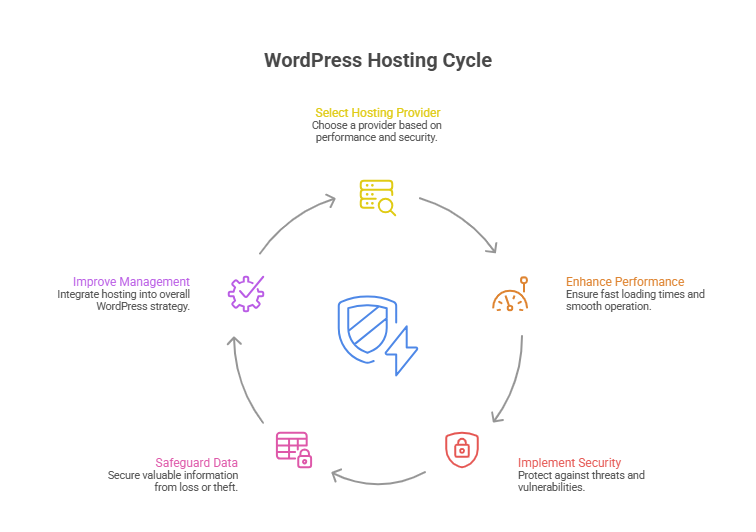
    Why does your WordPress site feel slow, vulnerable, or underperforming despite having a modern design? The truth is, website performance depends on far more than aesthetics. Factors like server location, data center quality, hosting plan, security features, and performance optimization all play a crucial role in how your site loads, ranks, and converts visitors into customers. 

    Top WordPress hosting for speed, security, and performance includes managed providers like Kinsta, SiteGround, and Cloudways with optimized infrastructure scalability. 

    Choosing the right WordPress hosting can make the difference between a sluggish, insecure site and a fast, reliable online platform. A reliable hosting provider ensures your WordPress site benefits from managed WordPress host features, proactive security, and optimized performance. While shared hosts might cost as little as $5–$10 per month, investing in a professional WordPress hosting provider like Kinsta, SiteGround, or Cloudways often delivers far greater speed, security, and scalability. 

    Professional development, combined with the real value of good design, support, and maintenance, ensures your website not only looks great but functions flawlessly. In this guide, we’ll explore the best WordPress hosting options, compare managed hosting vs. shared solutions, highlight top performance and security features, and help you select a hosting solution that truly elevates your online presence. 

    Choose The Best Managed WordPress Hosting Provider Today 

    Choose The Best Managed WordPress Hosting Provider Today 

    Selecting the best managed WordPress hosting provider is a critical decision for any business or individual aiming for exceptional website speed, security, and overall performance and security features. A reliable hosting service ensures your WordPress website runs smoothly, whether it’s a small blog or a high-traffic WordPress site. With countless WordPress hosting providers in 2026, finding the right fit can be overwhelming but the benefits are undeniable. 

    Why Managed WordPress Hosting Matters 

    Managed WordPress hosting plans provide a fully managed hosting experience that goes beyond basic server space. Unlike traditional shared hosting providers, a managed WordPress hosting provider handles automatic WordPress updates, security patches, and performance optimization, giving you peace of mind while focusing on growing your site. This hassle-free WordPress hosting ensures your website enjoys excellent speed and exceptional performance, even during traffic spikes. 

    Key Features of High-Performance WordPress Hosting 

    • Optimized for WordPress: Ensures fastest WordPress hosting performance with servers tailored to WordPress architecture. 
    • Automatic WordPress Updates: Keeps your WordPress core and plugins secure without manual effort. 
    • Advanced Security Measures: Protects against security threats, security gaps, and offers robust security for your data. 
    • Speed and Reliability: High-quality hosting infrastructure delivers site speed and speed optimization for a seamless user experience. 
    • Expert Support: A team of WordPress experts assists with setup, WordPress installation, and troubleshooting for a smooth hosting experience. 

    Comparing Managed Hosting to Shared Hosting 

    While a shared hosting plan may be sufficient for low-traffic sites, premium managed WordPress hosting ensures speed and reliability, making it ideal for high-traffic WordPress sites. Hosting comparison often shows that top WordPress hosting providers like Kinsta, SiteGround, and Cloudways deliver high-performance WordPress hosting designed to maximize performance and security features. These hosting solutions offer a range of hosting options, from fully managed WordPress hosting to managed WordPress hosting solutions optimized for identical WordPress sites. 

    How to Find the Best Managed WordPress Hosting 

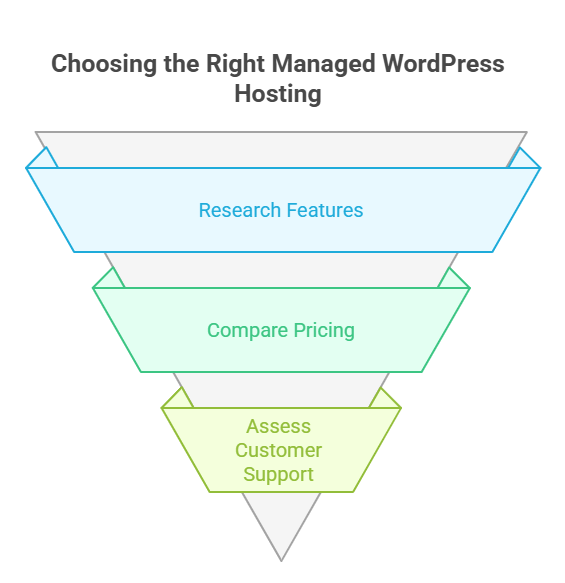
    To find the best provider, consider factors such as hosting infrastructure, advanced security, speed optimization, and flexibility. A reliable WordPress hosting provider ensures automatic WordPress updates, security patches, and performance test results that guarantee best overall speed, security measures, and hosting experience. Choosing a provider that offers a range of hosting options ensures your site grows seamlessly while maintaining speed and security. 

    Top WordPress Hosting Providers For Performance And Security 

    Top WordPress Hosting Providers For Performance And Security 
    • Why Hosting Is Essential: 
      Hosting directly impacts your website speed, uptime, and security. A good host ensures your content loads quickly, handles high-traffic WordPress sites, and provides a seamless user experience. Every hosting provider is not equal; choosing the right one is crucial for business growth. 
    • Optimized Performance: 
      The fastest WordPress hosting providers use optimized WordPress hosting infrastructure. This includes caching solutions, automatic WordPress updates, and performance-focused servers that enhance site speed and speed and performance, even under high traffic. Optimized hosting ensures your site remains fast and responsive. 
    • Strong Security Measures: 
      Security is critical. Top WordPress hosting providers implement robust security, security measures, and proactive monitoring to protect against security threats and security gaps. Features like automatic security patches, malware scans, and firewalls keep your website and data safe. 
    • Expert Support and Reliability: 
      A hosting provider known for excellent support gives access to a team of WordPress experts. This is especially useful for WordPress installation, troubleshooting, or performance issues. Reliable support ensures hassle-free WordPress hosting and minimizes downtime. 
    • Automatic WordPress Updates: 
      Top providers offer automatic WordPress updates, keeping your WordPress core, themes, and plugins current. This improves security and reduces the risk of vulnerabilities while allowing you to focus on content and business growth. 
    • Choosing the Best Hosting Provider: 
      When comparing WordPress hosting companies, consider performance, security, support, and reliability. To choose the best hosting for your needs, look for optimized WordPress hosting, high uptime, strong security measures, and a hosting experience that matches your site’s traffic and business goals. 
    • Performance and Security Benefits: 
      By selecting from top WordPress hosting providers, your WordPress website benefits from speed and reliability, optimized hosting, and proactive performance and security features. This ensures a smooth user experience, higher conversions, and long-term stability. 

    Conclusion 

    Choosing the best WordPress hosting is not just about picking a server it’s about investing in speed, security, and performance that directly impact your site’s success. From managed WordPress hosting providers like Kinsta, SiteGround, and Cloudways to optimized WordPress hosting solutions, every decision affects site speed, reliability, and user experience. By prioritizing automatic WordPress updates, advanced security measures, and expert support, you ensure your WordPress website remains fast, secure, and scalable, whether it’s a small blog or a high-traffic WordPress site. 

    Evaluating WordPress hosting companies, comparing shared vs managed hosting, and considering hosting infrastructure and performance optimization allows you to choose the best provider that aligns with your goals. The right hosting experience guarantees that your site operates flawlessly while giving you the freedom to focus on content and growth. 

    if you wanted exceptional performance, speed, and security for your site today, would you contact Integriti Studio to get started? 

    Frequently Asked Questions (Best Wordpress Hosting For Speed Security And Performance)

    Which is the fastest hosting for WordPress?

    The fastest hosting for WordPress sites includes SiteGround, Cloudways, WP Engine, and Kinsta all deliver very fast server response times, caching, and global CDN options. SiteGround is top-ranked overall, Cloudways is extremely quick for cloud hosting, and WP Engine/Kinsta excel for high-performance sites.

    What is the fastest performance web hosting?

    The fastest performance web hosting providers include high‑speed options like GreenGeeks, Hostinger, SiteGround, Rocket.net, and premium hosts like WP Engine and Kinsta, all known for very low server response times, global CDN use, and strong benchmarks that deliver extremely quick site loading.

    Which hosting is the best for WordPress?

    The best hosting for WordPress includes SiteGround, Bluehost, Cloudways, WP Engine, and Kinsta all reliable, fast, secure, and easy to use, with good uptime, support, and performance for beginners to advanced sites.

    What are the best managed WordPress hosting providers for performance?

    The best managed WordPress hosting providers for performance are Kinsta, WP Engine, Cloudways, and Pressable all optimized for fast server response, caching, CDN delivery, and reliable uptime, making them ideal for high‑speed, professional WordPress sites.

  • Best Free WordPress Themes For Professional Websites Today 

    Best Free WordPress Themes For Professional Websites Today 

    Best Free Wordpress Themes For Professional Websites Today

    Why do some WordPress themes elevate a business website while others hold it back? The right WordPress theme affects every aspect of your wordpress site from loading speed and mobile responsiveness to user experience and conversion rates. Factors like professional development, clean coding, and design flexibility determine whether your website performs seamlessly or struggles under basic traffic. 

    The best free WordPress themes for professional websites today combine sleek design, fast performance, responsive layouts, demo content, and customization, supporting small business growth effectively. 

    A free WordPress theme can be a smart starting point for a small business, but without ongoing support and customization, even the best free WordPress theme may limit your growth potential. Investing in the right theme whether free or premium ensures your wordpress site looks professional, loads quickly, and provides a smooth experience for visitors. Typical premium themes with demo content and advanced features may cost around $50–$100, but the value of a well-designed theme often outweighs the initial expense. 

    This blog will explore the best free WordPress themes available today, highlighting how each theme combines performance, design, and usability.  

    Choosing the Right WordPress Theme for Long Term Success 

    Choosing the Right WordPress Theme for Long Term Success 

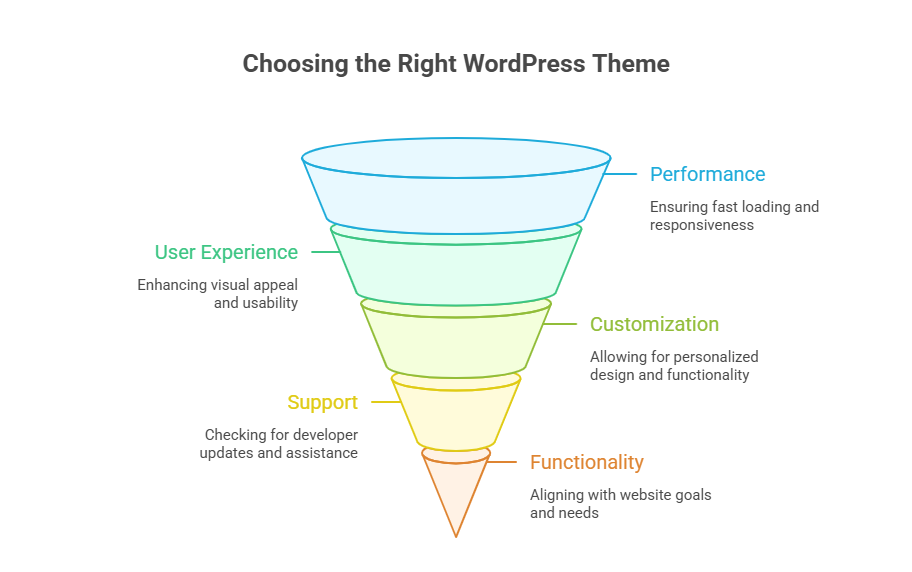
    Selecting the best free WordPress theme or premium option is critical for building a professional website that performs well today and scales tomorrow. Your choice influences speed, responsiveness, SEO, and overall user experience. A theme that works seamlessly with your content, plugins, and hosting ensures long-term success for your WordPress website. 

    Why the Right Theme Matters 

    • Performance & Speed: A lightweight theme loads faster, improving user experience. For example, a small e-commerce store using a multipurpose WordPress theme like Astra experienced 40% faster page load compared to a default WordPress theme. 
    • Professional Design: Themes with clean, modern layouts reflect credibility. A freelance portfolio site using Neve’s professional website layout attracted more clients due to its polished design. 
    • Customization Flexibility: Highly customizable WordPress themes let you adjust layouts, colors, and fonts without code, helping businesses like local cafés create unique branding. 
    • Future Proofing: A modern WordPress theme compatible with the latest WordPress updates ensures your site stays relevant and secure. 

    Key Features to Look For 

    Responsive & Mobile-Ready 

    Choose a responsive WordPress theme that adapts to all devices. For instance, a consulting firm using OceanWP reported a 30% increase in mobile traffic after switching to a responsive WordPress theme. 

    Compatibility With Plugins & WordPress Tools 

    Your theme should support WordPress plugins, WordPress block editor, and the WordPress theme customizer for live editing. Real-world example: a small business integrated a booking plugin into Kadence’s professional website layout without coding issues. 

    Demo Content & Pre-Built Templates 

    Themes with pre-built demo content allow you to build a website quickly while maintaining a professional design. A start-up used pre-built demo layouts from Hestia to launch its site in under a week. 

    Free vs Paid Options 

    • Free Option: Excellent for beginners; many free WordPress themes in 2025 offer responsive design and professional layouts. Example: the free version of GeneratePress allowed a freelance designer to create a professional website without spending a dime. 
    • Free and Premium: Premium or paid versions include extended support, updates, and advanced customization features. A small e-commerce store upgraded from a free theme to a premium version of Astra and gained WooCommerce integration and faster load times. 

    Popular Theme Types 

    • Multipurpose WordPress Theme: Ideal for any type of website, from blogs to business sites. 
    • Lightweight Theme: Optimized for speed and minimal bloat. 
    • Professional WordPress Theme: Focused on design, reliability, and professional website standards. 

    How to Choose the Best Theme 

    1. Identify your website goals: Is it for a small business, portfolio, or blog? 
    1. Check compatibility with hosting: Ensure your theme works with your WordPress hosting environment. 
    1. Explore the WordPress community: Popular WordPress themes have active support forums and updates. 
    1. Test the theme live: Use the WordPress live customizer to preview changes. 
    1. Look for long-term scalability: Choose a WordPress theme for your business that grows with your needs. 

    Why Free WordPress Theme Options Empower Professional Websites Today

    Why Free WordPress Theme Options Empower Professional Websites Today

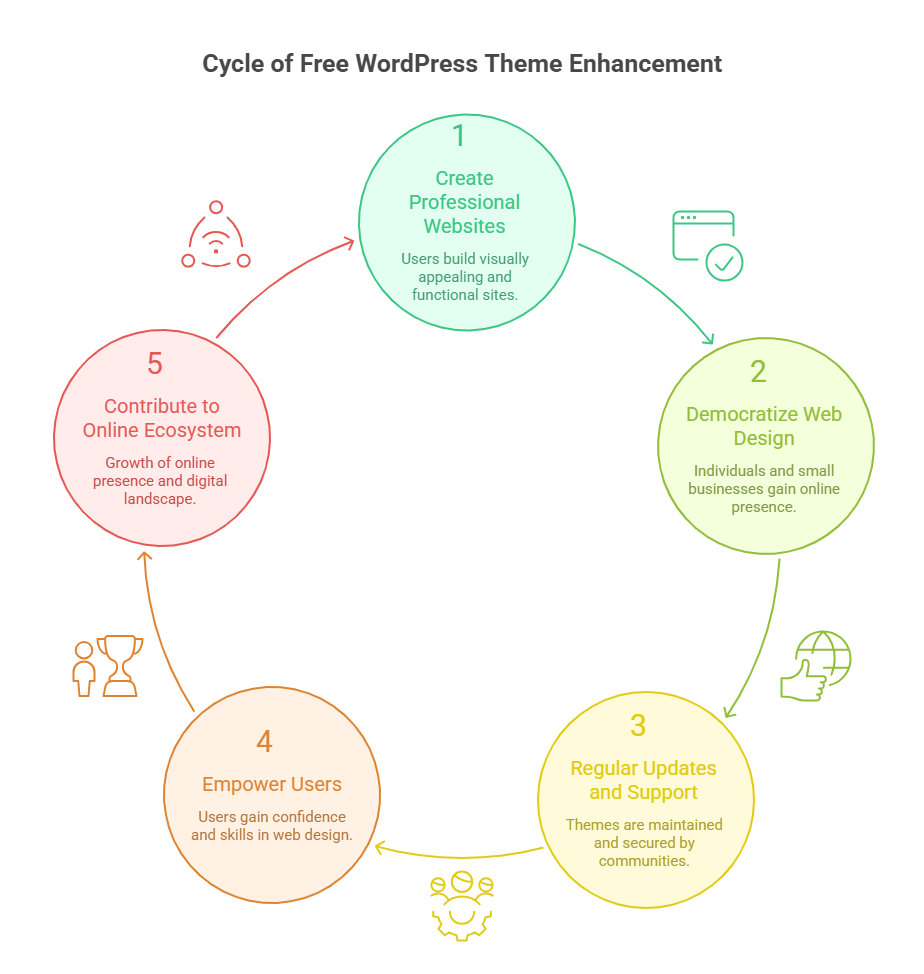
    Choosing the best free WordPress theme is no longer just a cost-saving measure it’s a strategic decision for building a professional website that performs well, scales easily, and creates a lasting impression. Modern multipurpose WordPress themes offer responsive layouts, pre-built demos, and robust customization options, making it possible to build a website that is both functional and visually appealing. Whether you are a small business launching a new site, a freelancer showcasing a portfolio, or an entrepreneur testing a new idea, the right free theme can provide the foundation for long-term success. 

    A carefully chosen theme directly impacts site speed, SEO, user experience, and conversion rates. Many businesses overlook how much their WordPress website depends on a theme that works seamlessly with WordPress plugins, WordPress hosting, and other customization tools. By choosing a free theme with professional design and modern WordPress standards, you can focus on content, marketing, and growth instead of troubleshooting technical issues. 

    Cost-Efficient and Professional 

    Selecting a free option doesn’t mean compromising quality. Today’s free themes provide professional design, mobile responsiveness, and layouts suitable for various industries. They allow startups or small businesses to launch a professional website without upfront costs, while still maintaining a polished appearance. 

    Free themes also make it easier to experiment with layouts and functionality without financial risk. Using pre-built demos, you can build a website quickly and test what works best for your type of website. This flexibility helps businesses optimize for user experience and conversions before considering premium upgrades. 

    Flexible and Customizable 

    Responsive and Lightweight 

    A responsive WordPress theme ensures your website functions perfectly on mobile, tablet, and desktop devices. A lightweight theme improves page load speed, enhances user experience, and supports better SEO performance. These features are essential for creating a professional website that visitors trust. 

    Customization with Ease 

    Most free themes integrate with the WordPress block editor, WordPress customizer, and WordPress live customizer, letting you adjust colors, fonts, and layouts without touching code. This makes them ideal for businesses that need a highly customizable WordPress theme that can evolve over time. 

    Long-Term Compatibility and Growth 

    Free themes today are built to work with modern WordPress, WordPress plugins, and popular WordPress hosting solutions. They are regularly updated, ensuring compatibility with the latest WordPress version. This provides a scalable foundation for businesses, allowing the professional website to grow and adapt without expensive redesigns. 

    By choosing the best free WordPress theme, you gain access to a flexible, reliable, and visually appealing solution that can match professional standards. Many free themes now rival premium options in functionality, design, and customization. 

    Real-World Example 

    For instance, a small startup used the free version of Astra, leveraging its pre-built demo to build a website quickly. Within a few days, they launched a fully functional professional website that was responsive, lightweight, and visually polished helping them establish credibility and attract clients immediately. 

    Conclusion 

    Choosing the right WordPress theme whether free or premium is more than just a design decision; it directly impacts your website’s performance, speed, responsiveness, and user experience. Modern free WordPress themes like Astra, Neve, OceanWP, Kadence, and Hestia provide professional layouts, lightweight performance, pre-built demos, and easy customization, empowering small businesses, startups, and freelancers to launch polished, functional websites without upfront costs. By selecting a theme that aligns with your goals, supports modern WordPress standards, and allows long-term growth, you can focus on content, marketing, and conversions rather than technical issues. 

    Even with a free theme, you can achieve a professional, responsive, and scalable website that rivals premium options. The key is to prioritize performance, flexibility, and compatibility with plugins and hosting. Investing time in choosing the right theme today ensures your WordPress site remains modern, reliable, and user-friendly for years to come. 

    If you want a WordPress site that grows with your business, should you contact Integriti Studio today or wait and risk falling behind your competitors? 

    Frequently Asked Questions (Best Free Wordpress Themes For Professional Websites Today )

    Which free WordPress theme is best?

    Astra is considered one of the best free WordPress themes because it is lightweight, fast, and highly customizable. It works well with major page builders, is mobile responsive, SEO friendly, and suitable for blogs, business websites, and small e-commerce sites.

    Can I build a professional website with WordPress for free?

    Yes, you can build a professional website with WordPress for free by using free themes, plugins, and WordPress.com or self-hosted WordPress. However, limitations in design, features, branding, and scalability mean that investing later in premium tools often delivers better performance and long-term growth.

    What is the best free WordPress theme for eCommerce?

    Astra (free) is one of the best free WordPress themes for eCommerce because it’s lightweight, fast, and fully compatible with WooCommerce. It offers customizable shop layouts, responsive design, and good performance without extra cost, making it ideal for online stores on a budget.

    What is the best free WordPress website builder?

    Elementor is the best free WordPress website builder because it offers an intuitive drag-and-drop editor, pre-built templates, responsive controls, and real-time design. It works with most themes and lets you build professional pages without coding.

  • Themeforest WordPress Themes To build Stunning Websites Fast 

    Themeforest WordPress Themes To build Stunning Websites Fast 

    Themeforest Wordpress Themes To build Stunning Websites Fast 

    Why do some websites struggle to engage visitors or convert traffic efficiently? The answer often lies in the WordPress theme you choose and how well it aligns with your business goals. Factors like page speed, responsive layouts, and clean coding directly influence website performance, while professional development ensures your WordPress site functions flawlessly across devices. 

    Themeforest WordPress themes let you build stunning websites fast with creative, responsive templates, optimized for speed, modern design, and WooCommerce, helping your site perform professionally online. 

    Selecting the right Themeforest WordPress theme offers more than just aesthetics. A well-designed template can help you build a website fast, optimize user experience, and provide seamless integration with WooCommerce themes for online shops. Beyond design, ongoing support, updates, and maintenance play a critical role in sustaining your website’s performance and security. Many small businesses invest in a premium WordPress theme for as little as $50–$100, gaining access to professionally crafted layouts, modern visuals, and features that elevate their online presence. 

    Creative Subscription Offers Popular All-in-One WordPress Templates 

    Creative Subscription Offers Popular All-in-One WordPress Templates 

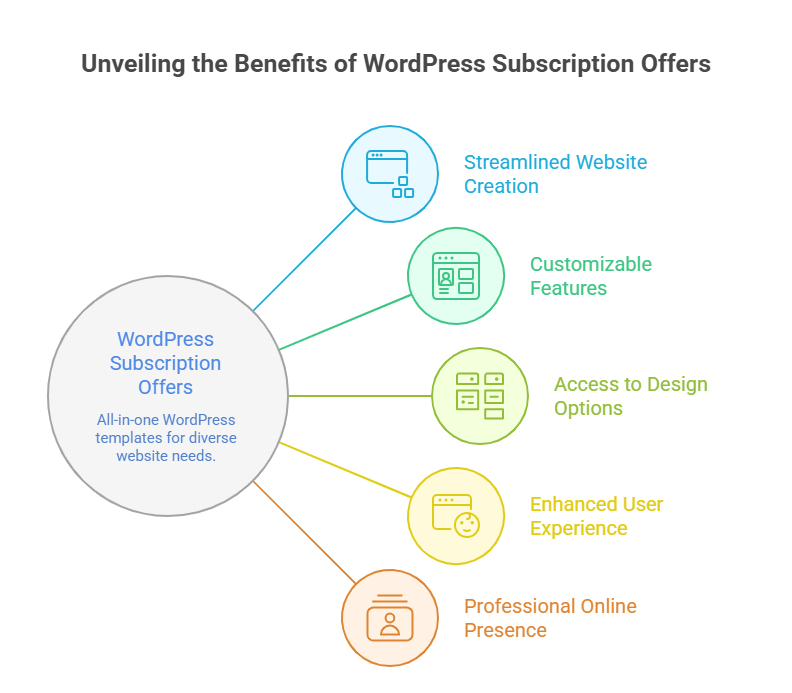
    Choosing the right creative subscription can completely transform how you build websites fast. These subscriptions provide access to premium WordPress themes, WP themes, and website templates on Themeforest, enabling you to launch professional WordPress websites quickly without relying on a single theme purchase. By leveraging all-in-one templates, you get design, performance, and functionality bundled in one package, making it ideal for businesses and developers who need fast deployment with consistent quality. 

    Access to the Fastest WordPress Themes on Themeforest 

    With a creative subscription, you unlock some of the fastest WordPress themes on Themeforest. These popular WordPress themes on Themeforest are lightweight, easy to customize, and built with performance in mind. From single product WooCommerce setups to full e-commerce stores, these premium WordPress themes allow you to create a fast website that performs efficiently across devices. 

    Benefits of All-in-One Website Templates 

    All-in-one templates simplify development by combining multiple WordPress templates, site templates, and WP themes in one package. Key advantages include: 

    • Ready-to-use professional WordPress layouts for various business needs 
    • Integrated plugins for enhanced content and e-commerce functionality 
    • Fast website performance with AMP compatibility and optimized sliders 
    • Flexible customization options to align with your brand 

    Real Value for Developers and Businesses 

    A creative subscription lets you customize multiple projects without purchasing individual themes. Platforms like Themeforest such as Hypermart provide access to premium WordPress themes, WordPress templates, and WP themes designed for fast website launches. Businesses save both time and cost while ensuring their site templates meet professional standards, offering clean HTML layouts and modern designs suitable for online stores, blogs, and corporate websites. 

    By leveraging creative subscriptions with all-in-one templates, you get access to premium WordPress themes that are professional, fast, and easy to customize, helping you create a website that stands out in design, performance, and functionality. 

    Easily Customize Themeforest WP Themes For Your Site

    Easily Customize Themeforest WP Themes For Your Site 

    Customizing a professional WordPress theme from Themeforest is straightforward if approached systematically. Follow these steps to make your site fully tailored and easy to customize: 

    Step 1: Choose the Right Theme 

    Selecting the right premium WordPress theme is the foundation. Look for popular options that suit your platform type be it news, e-commerce, or portfolio. Themes such as Hypermart are ideal for online stores, offering single product WooCommerce layouts, sliders, and pre-built site templates. Focus on lightweight and fastest WordPress themes on Themeforest for optimal performance. 

    Step 2: Install the Theme and Required Plugins 

    After purchase, download the HTML and WordPress files from Themeforest. Install the theme on your WordPress platform, and activate any bundled plugins that enhance functionality. Many themes include easy-to-use drag-and-drop builders or intuitive interface panels that simplify design changes. 

    Step 3: Explore the Theme Interface 

    Spend time exploring the theme’s interface. Check out the section layouts, slider, and content blocks. Use the theme library to access pre-built modules. Themes are designed to be versatile, allowing you to add, remove, or rearrange sections to match your brand style without coding knowledge. 

    Step 4: Customize Colors, Fonts, and Layout 

    Most professional WordPress themes allow you to customize colors, typography, and layout via theme settings or builder plugins. Adjust the content and section spacing for a cohesive look. If your theme supports it, enable performance-enhancing features like lazy loading for images or optimized slider effects. 

    Step 5: Add Content and Products 

    Now it’s time to populate your website. Add content pages, blog posts, or single product WooCommerce listings. Use the theme’s easy-to-use modules and intuitive blocks to insert text, images, videos, and sliders without touching code. 

    Step 6: Use Theme Documentation and Tutorials 

    Refer to the included documentation and online tutorials for advanced customization. Many themes have a global community or forums where designers and developers share tips. This support ensures you can fully leverage the theme’s versatile capabilities. 

    Step 7: Test Performance and Responsiveness 

    Finally, check the performance and responsiveness across devices. Make sure your website is lightweight, loads quickly, and maintains a professional appearance on desktops, tablets, and mobiles. 

    Conclusion 

    Choosing the right Themeforest WordPress themes can make a remarkable difference in how fast, visually appealing, and functional your website becomes. By leveraging creative subscriptions or individual premium WordPress themes, you gain access to professional, lightweight, and popular site templates that are easy to customize, optimized for performance, and compatible with WooCommerce or other essential plugins. 

    Following a structured approach selecting the right theme, installing required plugins, exploring the interface, customizing colors and layout, adding content, and using documentation ensures your website is not only fast and versatile but also maintains a professional WordPress standard across all devices. Themes such as Hypermart exemplify how pre-built modules, sliders, and flexible site templates allow businesses and developers to launch websites quickly without compromising on design or performance. 

    Ultimately, investing time in thoughtful customization transforms a generic template into a website that truly represents your brand, engages visitors, and converts traffic effectively. 

     If you want a fully optimized, professional WordPress site but don’t know where to start, why not contact Integriti Studio and see which fastest WordPress themes on Themeforest suit your business best? 

    Frequently Asked Questions (Themeforest Wordpress Themes To build Stunning Websites Fast )

    How to quickly build a WordPress site?

    To quickly build a WordPress site, choose reliable hosting, install WordPress with one click, select a lightweight premium theme, import demo content, customize layouts, install essential plugins, add your content, and optimize for speed, security, and mobile responsiveness before launch.

    Is ThemeForest good for WordPress?

    Yes, ThemeForest is good for WordPress if you want a wide variety of affordable themes with lots of design choices, regular updates, and support. Just check ratings, reviews, and documentation before buying to ensure quality and compatibility with your plugins.

    What is the fastest WordPress theme?

    The fastest WordPress themes are Astra and GeneratePress both are ultra-lightweight, optimized for speed, and score very high in performance tests. Neve and Kadence are also among the top quick-loading themes that keep sites responsive and fast.

    How does ThemeForest work?

    ThemeForest is a digital marketplace where independent developers sell WordPress themes, plugins, and templates. Users browse, purchase a license, download files, and install them on their site. Each item includes documentation, updates, and limited support from the author.

  • Mitigating Denial of Service Vulnerability from Unrecoverable Stack Space Exhaustion for React, Next.js and APM Users 

    Mitigating Denial of Service Vulnerability from Unrecoverable Stack Space Exhaustion for React, Next.js and APM Users 

    Mitigating Denial of Service Vulnerability from Unrecoverable Stack Space Exhaustion for React, Next.js and APM Users 

    Modern React and Next.js applications are increasingly complex, blending server side rendering, API orchestration, middleware layers and performance monitoring agents. While this architecture enables speed and flexibility, it also introduces subtle failure modes that can be exploited or triggered unintentionally. 

    One of the most dangerous among these is unrecoverable stack space exhaustion. Unlike memory leaks that degrade performance gradually, stack exhaustion causes abrupt crashes that can take entire services offline. In production environments, this behavior often manifests as a denial of service condition that is difficult to trace and even harder to recover from. 

    Why Stack Space Exhaustion Is Especially Dangerous 

    Stack space exhaustion occurs when recursive or deeply nested function calls exceed the call stack limit. In Node.js based environments, including Next.js and React server side rendering pipelines, this usually results in a fatal error that cannot be caught or gracefully handled. 

    The danger lies in three factors: 

    • The error is synchronous and unrecoverable 
    • The process typically terminates immediately 
    • Restart loops can amplify downtime under load 

    For applications serving high traffic or API driven frontends, this creates an ideal denial of service vector. 

    React and the Hidden Cost of Recursive State Patterns 

    On the client side, recursion often appears indirectly through state updates, effect dependencies or component trees that re render uncontrollably. 

    Efforts focused on preventing stack space exhaustion in React apps should examine: 

    • Recursive component composition 
    • Circular state updates triggered by effects 
    • Unbounded render loops under error conditions 

    When these patterns leak into server rendered environments, the risk multiplies. 

    Next.js Server Side Rendering as an Attack Surface 

    Next.js server side rendering executes React logic on the server. Any recursive logic here runs within the Node.js call stack, not the browser sandbox. 

    This makes handling unrecoverable errors in Node.js SSR a critical architectural concern. A single malformed request or unexpected data shape can trigger recursive rendering paths that exhaust stack space and crash the process. 

    In multi tenant or public facing systems, this is not just a reliability issue. It is a security risk. 

    API Routes and Recursive Call Chains 

    Next.js API routes are another frequent source of stack exhaustion. Developers often compose handlers that call shared utilities, which in turn invoke internal APIs or database abstraction layers. 

    Without strict safeguards, this can result in accidental recursion. 

    Best practices for securing Next.js API routes against recursive calls include: 

    • Explicit recursion depth guards 
    • Separation of read and write handlers 
    • Avoiding internal HTTP calls between API routes 
    • Enforcing strict input validation at route boundaries 

    Failing to isolate these paths can allow a single request to cascade into a stack overflow. 

    Performance Monitoring Tools Can Make Things Worse 

    Application performance monitoring tools instrument function calls, promises and asynchronous boundaries. While invaluable for observability, they can unintentionally deepen call stacks. 

    Teams focused on optimizing APM for React performance monitoring must be aware that aggressive instrumentation increases stack depth and can surface stack exhaustion earlier than expected. 

    This is especially problematic when combined with recursive rendering logic or deeply nested middleware. 

    Security Implications Beyond Availability 

    Stack exhaustion vulnerabilities extend beyond uptime concerns. In regulated environments or mission critical platforms, unplanned crashes can violate availability guarantees and compliance requirements. 

    From a security standpoint, server side rendering security best practices demand that applications: 

    • Fail gracefully 
    • Isolate crash domains 
    • Prevent untrusted input from triggering fatal execution paths 

    When stack exhaustion is left unmitigated, none of these conditions hold. 

    Practical Mitigation Strategies That Actually Work 

    Rather than relying on restarts and hope, teams should approach this problem systematically. 

    Effective mitigation strategies include: 

    • Limiting recursion depth explicitly in rendering logic 
    • Replacing recursion with iterative patterns where possible 
    • Enforcing strict timeouts on SSR execution 
    • Running SSR in isolated worker processes 
    • Validating all API route inputs before execution 

    These measures reduce the likelihood that a single request can destabilize the entire system. 

    Preparing for 2026 Threat Models 

    As frameworks evolve and traffic volumes increase, denial of service vectors grow more subtle. This is why Next.js DoS vulnerability mitigation 2026 must focus on architectural resilience, not just patching. 

    Security teams should treat stack exhaustion as a first class risk, especially in platforms that rely heavily on server side rendering and API composition. 

    How Integriti Studio Approaches This Risk 

    At Integriti Studio, we design React and Next.js systems with failure isolation in mind. 

    Our approach includes: 

    • Auditing recursive execution paths 
    • Hardening SSR pipelines 
    • Securing API route architecture 
    • Aligning APM tooling with runtime limits 

    We believe reliability and security emerge from design discipline, not just tooling. 

    Final Thoughts 

    Stack space exhaustion is not a theoretical issue. It is a real and often overlooked vulnerability that can cripple modern React and Next.js systems. 

    Teams that proactively address recursion, SSR execution paths and instrumentation depth gain more than uptime. They gain confidence that their platforms can withstand both scale and abuse. 

  • Importance of CRMs for Business Growth 

    Importance of CRMs for Business Growth 

    Importance of CRMs for Business Growth 

    Most growing businesses do not fail because of lack of demand. They fail because growth exposes operational weaknesses faster than teams can respond. Customer conversations become fragmented. Follow ups slip through the cracks and decisions are made on instinct rather than evidence. 

    This is where CRM systems stop being sales tools and start becoming growth infrastructure. A CRM is no longer just about tracking leads. It is about creating alignment between sales, operations, service delivery and leadership decision making. 

    Growth Without Structure Creates Hidden Friction 

    In early stages, growth feels manageable. Founders know their customers personally. Teams rely on inboxes, spreadsheets and informal updates. This works until volume increases. 

    As complexity grows, businesses begin to experience: 

    • Missed follow ups 
    • Inconsistent customer experiences 
    • Conflicting data across teams 
    • Slower response times 
    • Poor visibility into performance 

    CRMs introduce structure at the exact moment when intuition stops scaling. 

    CRMs as a Central Nervous System 

    A well implemented CRM acts as a central nervous system for the business. It completely connects customer interactions, internal workflows and performance metrics into a single operational view. 

    This enables leadership to: 

    • See where deals stall 
    • Understand why customers churn 
    • Identify high performing segments 
    • Predict revenue more accurately 

    Without this visibility. Growth decisions become reactive instead of intentional. 

    Build or Buy Is a Strategic Choice 

    One of the earliest CRM decisions businesses face is whether to adapt an existing platform or build around custom needs. 

    The debate around custom CRM vs off the shelf for scaling businesses is not about cost alone. It is about control, flexibility and long term alignment. 

    Off the shelf CRMs work well when processes are standard. Custom CRMs become valuable when: 

    • Sales cycles are non linear 
    • Multiple user roles interact with customers 
    • Internal workflows drive revenue outcomes 
    • Data models are unique to the business 

    Choosing incorrectly often leads to workarounds that slow the teams down. 

    CRMs Reduce Bottlenecks Before They Become Visible 

    Operational bottlenecks rarely announce themselves. They surface as delays, errors and frustration. 

    Using CRM to reduce operational bottlenecks allows teams to: 

    • Automate repetitive tasks 
    • Enforce consistent workflows 
    • Route information to the right teams 
    • Reduce dependency on individuals 

    This is especially important in service driven businesses where response time and coordination directly affect customer satisfaction. 

    Retention Is a CRM Problem, Not Just a Product One 

    Many businesses focus CRM efforts heavily on acquisition. Retention often receives less attention even though it drives long term growth. 

    Through CRM automation for service provider retention, teams can: 

    • Monitor engagement health 
    • Trigger proactive follow ups 
    • Identify early churn signals 
    • Support providers before issues escalate 

    Retention improves when relationships are managed intentionally rather than reactively. 

    Analytics Turn Customer Data Into Strategy 

    Data stored in a CRM is only valuable if it informs decisions. 

    Advanced teams use data driven growth strategies using CRM analytics to: 

    • Identify conversion drop offs 
    • Measure channel effectiveness 
    • Forecast pipeline health 
    • Optimize sales and service processes 

    When CRM data is trusted, leadership discussions shift from opinions to evidence. 

    CRM Workflows Must Match Real Sales Behavior 

    Generic pipelines rarely reflect how deals actually move. B2B sales cycles often involve multiple stakeholders, approvals and pauses. 

    By customizing CRM workflows for B2B sales cycles, businesses can: 

    • Align stages with buying behavior 
    • Track decision makers accurately 
    • Support long running negotiations 
    • Improve forecasting accuracy 

    When workflows reflect reality, adoption improves naturally across teams. 

    CRMs Become Even More Critical in Platform Businesses 

    In marketplaces and platforms, CRM systems often sit at the intersection of buyers, sellers and internal teams. 

    Integrating CRM with custom backends allows: 

    • Unified customer and provider views 
    • Better support coordination 
    • Clear visibility into lifecycle events 
    • Stronger operational control 

    This is why integrating CRM with custom marketplace backends becomes essential as platforms scale beyond manual oversight. 

    Growth Maturity Changes How CRMs Are Used 

    Early stage teams use CRMs to track activity. Mature teams use CRMs to shape behavior. 

    As businesses scale, CRMs evolve into: 

    • Workflow engines 
    • Decision support systems 
    • Performance management tools 
    • Customer experience platforms 

    The difference lies in implementation depth, not software choice. 

    How Integriti Studio Approaches CRM Strategy 

    At Integriti Studio, we treat CRMs as operational systems rather than sales add ons. 

    Our work focuses on: 

    • Aligning CRM architecture with business models 
    • Designing workflows that reduce friction 
    • Integrating CRMs with custom platforms 
    • Enabling teams to act on data, not just store it 

    We believe CRMs should accelerate growth, not add administrative overhead. 

    Final Perspective 

    CRMs are not about controlling customers. They are about enabling teams to operate with clarity and consistency as complexity increases. 

    Businesses that view CRMs as strategic infrastructure gain: 

    • Better visibility 
    • Stronger retention 
    • Faster execution 
    • More predictable growth 

    Growth becomes sustainable when systems support it. CRMs are one of the most powerful systems businesses can invest in when scaling intentionally. 

  • Why a Product First Approach Can Put Security and Reliability at Risk 

    Why a Product First Approach Can Put Security and Reliability at Risk 

    Why a Product First Approach Can Put Security and Reliability at Risk

    In early stage software companies, speed is often treated as a virtue without context. Launch faster. Ship more features. Capture feedback early. These ideas are deeply embedded in startup culture, especially for founders under pressure to prove traction. 

    A product first approach usually means prioritizing visible features, user flows and market differentiation before addressing deeper system concerns. While this can create short term momentum, it often introduces hidden risks that surface later as security incidents, outages, or costly rewrites. 

    This article examines why product first thinking can quietly undermine platform stability and why teams that delay architectural discipline often pay for it twice. 

    How Product First Thinking Becomes the Default 

    Most teams do not consciously choose to ignore security or reliability. The shift happens subtly. 

    Product roadmaps focus on: 

    • User facing features 
    • Growth experiments 
    • Monetization hooks 
    • Competitive parity 

    Engineering discussions then follow product pressure rather than system needs. Over time, architecture adapts reactively instead of intentionally. This is where reliability vs speed in product-first startups becomes a real tradeoff rather than a theoretical one. 

    Speed feels measurable. Reliability does not until it fails. 

    The Hidden Cost of Rapid MVP Delivery 

    Fast MVPs often succeed in answering one question. Does anyone want this product. 

    They often fail to answer another. Can this system be trusted. 

    In the rush to validate ideas, teams unintentionally introduce security risks in rapid MVP development, such as: 

    • Hardcoded secrets 
    • Over permissive APIs 
    • Weak authentication flows 
    • Shared admin credentials 
    • Unverified third party integrations 

    These issues rarely block early launches. They quietly accumulate risk while user trust grows. 

    Feature Density Is Not Neutral 

    Every new feature adds more than functionality. It adds surface area. 

    As MVPs become feature heavy, teams encounter the technical debt risks of feature-heavy MVPs in several forms: 

    • Complex permission logic 
    • Interdependent services 
    • Unclear data ownership 
    • Increased blast radius during failures 

    What began as a lightweight product turns into a fragile system that is difficult to reason about. Reliability degrades not because of scale, but because of complexity without structure. 

    Reliability Is an Architectural Decision 

    Reliability does not emerge from testing alone. It is the result of early architectural choices. 

    Teams that delay these decisions often struggle when: 

    • Traffic spikes unexpectedly 
    • Background jobs fail silently 
    • Payment flows partially complete 
    • Recovery paths are undefined 

    This is especially critical when architecting for reliability in marketplace platforms, where multiple users, states and transactions intersect. A single failure can affect buyers, sellers and platform credibility simultaneously. 

    Reliability must be designed, not retrofitted. 

    Security Failures Often Start in the Happy Path 

    Security incidents rarely originate in edge cases. They usually emerge from assumptions made during early success. 

    Common patterns include: 

    • Assuming trusted users remain trusted 
    • Expanding permissions without revisiting access models 
    • Adding payment logic without threat modeling 
    • Scaling fund flows without isolation layers 

    These gaps are visible in common security oversights in marketplace fund flows, where improper validation or sequencing exposes platforms to fraud, chargebacks, or regulatory risk. 

    What worked at low volume becomes dangerous at scale. 

    Why DevSecOps Is Not Just for Large Teams 

    Security is often postponed because teams believe it requires scale. In reality, smaller teams benefit the most from early discipline. 

    Implementing DevSecOps for early-stage software companies does not require enterprise tooling. It requires: 

    • Security checks integrated into CI pipelines 
    • Automated dependency scanning 
    • Environment separation 
    • Logging and monitoring by default 
    • Clear ownership of system health 

    These practices reduce decision fatigue and prevent last minute security panic during growth phases. 

    When Reliability Fails, Product Suffers First 

    Ironically, product teams feel the impact of reliability failures more than anyone. 

    Outages lead to: 

    • Lost user trust 
    • Support overload 
    • Paused feature development 
    • Reactive engineering work 
    • Delayed growth initiatives 

    A product first approach eventually slows product velocity because teams become trapped in maintenance cycles instead of innovation. 

    Speed without stability is temporary. 

    A Different Way to Think About Product and Engineering 

    Mature teams do not treat product and engineering as competing priorities. They treat them as reinforcing systems. 

    Strong teams ask: 

    • What assumptions are we making today that could break later 
    • Which parts of the system must never fail 
    • Where do we accept risk intentionally 
    • What does recovery look like when failure occurs 

    This mindset shifts conversations from feature delivery to system resilience. 

    How Integriti Studio Approaches This Balance 

    At Integriti Studio, we work with teams that want to move fast without inheriting long term risk. 

    Our approach focuses on: 

    • Early reliability focused architecture 
    • Secure payment and data flow design 
    • Practical DevSecOps foundations 
    • Feature delivery aligned with system integrity 

    We believe products scale best when security and reliability are treated as first class product features, not technical afterthoughts. 

    Closing Perspective 

    A product first approach is not inherently wrong. It becomes dangerous when it ignores the systems that make products trustworthy. 

    Security and reliability are not blockers to speed. They are the reason speed is sustainable. 

    Teams that invest early in stable foundations gain more than uptime. They gain confidence, credibility and freedom to build without fear. 

    In the long run, the fastest teams are the ones that can afford to keep moving. 

  • Store and Display Data Using ASP and XML/XSL 

    Store and Display Data Using ASP and XML/XSL 

    Store and Display Data Using ASP and XML/XSL 

    There are still production systems today running on classic ASP with XML and XSLT at their core. These systems are not prototypes, experiments, or abandoned side projects. They power internal tools, government platforms, financial reporting engines and operational dashboards that have worked reliably for years. 

    The challenge is not that ASP and XML failed. The challenge is that the surrounding ecosystem changed. Security expectations evolved. Frontend standards matured. Data volumes increased. Integration demands expanded. 

    This article looks at how ASP and XML based systems actually work, why they struggle in 2026 and how teams are modernizing without full rewrites. 

    How ASP and XML Systems Were Originally Designed 

    Classic ASP applications often followed a clean separation that was ahead of its time: 

    • ASP handled server logic and data access 
    • XML acted as the data transport and structure 
    • XSLT controlled presentation and transformation 

    This approach allowed: 

    • Device agnostic rendering 
    • Reusable data feeds 
    • Clear separation between logic and layout 

    In controlled environments with predictable data sizes, this model worked extremely well. Many of these systems are still stable and functionally correct today. 

    Problems emerged not from design mistakes, but from scale, security and integration pressure. 

    Where These Systems Begin to Break Down 

    Most legacy ASP XML systems struggle in five specific areas: 

    • Rendering performance with growing XML payloads 
    • Difficulty integrating with modern APIs 
    • Security vulnerabilities in outdated runtimes 
    • Frontend limitations driven by XSLT complexity 
    • Lack of compatibility with headless architectures 

    At this stage, teams are no longer simply maintaining software. They are actively containing risk

    This is where modernizing legacy ASP XML applications becomes a strategic necessity rather than a technical preference. 

    XML at Scale Is a Frontend Problem, Not a Data Problem 

    XML itself is not inefficient. The real issue appears when large datasets are rendered directly through XSLT on the server or browser. 

    When organizations attempt displaying large XML datasets in modern web apps, they encounter: 

    • Long transformation times 
    • Memory pressure 
    • Poor interactivity 
    • Limited client-side control 

    Modern interfaces expect pagination, filtering, dynamic loading and reactive state. XSLT was never designed for that interaction model. 

    This is why transformation strategy matters more than storage format. 

    Moving From XSLT to Component-Based Frontends 

    A common modernization step is replacing XSLT-driven rendering with component-based frameworks. 

    The goal is not to discard XML, but to decouple presentation from transformation. 

    This often involves converting XML XSLT to React components, where: 

    • XML remains the data source 
    • Transformation happens server-side or via middleware 
    • React handles rendering, state and interaction 

    In practice, teams convert: 

    • XSL templates into reusable UI components 
    • Conditional logic into frontend state management 
    • Layout rules into design systems 

    This shift dramatically improves maintainability without disrupting backend logic. 

    Rethinking the Data Layer Without Breaking the System 

    One of the biggest risks in legacy systems is tightly coupled data access. ASP applications often connect directly to on-prem databases using outdated drivers and credentials. 

    Modernization efforts frequently start with migrating legacy ASP data to cloud databases such as managed SQL, document stores, or hybrid solutions. 

    This allows: 

    • Improved security controls 
    • Better backup and recovery 
    • Easier integration with modern services 
    • Reduced operational risk 

    Crucially, the ASP layer can often remain intact during this transition, acting as a bridge rather than a blocker. 

    Security Is the Real Deadline 

    The most urgent issue facing ASP systems in 2026 is security. 

    Classic ASP environments face: 

    • Unsupported runtimes 
    • Weak encryption defaults 
    • Limited patching options 
    • Incompatibility with modern authentication standards 

    For many organizations, refactoring old ASP systems for 2026 security becomes non-negotiable. 

    Common approaches include: 

    • Isolating ASP behind secure gateways 
    • Removing direct database exposure 
    • Introducing token-based authentication layers 
    • Shifting sensitive logic into modern services 

    Security driven refactoring often dictates the pace of modernization more than performance concerns. 

    XML Still Has a Role in Headless Systems 

    Despite predictions of its demise, XML remains common in enterprise workflows, integrations and reporting pipelines. 

    What changes is how it is consumed. 

    Many teams now implement XML to JSON transformation for headless architectures, where: 

    • XML remains the authoritative data source 
    • JSON becomes the delivery format 
    • APIs expose structured endpoints 
    • Frontends remain framework agnostic 

    This approach preserves institutional knowledge while enabling modern delivery patterns. 

    XML does not disappear. It evolves into an internal format rather than a frontend contract. 

    A Practical Modernization Path That Actually Works 

    Successful teams do not attempt to replace everything at once. 

    A realistic progression often looks like: 

    1. Secure the existing ASP environment 
    1. Move data storage to managed infrastructure 
    1. Introduce transformation layers outside XSLT 
    1. Gradually replace frontend rendering 
    1. Expose data through APIs 

    This approach minimizes risk, avoids downtime and allows incremental validation at every stage. 

    How Integriti Studio Approaches Legacy ASP Modernization 

    At Integriti Studio, we treat legacy systems as assets, not liabilities. 

    Our approach focuses on: 

    • Preserving business logic that already works 
    • Isolating risk before rewriting code 
    • Introducing modern layers without disruption 
    • Designing forward compatible architectures 

    Whether the goal is security, scalability, or frontend modernization, the objective is always the same. Extend the life of the system while unlocking modern capabilities. 

    Final Perspective 

    ASP with XML and XSLT is not obsolete technology. It is mature technology operating in a changed environment. 

    The question in 2026 is not whether to replace these systems, but how to evolve them responsibly. 

    Teams that modernize deliberately gain stability, security and flexibility. Teams that delay modernization accumulate invisible risk. 

    The difference lies in architecture, not tools. 

  • Managing Multi-Role Dashboards: Designing for Admins, Service Providers and Buyers 

    Managing Multi-Role Dashboards: Designing for Admins, Service Providers and Buyers 

    Managing Multi-Role Dashboards: Designing for Admins, Service Providers and Buyers

    As digital marketplaces mature, dashboard complexity grows exponentially. What starts as a simple admin panel quickly evolves into a multi-surface system serving admins, service providers and buyers, each with fundamentally different goals, permissions and mental models. 

    Poorly designed dashboards don’t just frustrate users, they create operational drag, security risks and scaling bottlenecks. Designing multi-role dashboards is less about UI components and more about system architecture, access control and role-specific experience design. 

    This article breaks down how to approach multi-role dashboards at scale, the architectural patterns that work and the mistakes that cause marketplace platforms to stall. 

    Why Multi-Role Dashboards Are Harder Than They Look 

    Most platforms underestimate dashboard complexity because they treat roles as views, not actors

    In reality: 

    • Admins manage systems, risk and operations 
    • Service providers manage income, availability and performance 
    • Buyers care about transactions, fulfillment and support 

    Trying to serve all three with a single dashboard logic results in: 

    • Permission leaks 
    • Cognitive overload 
    • Feature bloat 
    • Fragile authorization rules 

    This is why multi-role dashboard architecture for marketplaces must be treated as a core product system, not an afterthought layered on top of authentication. 

    Start With Roles, Not Screens 

    A common mistake is designing screens first and roles later. Scalable platforms do the opposite. 

    The correct sequence is: 

    1. Define actors (not just “users”) 
    1. Define capabilities per actor 
    1. Define data ownership boundaries 
    1. Design UI around responsibilities, not features 

    This approach prevents situations where: 

    • Providers see admin-only metrics 
    • Buyers access operational data 
    • Admin actions accidentally trigger provider-side changes 

    Clear role modeling upfront simplifies everything that follows. 

    RBAC Is a Product Decision, Not Just a Security One 

    Role-Based Access Control (RBAC) is often implemented at the backend as a checklist of permissions. At scale, this breaks down. 

    Effective designing RBAC (Role-Based Access Control) for SaaS requires: 

    • Hierarchical roles (e.g., admin → ops → support) 
    • Context-aware permissions (who, where, when) 
    • Feature-level access, not page-level access 
    • Separation of “can view” vs “can act” 

    From a UX perspective, RBAC directly impacts: 

    • What users see 
    • What they expect they can do 
    • How confident they feel using the system 

    When permissions are unclear, users either hesitate,or make costly mistakes. 

    Service Provider Dashboards Are Operational Tools 

    Service providers are not “end users” in the traditional sense. Their dashboards function more like operational control panels. 

    Strong service provider portal design best practices prioritize: 

    • Real-time earnings visibility 
    • Task or job lifecycle clarity 
    • Performance metrics that affect income 
    • Minimal navigation depth 
    • Clear error and status messaging 

    Crucially, provider dashboards should reduce cognitive load, not increase it. Every extra click or unclear metric directly affects provider satisfaction and retention. 

    Providers don’t want features,they want certainty. 

    Admin Panels Must Scale With the Business 

    Admin dashboards are where platforms silently fail. 

    Early-stage admin panels are often built for: 

    • One or two operators 
    • Low data volume 
    • Manual oversight 

    At scale, this collapses. 

    True scalable admin panels for multi-sided platforms require: 

    • Role-specific admin views (finance, ops, support) 
    • Audit logs and traceability 
    • Safe bulk actions with validation 
    • Asynchronous operations and queues 
    • Clear system state visibility 

    Admin panels should be treated as internal products, not utility screens. If admins struggle, operational costs skyrocket. 

    Designing for the Supply Side Is Different 

    Marketplace success depends heavily on the supply side. Drivers, freelancers, technicians, hosts or sellers. 

    Optimizing user experience for marketplace supply-side dashboards means understanding: 

    • Time sensitivity 
    • Income dependency 
    • Trust in system accuracy 
    • Low tolerance for ambiguity 

    Design priorities shift toward: 

    • Fast access to critical actions 
    • Clear system feedback 
    • Minimal data interpretation 
    • Predictable workflows 

    Supply-side UX failures don’t generate complaints, they generate churn. 

    Permissions Become a Scaling Problem in Code 

    As roles grow, permissions often become tangled in application logic. 

    Hardcoded checks, scattered conditionals and duplicated rules lead to: 

    • Security gaps 
    • Bugs during feature releases 
    • Inconsistent behavior across dashboards 

    At scale, managing complex user permissions in Node.js requires: 

    • Centralized authorization logic 
    • Policy-based access systems 
    • Middleware-level enforcement 
    • Declarative permission definitions 

    This allows frontend and backend teams to reason about access consistently without rewriting logic for every new role or feature. 

    Custom Dashboards Are Inevitable for Marketplaces 

    Generic admin templates and dashboard builders work, until they don’t. 

    Marketplaces inevitably outgrow: 

    • One-size-fits-all UI kits 
    • Plugin-based role handling 
    • Monolithic dashboard layouts 

    This is why serious platforms invest in custom dashboard development for service marketplaces, where: 

    • Each role gets purpose-built interfaces 
    • Data flows are optimized per actor 
    • Permissions are enforced system-wide 
    • UX aligns with business workflows 

    Custom does not mean over-engineered, it means intentional

    How Integriti Studio Approaches Multi-Role Dashboard Design 

    At Integriti Studio, we treat dashboards as systems, not screens. 

    Our approach focuses on: 

    • Role-first architecture 
    • Backend-driven permission models 
    • Scalable Node.js authorization layers 
    • UX designed around operational reality 

    Whether it’s a service marketplace, SaaS platform, or multi-sided product, we design dashboards that scale with users, data and complexity,without turning into a maintenance nightmare. 

    Final Thoughts 

    Multi-role dashboards are one of the most underestimated challenges in platform design. 

    Success depends on: 

    • Clear role modeling 
    • Strong permission architecture 
    • Purpose-built UX per actor 
    • Backend systems that scale cleanly 

    When done right, dashboards become invisible,users simply get things done. 
    When done wrong, they become the bottleneck that limits growth. 

    Designing for admins, service providers and buyers is not about compromise,it’s about precision

  • Managing 10,000+ SKUs on Shopify: When Your Store Needs a Custom Node.js Middleware 

    Managing 10,000+ SKUs on Shopify: When Your Store Needs a Custom Node.js Middleware 

    Managing 10,000+ SKUs on Shopify: When Your Store Needs a Custom Node.js Middleware

    Shopify works exceptionally well, until it doesn’t. 

    For brands operating with a few hundred products, Shopify’s native tools, apps and Liquid templates are usually sufficient. But once your catalog crosses 10,000+ SKUs, Shopify begins to show structural limitations that are not solvable with themes, plugins, or admin workflows alone. 

    At this scale, performance degradation, operational friction and data inconsistencies are not edge cases,they become systemic problems. This is where custom Node.js middleware shifts from being an optimization to a necessity. 

    This article explains why high SKU Shopify stores struggle, where native tooling breaks down and how a middleware driven architecture restores performance, control and scalability. 

    Why Shopify Struggles at High SKU Volumes 

    Shopify is fundamentally optimized for simplicity and speed of setup, not deep operational complexity. 

    As SKU counts grow, merchants typically encounter: 

    • Slow collection and category pages 
    • API rate limit bottlenecks 
    • Admin bulk updates timing out 
    • Overloaded Liquid templates 
    • Fragmented product data across apps 

    The issue is not Shopify’s infrastructure,it’s where logic is being executed. When business logic, filtering, transformations and enrichment all happen inside Shopify (or Liquid), performance suffers. 

    At scale, Shopify needs to be treated as a transaction engine, not a full business logic layer. 

    What Is Custom Node.js Middleware in a Shopify Context? 

    Custom middleware is a backend layer, often built in Node.js,that sits between Shopify and your frontend or internal systems

    Its responsibilities typically include: 

    • Fetching and batching Shopify API data 
    • Normalizing and enriching product information 
    • Caching expensive operations 
    • Orchestrating bulk updates 
    • Serving optimized data to the storefront 

    For stores with massive catalogs, Shopify custom middleware for large inventory becomes the only sustainable way to control data flow without overwhelming Shopify’s native limits. 

    The Real Cost of API Limits at Scale 

    Shopify’s APIs are powerful, but heavily rate limited. When dealing with 10,000+ SKUs, naive API usage leads to: 

    • Sync failures 
    • Partial updates 
    • Inconsistent storefront data 
    • Broken automation workflows 

    A proper middleware layer implements: 

    • Intelligent batching 
    • Retry logic with backoff 
    • Incremental syncing 
    • Change detection (diff based updates) 

    This is essential for Node.js Shopify API sync for 10k+ SKUs, where brute force polling or full catalog refreshes are operationally unsafe. 

    Middleware allows Shopify to breathe, and your system to scale. 

    Performance Is Not a Theme Problem 

    Many high volume merchants attempt to solve performance issues by: 

    • Switching themes 
    • Installing optimization apps 
    • Simplifying Liquid logic 

    These efforts help, but only marginally. 

    The real bottleneck lies in: 

    • Excessive Liquid computation 
    • Over-fetching product metafields 
    • Runtime filtering inside templates 
    • Rendering logic that should have been precomputed 

    By moving logic into Node.js middleware, teams unlock optimizing Shopify store speed for massive catalogs through: 

    • Pre-aggregated category data 
    • Cached product responses 
    • Edge-ready JSON payloads 
    • Minimal Liquid rendering responsibility 

    Liquid should render, not think. 

    When Shopify Becomes the Wrong Place to Store Product Logic 

    As catalogs grow, so does product complexity: 

    • Variant-specific metadata 
    • Multi-region attributes 
    • Supplier-specific fields 
    • Internal operational flags 
    • Search and merchandising rules 

    Shopify’s data model was not designed to be a full PIM. 

    At scale, many teams introduce a custom product information management (PIM) for Shopify, where: 

    • Shopify holds transactional product data 
    • Middleware manages enrichment and logic 
    • External systems control classification and rules 

    This decoupling prevents Shopify from becoming a bottleneck and allows teams to evolve product logic without schema hacks. 

    Bulk Updates: The Silent Scaling Killer 

    Bulk operations are where Shopify pain becomes most visible. 

    Common challenges include: 

    • Admin bulk editor timeouts 
    • App-based updates failing mid-process 
    • Inconsistent rollback behavior 
    • No validation layer before publishing 

    With middleware in place, teams can implement Shopify bulk product update automation Node.js workflows that: 

    • Stage changes outside Shopify 
    • Validate updates before deployment 
    • Execute controlled batch updates 
    • Log failures and retry intelligently 

    This transforms bulk updates from a risky operation into a predictable system process. 

    Liquid Has Limits, and You’re Hitting Them 

    Liquid is intentionally restrictive. At scale, this becomes a constraint. 

    Symptoms include: 

    • Inability to perform complex filtering 
    • Poor pagination control 
    • Expensive loops over large collections 
    • Workarounds that harm performance 

    Rather than fighting Liquid, advanced teams focus on solving Shopify liquid limits with custom middleware, where: 

    • Complex logic runs in Node.js 
    • Liquid receives preprocessed data 
    • Storefront rendering becomes lightweight 

    This approach dramatically improves both performance and developer sanity. 

    Enterprise SKU Management Requires Architectural Separation 

    At enterprise scale, SKU management is no longer just a merchandising concern, it’s an operational one. 

    High-SKU stores require: 

    • Data consistency guarantees 
    • System observability 
    • Controlled publishing pipelines 
    • Clear ownership boundaries 

    This is the foundation of high-volume SKU management for enterprise e-commerce, where: 

    • Shopify handles checkout and transactions 
    • Middleware orchestrates logic and data 
    • Internal tools manage complexity without touching Shopify directly 

    Without this separation, teams are forced to treat Shopify as something it was never designed to be. 

    Why Integriti Studio Recommends Middleware-First Shopify Architectures 

    At Integriti Studio, we work with brands that outgrow Shopify’s default capabilities,not because Shopify fails, but because the business evolves. 

    Our approach focuses on: 

    • Node.js middleware design 
    • API-first product architecture 
    • Performance-driven storefront delivery 
    • Scalable catalog operations 

    For stores managing 10,000+ SKUs, middleware is not an enhancement, it’s the system that keeps everything else stable. 

    Final Thoughts 

    Shopify is an exceptional platform,but scale changes the rules. 

    Once catalogs reach five figures, success depends on: 

    • Where logic lives 
    • How data flows 
    • How much control your team has 

    A custom Node.js middleware layer turns Shopify from a bottleneck into a powerful engine, capable of supporting complex catalogs, fast storefronts and enterprise grade operations. 

    At this scale, the question is no longer if you need middleware,but how soon you implement it