Category: Webflow

  • Website Performance vs Features: What Really Matters in 2026 

    Website Performance vs Features: What Really Matters in 2026 

    Website Performance vs Features: What Really Matters in 2026 

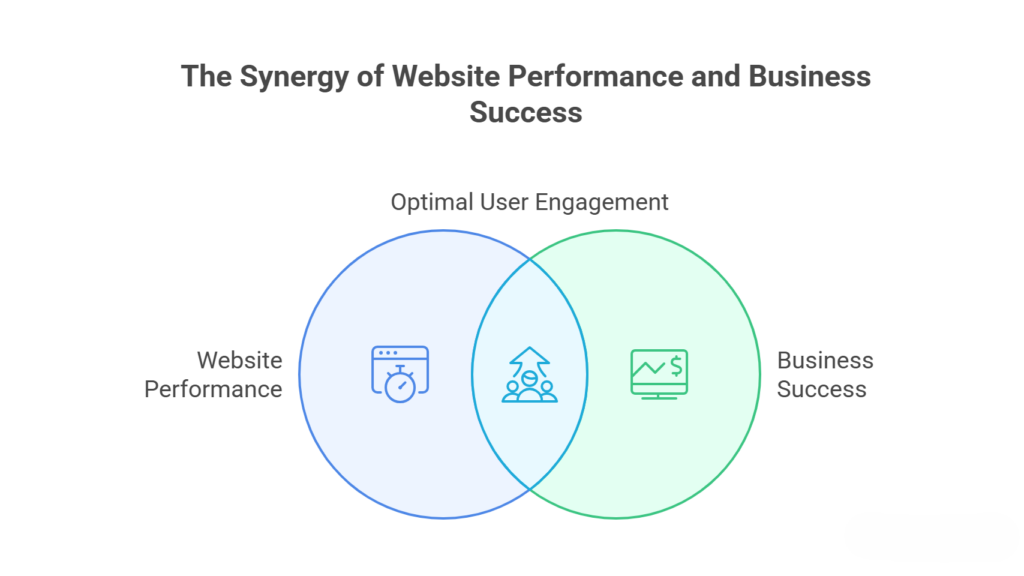
    The user of 2026 would demand fast smooth and easy to use websites. A lot of companies believe that flashy additions are going to impress visitors yet in case your site loads slowly is cumbersome or disorienting, the flashy additions are in vain. What really drives engagement performance or features?  

    Here is a good elucidation of the reason why performance is important when the features are value-adding, and why it is essential to balance the two. 

    Why Website Performance Still Matters 
    Why Website Performance Still Matters

    Speed Shapes First Impressions 

    Tourists make decisions in a few seconds on whether to stay on your site. It takes only one second to decrease conversions. As an example Amazon discovered that 100ms delay costs them 1 percent in sales. Users in 2026 will have near-instant load time slow web pages which will put them at risk of losing it instantly. 

    Mobile Experience Is Critical 

    Mobile devices have become the biggest source of internet traffic. A desktop-heavy site can be a sight-to-behold but it can be exasperating to use on a smartphone. Responsive designs and Progressive Web Applications (PWAs) are used to guide users through the application without issues to enhance retention and engagement. 

    SEO Depends on Performance 

    The speed of interactivity and visual stability of a site make it rank among the top of search engines such as Google. Core Web Vitals are no longer a luxury they define whether your site will be in the highest search results. A site full of tools but slow is a sluggish site and unless optimized it will not be ranked highly on the search result list. 

    Reliability and Security Require Efficiency 

    Any additional plug-in or heavy script adds to the threat of attacks or crashes. Fast product delivery networks (CDNs) and code optimization of images and other fast-loading content ensure your site remains stable and secure even when its traffic spikes or it is targeted by malicious users. 

    User Experience Beats Fancy Features 

    Advanced menus pop-ups or glitzy widgets usually disorient the visitors. Smoother experience is made by simple navigation and fast responses because of clean layouts. The Apples site is a fine example: barebones attractive but not cluttered fast and practical without being overloaded. 

    Advantages of Balancing Performance & Features 

    Better Conversions 

    The sites that load fast with meaningful features would enable the visitors to browse and purchase. In the case of a Shopify store where the product is instantly searched and the checkout is instant the store is more likely to sell more than a site that has heavy animations that slow down the navigation process. 

    Improved User Retention 

    The ease of use and reliability of the websites is likely to boost revisits among the users. The moderate approach will make sure there is balancing of the features by where personalized recommendations will contribute to the value of the user but make sure that they are not annoyed with the lag/clutters. 

    Enhanced Brand Reputation 

    Websites that are reliable and responsive are trustworthy. Slow or glitchy websites are a sign of unprofessionalism whereas a fast well-featured one indicates that your brand is concerned with the end user. This enhances credibility and creates word of mouth recommendations. 

    Lower Maintenance Costs 

    Websites that are feature-intensive are more difficult to maintain and contain errors more likely than others. Efforts by Lean sites where tools are well selected save time and money by cutting short the time spent on downtime of the site due to conflict of plugins and security threats. 

    Wider Audience Reach 

    Optimized sites can be loaded successfully on a slow network or an outdated device. Combining performance with the necessary features such as accessibility options will make sure that your site will be able to attract all types of users that will increase your audience and engagement. 

    Final Thoughts 

    Performance should always come at first speed reliability and usability from the foundation. Features should enhance not hinder the user experience. The smartest websites in 2026 are fast, functional, and enjoyable giving users exactly what they need without frustration. 

    If your website could only focus on speed features or accessibility which would you prioritize and why? 

    Frequently Asked Questions (Website Performance vs Features: What Really Matters in 2026)

    Which matters more in 2026 website performance or features?

    Both are important but performance is critical. A fast smooth and reliable site ensures users stay long enough to benefit from features.

    How does website speed affect conversions?

    Even a one-second delay can reduce conversions. Fast-loading sites keep users engaged and increase sales opportunities.

    Are flashy features harmful?

    Not inherently but heavy animations or complex tools can slow down the site, frustrate users, and harm SEO if not optimized.

    Why is mobile performance so important?

    Mobile traffic dominates the web. Sites must load quickly and be responsive to provide smooth experiences on smartphones and tablets.

  • How AI Is Transforming Modern Website Development Workflows 

    How AI Is Transforming Modern Website Development Workflows 

    How AI Is Transforming Modern Website Development Workflows 

    In the recent past, the creation of a Web site was a slow and very manualized process. It meant that developers had to create everything on their own and that the work of the designer was independent, and that when it came to launching new products it could take a long time to test. 

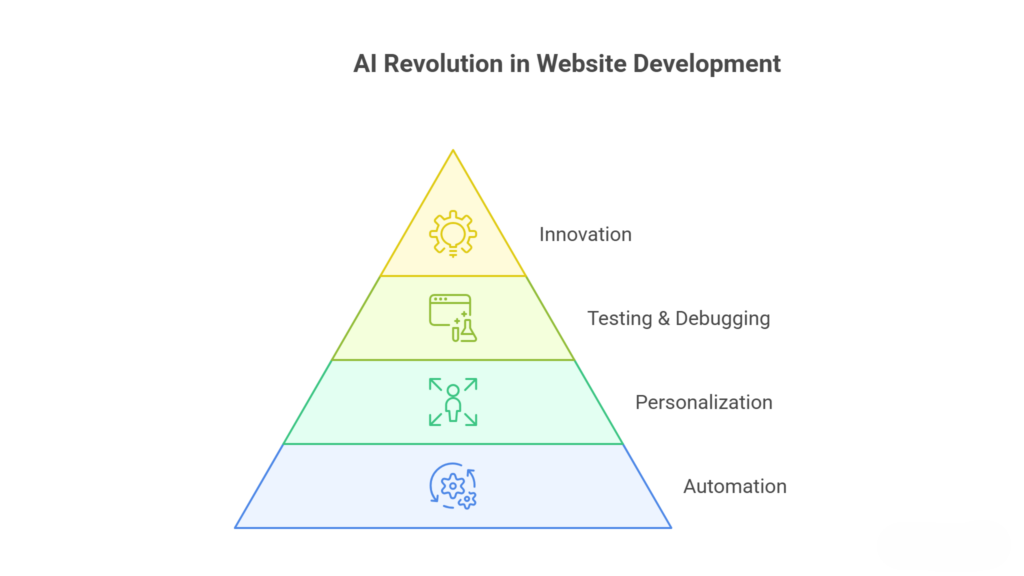
    Artificial Intelligence is currently taking a significant part in streamlining and accelerating the development of websites. Since code creation to user experience, AI is assisting teams to work smarter rather than harder.  

    AI is becoming the inevitable component of the contemporary workflow as the companies strive to introduce quicker and smoother digital experiences. Let us discuss the ways in which it is radically changing the development of websites in a more practical manner. 

    How AI is Reshaping Website Development Processes

    How AI is Reshaping Website Development Processes 

    Faster Code Generation and Development 

    AI-powered tools have now the ability to help the developer write simpler code snippets, propose better solutions, and even detect mistakes during writing. This goes a long way in saving time used on repetitive operations.  

    The developers will also have time to work on more of the advanced features and general functionality rather than wasting time on simple coding, and thus the development process will be much easier. 

    Smarter UI/UX Design Decisions 

     The process of design is no longer creatively oriented, but now it is evidenced by facts. AI applications monitor the actions of the users and recommend layouts and colors and other features that enhance interactivity.  

    This assists the designers in coming up with websites which are not only attractive in terms of aesthetics but also convenient, so that the visitor experiences fewer hitches. 

    Automated Testing and Bug Detection 

    One of the most important stages of development is testing and it is now more efficient and dependable with the help of AI. It has the ability to scan the code, identify bugs, and draw the possible problems prior to the online launch of the site. This helps to cut down on manual labor, and the end product is able to work on most devices and browsers. 

    Personalized User Experiences 

    Artificial intelligence enables websites to provide personalized content depending on the preferences of the browsing history and the behavior of the user. This implies that the visitors watch more relevant content.  

    This kind of personalization enhances user engagement, retention of the user on the site, and improved chances of converting. 

    Content Optimization and SEO Support 

    AI applications allow enhancing the content of the website by recommending superior keywords headings and layout. They also examine trends to prescribe those topics that have higher chances of doing well.  

    It is now less difficult to optimize their content and enhance their visibility on search engines by businesses without fully using the art of guesswork. 

    Why AI-Driven Workflows Are the Future of Web Development 

    Reduced Development Time and Costs 

    With artificial intelligence repetitive tasks are automated and fastened leading to a reduction in the time needed to put up and launch websites. This has a direct beneficial effect on development costs.  

    AI is a great investment in all types of business both startups and major corporations since it has the capacity to promote more when taken in a short period of time. 

    Better Collaboration Between Teams 

    The AI tools can be used to facilitate the workflow by offering common knowledge and automation of some tasks. This eases alignment among the developers the designer and the marketer. The result is the enhanced flow of the projects and the absence of delays and misunderstandings. 

    Continuous Improvement Through Data 

    AI does not cease working once a site has been opened. It still compiles user behavior and performance metrics analysis to give an insight on the way to improve it. This enables companies to update themselves with data and make their websites effective and relevant as time goes by. 

    Scalability for Growing Businesses 

    With the increase in websites, controlling traffic and features has become complicated. This is managed with the help of AI that optimizes performance and automates where it can. This will make sure that the websites will be stable and efficient even as the business grows. 

    Staying Competitive in a Fast-Changing Market 

    The Internet is changing rapidly, and companies will have to keep up with it to remain in the frame of reality. The AI-based workflows enable companies to innovate quicker and provide better user experiences. Early adopters of AI will find it easier to be ahead of others and keep up with evolving customer demands. 

    Final Thoughts 

    AI is disrupting site development, making it faster smarter and more efficient. It does not only lessen the manual labor but also enhances the quality of the product.  

    In a world where businesses are interested in expanding, staying competitive, and relevant the use of AI is not an option anymore. 

    Frequently Asked Questions (How AI Is Transforming Modern Website Development Workflows)

    How is AI changing website development workflows?

    AI automates repetitive tasks like coding testing and design suggestions making development faster smarter and more efficient.

    Can AI build a complete website on its own?

    AI tools can generate layouts and code but human developers are still needed for customization strategy and complex features.

    Does AI reduce the need for web developers?

    No AI enhances developers’ productivity rather than replacing them allowing them to focus on creativity and problem-solving.

    How does AI improve website design?

    AI analyzes user behavior and suggests layouts, colors and UX improvements to create more engaging and user-friendly designs.

  • Unlocking the Future: Why Headless Ecommerce Platforms are Essential For Modern Retail

    Unlocking the Future: Why Headless Ecommerce Platforms are Essential For Modern Retail

    Unlocking the Future: Why Headless Ecommerce Platforms are Essential For Modern Retail

    The retail environment is changing at a rate never seen before. The consumers nowadays do not only require products but also a smooth fast and personalized experience at shopping. The conventional ecommerce systems such as Shopify or WooCommerce have been good enough ten years ago but the shortcomings are becoming clear. 

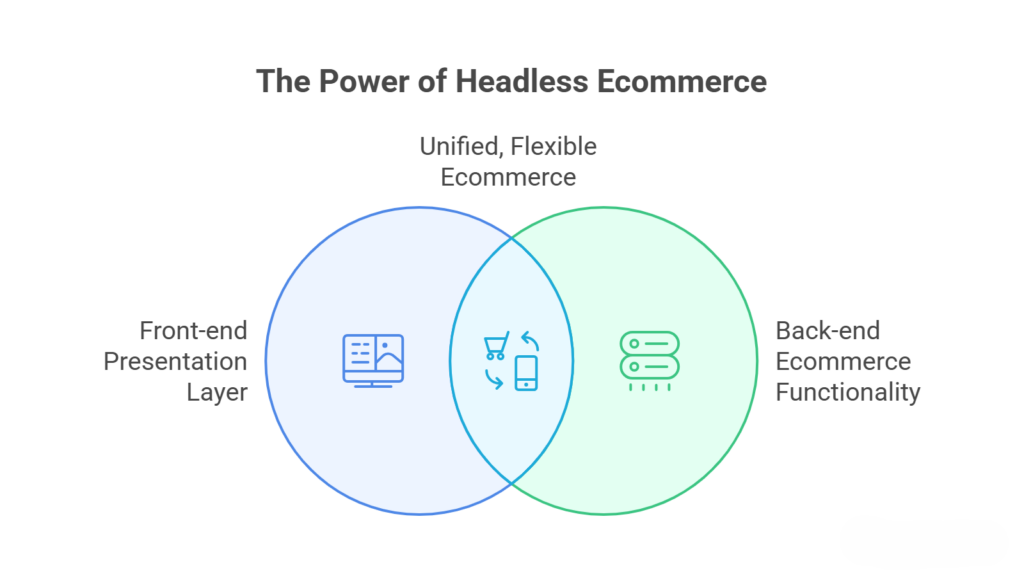
    Headless ecommerce platforms are brought into play here. The interface that the customers deal with is called the front-end and is separated in a headless architecture with the back end (inventory database and payment systems). This partitioning enables companies to operate websites, mobile app kiosks and even IoT devices separately but have a single backend. 

    To retain its competitiveness headless ecommerce is no longer an option to learn and apply to modern retailers. It is time to dive into the reasons why this strategy is defining the future of retail. 

    What is Headless Ecommerce and How It Works 

    What is Headless Ecommerce and How It Works

    The Core Concept 

    In headless ecommerce the monolithic platform is divided into front-end and back-end. The front end gets into communication with the back end via APIs (Application Programming Interfaces).  

    Think about your site or mobile application being the front-end, and the rest is the back end that drives the processing of product orders and transactions. Such a division permits more freedom of rapidity and management. 

    Why It’s Called Headless 

    The name headless is due to the fact that the front seat or the head is lost in the back seat. The front-end channels allow businesses to exploit a number of channels without changing the back-end system. 

    APIs Are the Heart of Headless Ecommerce 

    The APIs enable retailers to distribute both content and product information through various platforms at the same time. Its experience be it through its mobile apps’ social commerce voice assistants or IoT devices is consistent and seamless. 

    Flexibility in Design and UX 

    Separation of the front-end and back end allows the creators and programmers to complete freedom. There are no restrictions regarding using pre-made templates because custom layouts animations and interactive functions can be developed. 

    Benefits of Headless Ecommerce for Modern Retailers 

    Improved Customer Experience 

    Consumers on this day are impatient. Their frustration can easily be caused by slow pages loading or interfaces that are hard to use. Headless ecommerce systems are quicker more receptive and able to provide individual experiences raising the interaction and transformations. 

    Omnichannel Selling Made Easy 

    Contemporary retail is multi-channel in its conception. Online stores social commerce mobile app and marketplaces work at the same time. Headless platforms enable retailers to align inventory and content in all channels without reconstructing platforms on a case-by-case basis. 

    Faster Time-to-Market 

    Any additions of new content of campaigns or seasonal offers are faster on headless platforms. Retailers by API integrations are able to introduce new features and designs more quickly than in traditional systems. 

    Scalability and Future-Proofing 

    Headless architecture is easily scalable. They are exposed to heavy loads of traffic, incorporate micro services and endorse the use of third party’s tools without significant modifications. This makes the system future proof and it is easier to adopt emerging technologies and platforms. 

    Improved Security and Maintenance 

    Separation of the back end and front end is also very helpful in terms of security. The possible violations are constrained and restricted in scope and the maintenance or updating can be carried out without impacting the user experience. 

    Real-World Use Cases 

    Fashion Retailers 

    Top brands use headless technology to provide customized recommendations on product dynamic pages and speed up checkouts with any device. 

    Electronics and Gadgets 

    Detailed specifications and interactive demos are needed in the complex products. Headless ecommerce allows custom product page 3D models with interactive guides and rich media content. 

    Omnichannel Grocery Stores 

    In the case of grocery retailers the interaction between the customers and the retailer can be done through mobile apps web or in-store kiosks. Headless systems incorporate livestock status and provide seamless checkouts in all channels. 

    Global Expansion 

    Retailers expanding internationally can easily to implement the multi-language help multiple currencies and local payment gateways without redesigning their systems for each region. 

    Challenges to Consider 

    Initial Setup Cost 

    Headless platforms can be costly to develop initially with API integrations. But in the long run ROI in terms of flexibility and scalability would usually win over the initial investment. 

    Skilled Development Required 

    The requirement of having distinct front-end and back-end parts dictates that the developers are skilled and those that are conversant with integrations and APIs. 

    Multi-Platform Maintenance 

    Customizing and scaling headless ecommerce offers have more control and this is compensated by the complexity involved in managing multiple front-end experiences. 

    Final Thoughts 

    The future of the retail of modern times is the headless ecommerce. It enables retailers to offer more automated and enhanced customized shopping opportunities. Although some companies might be able to use regular platforms to gain competitive advantage and develop over time, headless architectures can be of significant interest to them.  

    Headless ecommerce is no longer merely a technical option but it is strategic decision on how to remain a market leader in an environment that is highly dynamic. 

    Frequently Asked Questions (Unlocking the Future: Why Headless Ecommerce Platforms are Essential For Modern Retail)

    What is headless ecommerce?

    It’s an ecommerce setup where the front-end and back-end are separate, giving you ultimate flexibility and faster site updates.

    Why choose headless over traditional ecommerce?

    Headless allows faster performance, easy customization, and omnichannel selling all without disturbing your backend.

    Who should go headless?

    Brands wanting personalized experiences, multi-channel sales, or rapid innovation will benefit the most.

    Does it improve website speed?

    Yes! Decoupling front-end and back-end makes your site faster, smoother, and more responsive.

  • Why Integriti Studio Chooses Custom Web Design Over Page Builders 

    Why Integriti Studio Chooses Custom Web Design Over Page Builders 

    Why Integriti Studio Chooses Custom Web Design Over Page Builders 

    The internet is full of page builders promising fast websites in minutes. Drag, drop, publish. It sounds efficient. 

    But speed of setup is not the same as long-term performance. 

    At Integriti Studio, we intentionally choose custom development instead of relying on heavy page builders. As a custom web design company, we focus on scalability, performance and long-term business growth rather than shortcuts. 

    Here’s why. 

    Page Builders Are Convenient, But Limited

    Page Builders Are Convenient, But Limited

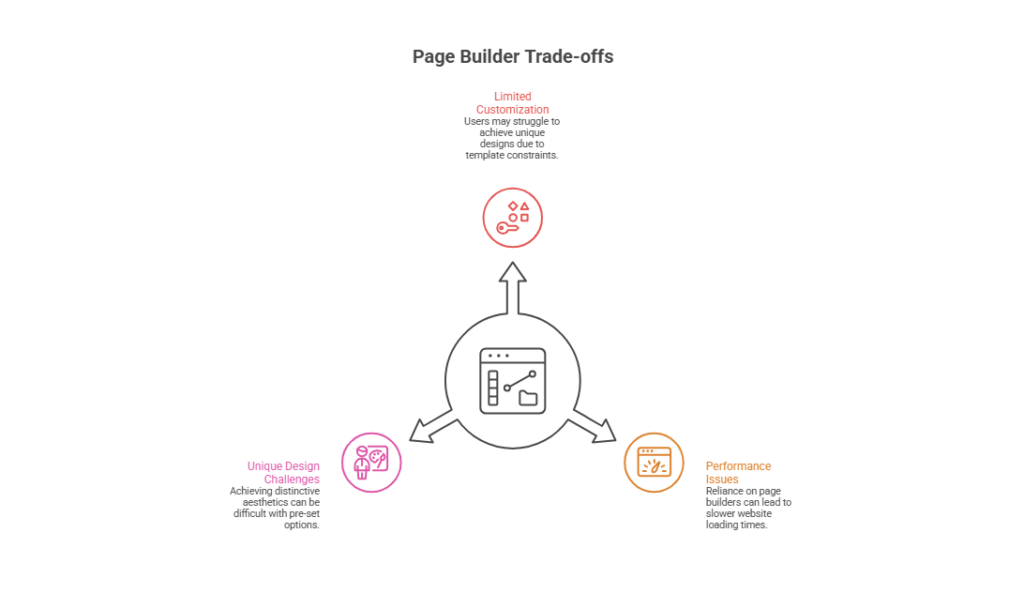
    Page builders are popular because they make design accessible. Non technical users can build layouts without writing code. 

    However, convenience often comes at a cost. 

    Most page builders: 

    • Add unnecessary code 
    • Slow down page speed 
    • Limit deep customization 
    • Create dependency on third-party tools 
    • Make future scaling harder 

    For small hobby projects, that may be fine. But for serious businesses aiming to grow, these limitations can become obstacles. 

    A serious brand needs more than drag-and-drop templates. 

    Performance Always Comes First 

    Speed affects conversions, SEO and user trust. 

    Page builders usually load extra scripts, unused CSS and bulky frameworks. This increases load time and hurts Core Web Vitals. 

    Custom-built websites are different. They are: 

    • Lean 
    • Purpose-driven 
    • Optimized for speed 
    • Free from unnecessary bloat 

    As a professional web design studio, we believe performance is not optional. It is foundational. 

    A fast website converts better. A slow one loses revenue quietly. 

    Design Should Support Strategy, Not Limit It 

    Page builders offer templates. Templates follow patterns. Patterns create sameness. 

    But strong brands need differentiation. 

    Custom design allows: 

    • Unique layouts aligned with brand identity 
    • Conversion focused user journeys 
    • Strategic call-to-action placement 
    • Clean, distraction-free interfaces 
    • Tailored navigation systems 

    When design is built around business goals rather than tool limitations, results improve. 

    That is the advantage of working with a custom web design company instead of relying on preset blocks. 

    Scalability Matters More Than Speed of Launch 

    Many businesses start with page builders and later face problems when: 

    • Traffic increases 
    • Product catalogs grow 
    • Integrations become complex 
    • Custom features are required 
    • Performance starts dropping 

    Rebuilding later often costs more than building properly from the start. 

    Custom development ensures the foundation is strong enough to handle growth. You are not boxed into the limitations of a tool. 

    At Integriti Studio, we build systems designed to scale, not just launch. 

    Custom Shopify Stores Require Real Architecture 

    Shopify page builders can be useful for simple stores. But brands that want full control over: 

    • Conversion optimization 
    • Custom product layouts 
    • Advanced filtering 
    • Unique checkout flows 
    • Performance tuning 

    need deeper customization. 

    A properly built custom shopify store goes beyond visual design. It involves: 

    • Theme optimization 
    • Liquid customization 
    • Clean code structure 
    • App minimization 
    • Conversion-focused UX 

    This approach creates a store that is fast, flexible and future-ready. 

    Templates can start a store. Custom development builds a brand. 

    Security and Stability Are Stronger With Custom Code 

    Page builders rely heavily on third-party scripts and plugins. More dependencies mean more risk. 

    Custom development allows: 

    • Cleaner codebase 
    • Fewer external scripts 
    • Better control over integrations 
    • Improved security standards 

    For businesses handling payments, customer data, or sensitive information, control is essential. 

    A professional web design studio focuses on stability, not just appearance. 

    Long-Term Cost Efficiency 

    Page builders look cheaper at first. But hidden costs appear over time: 

    • Monthly subscription fees 
    • Premium plugin costs 
    • Performance repair services 
    • Full rebuild when scaling becomes impossible 

    Custom websites may require more investment initially, but they reduce long-term technical debt. 

    As a custom web design company, we believe in building assets, not temporary solutions. 

    Brand Perception Is Different 

    Customers can tell the difference between: 

    • A template-based layout 
    • A carefully crafted custom experience 

    Custom design builds trust. It communicates seriousness, professionalism and attention to detail. 

    A custom shopify store designed specifically for your audience creates stronger brand positioning compared to generic templates. 

    In competitive markets, perception matters. 

    Control Over Future Innovation 

    When you rely on page builders, your flexibility depends on the builder’s updates and features. 

    With custom development: 

    • You control your roadmap 
    • You integrate advanced features easily 
    • You adapt to new technologies 
    • You avoid tool-based restrictions 

    That freedom is critical for businesses planning long-term growth. 

    Final Thoughts 

    Page builders are not inherently bad. They serve a purpose. 

    But for brands that want: 

    • High performance 
    • Strong scalability 
    • Unique design 
    • Strategic conversion optimization 
    • Long-term flexibility 

    Custom development is the smarter path. 

    As a professional web design studio, Integriti Studio chooses precision over shortcuts. As a custom web design company, we build systems designed to grow with your business. And when it comes to eCommerce, a properly built custom shopify store delivers results that templates simply cannot match. 

    Custom is not about complexity. 
    It is about control, clarity and conversion. 

    Frequently Asked Questions (Why Integriti Studio Chooses Custom Web Design Over Page Builders )

    What is the difference between a website designer and a website builder?

    A website designer creates custom visually appealing functional sites, while a website builder uses templates for quick limited DIY site creation.

    What are the 5 golden rules of web design?

    The 5 golden rules of web design are clarity consistency simplicity visual hierarchy and responsive design for optimal user experience.

    What is the 3 second rule in website design?

    The 3-second rule means a website must clearly communicate its purpose within three seconds to capture visitor attention effectively.

    Is it better to build your own website or use a website builder?

    Building your own website offers full customization and scalability, while a website builder provides speed simplicity and lower initial costs.

  • Why Core Web Vitals are the New SEO Frontier for Ecommerce Website Development 

    Why Core Web Vitals are the New SEO Frontier for Ecommerce Website Development 

    Why Core Web Vitals are the New SEO Frontier for Ecommerce Website Development

    Why do some ecommerce websites convert better while others struggle? Website performance is influenced by multiple factors, from server response times and page load speed to layout shifts and content delivery efficiency. Investing in professional ecommerce website development ensures that your shop is built with performance, reliability, and user experience in mind. Well-executed design, ongoing support, and maintenance deliver real value small-scale optimization projects can start from a few hundred dollars, scaling up for advanced features. This blog explores why core web vitals are critical for SEO, how improving metrics like LCP and interactivity impacts ranking, and how smart Shopify store optimization drives higher conversions. 

    Core Web Vitals are crucial SEO metrics that impact ecommerce website development, improving user experience, page speed, and search rankings. 

    Core Web Vitals Why They Really Matter for SEO 

    Core Web Vitals Why They Really Matter for SEO 

    In ecommerce website development, understanding why core web vitals matter for SEO is essential. These metrics directly affect your site’s performance, user experience, and ultimately, search rankings. Google’s algorithm increasingly prioritizes websites that meet performance and usability standards, making core web vitals still matter in SEO in 2025. Let’s explore why and how you can evaluate and improve these crucial metrics. 

    What Are Core Web Vitals? 

    Core web vitals are specific key metrics defined by Google that measure the real-world experience of users on your website. They include: 

    • Largest Contentful Paint (LCP): Measures load speed for the main content. 
    • First Input Delay (FID): Assesses interactivity. 
    • Cumulative Layout Shift (CLS): Evaluates visual stability during page load. 

    How Core Web Vitals Impact SEO 

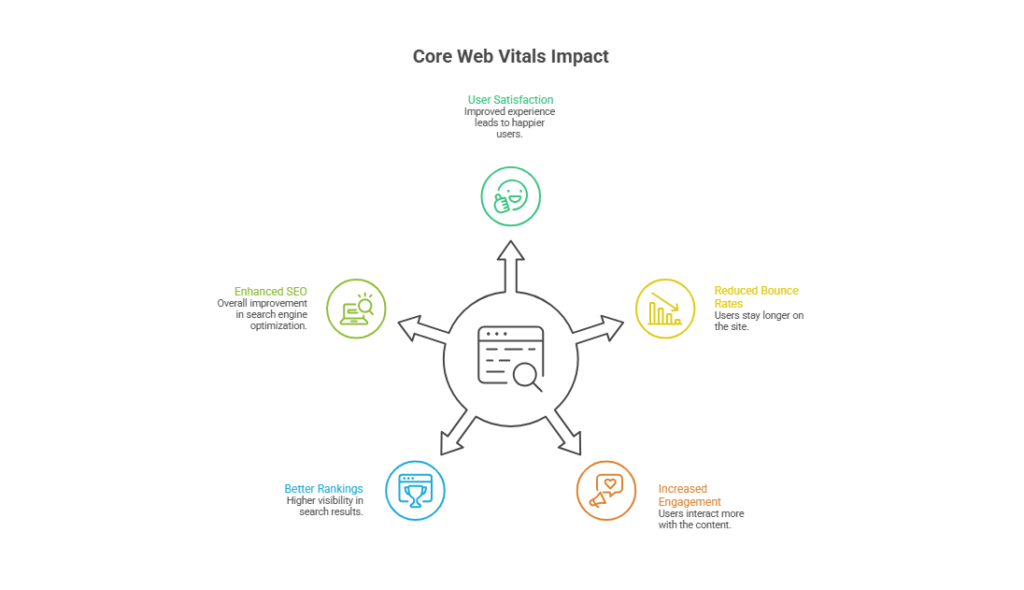
    1. Improving Search Rankings: Sites that perform well on core web vitals are favored by Google’s algorithm, enhancing your technical SEO and overall visibility. 
    1. Enhancing User Experience: Faster load times and stable layouts reduce frustration, increase user engagement, and lower bounce rates. 
    1. Supporting Long-Term Growth: Optimizing site’s performance through web design improvements ensures your website remains competitive and aligned with evolving search standards. 

    Steps to Evaluate and Improve Core Web Vitals 

    Step 1: Evaluate a Site’s Performance 

    Use tools like Google PageSpeed Insights or Google Search Console to assess site’s core web vitals. Identify LCP, FID, and CLS scores to understand current performance. 

    Step 2: Identify Technical SEO Gaps 

    Analyze your site’s web design and backend structure. Check server response times, uncompressed images, or excessive scripts that affect load speed. 

    Step 3: Meet Core Web Vitals Standards 

    Implement optimizations to improve metrics: 

    • Compress images and use modern formats like WebP. 
    • Minimize render-blocking scripts to improve interaction to next paint. 
    • Reduce unexpected layout shifts to maintain visual stability. 

    Step 4: Monitor and Adjust Regularly 

    Core web vitals are dynamic. Continuous monitoring ensures your ecommerce store adapts to algorithm changes and maintains optimal site’s performance. 

    Why It Matters for Ecommerce 

    For ecommerce websites, slow load times or layout shifts can directly reduce conversions and core web vitals impact SEO. A technically optimized, visually stable site builds trust, improves user experience, and strengthens your SEO in 2025 strategy. By prioritizing core web vital metrics, you position your store for better visibility, higher engagement, and long-term business growth. 

    Smart Development Choices Boost Core Web Vitals And Conversions 

    Making smart development choices can directly improve rankings and user experience, increase web traffic, and drive higher conversions. Sites with poor core web vitals scores often lose visitors and search visibility, making optimization essential. Focusing on the three core web vitals LCP, FID, and CLS ensures fast loading, smooth interactivity, and stable layouts. 

    Why Core Web Vitals Are Critical 

    Maintaining critical core web metrics ensures your ecommerce site delivers a seamless experience and meets user expectations, which influences SEO and conversions. 

    Optimizing Load Speed and Interactivity 

    Compress images, minimize scripts, and streamline code to improve LCP and FID, giving users faster interaction and engagement. 

    Reducing Layout Shifts 

    Define dimensions for media and content to reduce CLS, keeping pages visually stable and ensuring core web vitals will remain strong. 

    Business Benefits of Smart Development 

    Improved core web vitals boost user satisfaction, increase repeat visits, and positively impact search visibility, ultimately enhancing ROI for your ecommerce store. 

    Conclusion 

    Core Web Vitals are no longer optional they are a critical part of ecommerce website development, directly influencing SEO in 2026, user experience, and conversion rates. By understanding and optimizing the three core web vitals LCP, FID, and CLS you ensure your site loads quickly, interacts smoothly, and remains visually stable for users. Smart development choices, ongoing monitoring, and professional support help maintain critical core web metrics, improve rankings and user experience, and deliver measurable business results. 

    Ready to turn your store into a high-performing, conversion-driven machine? Why waitcould Integriti Studio optimize your core web vitals today? 

    Frequently Asked Questions (Why Core Web Vitals are the New SEO Frontier for Ecommerce Website Development)

    Why are Core Web Vitals important in SEO?

    Core Web Vitals matter in SEO because they measure loading speed, interactivity, and visual stability, directly impacting rankings and user experience.

    Why did Core Web Vitals fail?

    Core Web Vitals fail when pages have slow loading times, heavy scripts, layout shifts, poor hosting, unoptimized images, and excessive third-party apps.

    What are the 3 C’s of SEO?

    The three C’s of SEO are content, code, and credibility, focusing on quality information, technical optimization, and strong authoritative backlinks.

    What’s your strategy for improving Core Web Vitals and technical SEO?

    Improve Core Web Vitals and SEO by optimizing images, minifying code, enabling caching, reducing scripts, using a CDN, and structured data.

  • Web Development Strategies for Premium Digital Agency Success 

    Web Development Strategies for Premium Digital Agency Success 

    Web Development Strategies for Premium Digital Agency Success 

    Why do some websites convert better while others struggle? The secret lies in effective web development. Factors like clean front-end coding with HTML, CSS, and JavaScript, a robust back-end using PHP, Python, or Java, and a well-structured database all shape website performance. Even web applications rely on proper frameworks, server-side logic, and responsive design to deliver seamless experiences. 

    Effective web development combines skilled web developers, clean front-end and back-end coding, responsive web pages, optimized web applications, and ongoing maintenance for premium agency success. 

    A skilled web developer ensures your web pages are interactive, fast, and secure. From markup and cascading style sheets to programming languages and coding best practices, professional development creates real value. With ongoing support and maintenance, your website becomes more than a digital presence it becomes a business asset. Typical professional projects start from a few thousand dollars depending on complexity. 

    In this blog, you’ll learn key web development strategies, how to structure front-end and back-end workflows, and tips to make your site responsive, interactive, and future-ready. 

    Learn Web Development Tools For Long-Term Success 

    Learn Web Development Tools For Long-Term Success

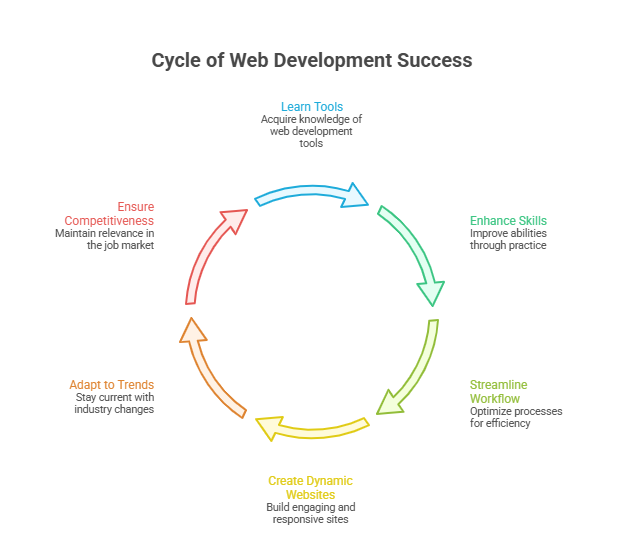
    Mastering the right web development tools is essential for building scalable, interactive, and professional websites. Whether you aim to become a front-end developer, back-end developer, or a full-stack developer, understanding these tools will shape your long-term success. 

    Core Front-End Tools 

    • HTML, CSS, and Sass: The foundation of front-end web development, creating structured and visually appealing websites and web pages. 
    • JavaScript (JS) & jQuery: Enable dynamic, interactive web elements; essential to learn JavaScript for modern web programming. 
    • Bootstrap & Responsive Web Design: Ensures your web pages look great on all devices with mobile-first, responsive design layouts. 
    • Front-end Frameworks: Tools like React.js, Vue.js, Next.js, and Redux help manage interface states and build scalable applications. 

    Essential Back-End Tools 

    • Node.js & Django: Popular frameworks for back-end web development, enabling efficient building web server-side logic. 
    • SQL, MySQL, NoSQL Databases, and Relational Databases: Manage and structure data for robust back-end development. 
    • APIs & Server-side Integration: Connect front-end web interfaces with databases and third-party services. 
    • Python, PHP, and Java: Core web programming languages for server-side tasks. 

    Full-Stack & Version Control Tools 

    • Git & GitHub: Essential version control for tracking changes in your projects and collaborating with teams. 
    • Full-Stack Development: Combines front-end web and back-end web expertise for full-stack developers. 
    • AWS & Open-Source Tools: Host, deploy, and scale websites securely using cloud services and open-source libraries. 

    Additional Skills for Success 

    • Markup Language & XML: Organize and structure data efficiently for interactive web features. 
    • Data Structures & Syntax Mastery: Essential for solving programming challenges in web programming
    • Online Courses & Web Development Courses: Continuous learning ensures you stay updated with the latest website development trends. 
    • User Interface & Responsive Design: Focus on usability, accessibility, and seamless interface interactions across devices. 

    How Front-End And Back-End Choices Impact Performance 

    The performance, scalability, and user experience of your website are deeply influenced by the front-end and back-end technologies you choose. Making informed decisions ensures faster load times, interactive interfaces, and easier maintaining websites over time. 

    Choosing the Right Front-End Framework 

    Selecting a popular front-end framework like Vue is crucial for creating responsive and dynamic web interfaces. Frameworks like these allow developers to write code efficiently, reuse components, and maintain a clean structure. Following solid design principles ensures that pages are visually consistent, accessible, and optimized for performance. By focusing on best practices, you can deliver interactive features that engage users while reducing rendering time. 

    Optimizing Back-End Architecture 

    Your back-end choices define how quickly data is processed and delivered to users. Using a reliable database such as PostgreSQL enables smooth handling of complex queries. Applying object-oriented programming principles helps build fast, maintainable applications, making maintaining websites over time much simpler. Choosing popular programming languages tailored to your project ensures efficient integration with the front-end, enabling scalable and secure server-side operations. 

    Integrating Front-End and Back-End Systems 

    A seamless connection between front-end and back-end is key to delivering smooth user experiences. Optimized APIs and proper server-side logic allow you to create dynamic content without lag. Careful coordination ensures that interactive features work reliably, performance remains high, and maintaining websites is easier in the long term. By combining these strategies, your website can achieve faster load times, improved responsiveness, and a professional, modern design. 

    Conclusion 

    Successful digital agencies understand that premium website performance is not accidental it is the result of strategic web development. From mastering front-end frameworks like Vue and responsive web design to optimizing back-end architecture with PostgreSQL and object-oriented programming, every choice impacts speed, scalability, and user engagement. Skilled web developers who follow design principles, implement clean front-end and back-end coding, and leverage modern web programming tools create interactive, secure, and future-ready websites. Continuous learning through web development courses and proper use of version control, APIs, and cloud services like AWS ensures that websites remain maintainable and adaptable over time. 

    When these strategies are combined, your digital presence transforms into a high-performing business asset, not just a website. 

    So, if you’re ready to elevate your projects and achieve measurable results, why not see what Integriti Studio can do for your business today? 

    Frequently Asked Questions (Web Development Strategies for Premium Digital Agency Success )

    What does a web development agency do?

    A web development agency designs, develops, and maintains websites and web applications, handling front-end and back-end coding, responsive design, server-side integration, and ongoing technical support.

    What makes an agency successful?

    An agency succeeds by delivering high-quality services, effective project management, skilled professionals, innovative strategies, client-focused solutions, strong communication, consistent results, and ongoing support for long-term growth.

    What are the web development strategies?

    Web development strategies include optimizing front-end and back-end coding, using responsive design, selecting proper frameworks, ensuring database efficiency, integrating APIs, maintaining websites, and following best programming practices.

    How to create a web development agency?

    To create a web development agency, define your services, hire skilled developers, build a strong portfolio, use modern tools, attract clients, and deliver high-quality, scalable websites.

  • Webflow Practices That Will Remain Relevant Beyond 2026

    Webflow Practices That Will Remain Relevant Beyond 2026

    Webflow Practices That Will Remain Relevant Beyond 2026

    Why do some webflow sites outperform others even when their content or products are similar? The answer often lies in factors influencing website performance clean layout, responsive design, fast load times, and seamless UX all play a role. Businesses that underestimate these elements can struggle with conversion, scaling, and overall ROI, especially when targeting B2B or SaaS audiences. 

    Webflow practices that will remain relevant beyond 2026 focus on clean, responsive web design, seamless UX, scalable frameworks, and SEO-friendly structures. Prioritizing professional development, ongoing maintenance, and analytics-driven improvements ensures marketing sites and landing pages deliver consistent conversion, ROI, and long-term value for B2B, SaaS, and e-commerce businesses. 

    Investing in professional development ensures your webflow site remains efficient and adaptable. From maintaining design systems and templates to leveraging animations and landing page best practices, ongoing support and maintenance make a measurable difference. For instance, professional agencies may charge anywhere from $2,000–$5,000 for a single high-quality marketing site or redesign, reflecting the value of strategic UX, integrated analytics, and SEO optimization. 

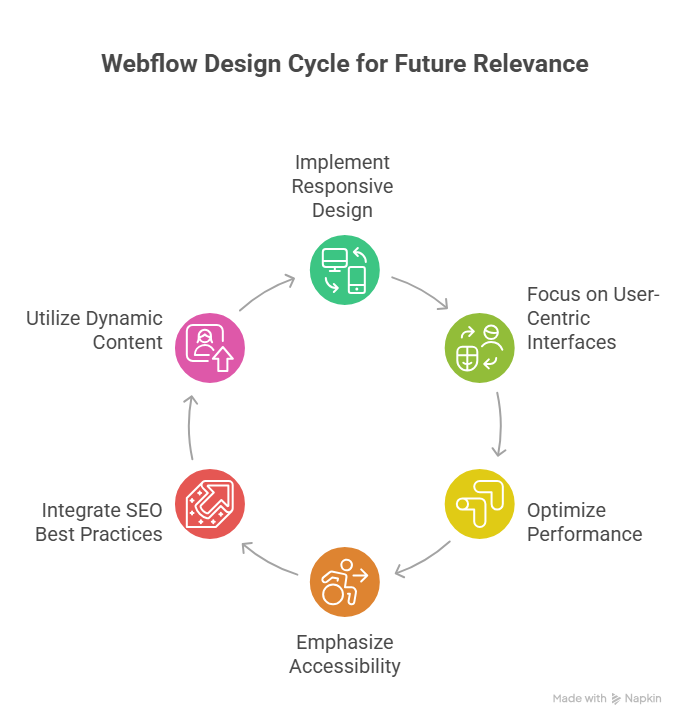
    This blog will explore webflow practices that will remain relevant beyond 2026, highlighting how marketers and designers can unlock long-term success. You’ll learn which best practices, design frameworks, and technical choices support high-performing webflow sites, improve user experience, and ensure your marketing teams achieve sustained ROI well into the future. 

    Webflow Practices Every Web Designer Should Follow Beyond 2026 

    Webflow Practices Every Web Designer Should Follow Beyond 2026 

    Creating webflow sites that remain relevant and high-performing beyond 2026 requires a thoughtful combination of design, technical strategy, and workflow optimization. Whether you are a webflow agency or an independent designer, following proven practices ensures your projects are scalable, maintainable, and conversion-focused, particularly for B2B SaaS companies and SaaS marketing teams. 

    Prioritize Scalable and Maintainable Webflow Development 

    A scalable webflow development approach allows your webflow project to grow alongside your client’s business. This includes structured CMS collections, reusable components, and clear naming conventions. Emphasizing maintainability helps both non-technical marketers and web designers manage content without breaking functionality. Platforms like webflow offer built-in tools to unlock additional features, reducing reliance on external plugins and streamlining workflows for redesigns or migrations to webflow. 

    Optimize Performance and SEO for Every Webflow Site 

    Performance and SEO are critical for B2B and SaaS teams targeting high-converting audiences. Optimizing core web vitals, compressing media, and structuring URLs properly enhances website experience platforms for users and search engines alike. Implementing 301 redirects during redesigns and ensuring proper localization supports global reach, while analytics integration allows teams to measure ROI effectively. 

    Design with User Experience and Brand Identity in Mind 

    Webflow design should balance aesthetic appeal with functional UX. Adopting a design-first mindset ensures web experiences reflect the client’s brand identity while supporting intuitive navigation and conversion-focused layouts. Keeping up with web design trends, exploring design ideas from the webflow community, and referencing top webflow projects can inspire innovative solutions.using templates strategically and built-in webflow features helps web designers deliver consistent, high-quality results for B2B SaaS companies and ecommerce websites. 

    Embrace No-Code Workflows and Webflow Community Resources 

    No-code tools like webflow streamline the workflow, allowing web designers to focus on strategy and UX rather than complex coding. Engaging with the webflow community, reading the webflow blog, and following platform updates help teams stay ahead in what’s next for website builders and web experiences. For SaaS websites or marketing sites, this ensures both performance and scalability while empowering marketing teams to maintain control without relying solely on technical staff. 

    Get Started For Free With Smart Webflow SEO Strategies 

    Implementing effective SEO strategies in Webflow doesn’t have to be complex or costly. By focusing on performance and SEO from the start, you can transform your webflow site into a polished, high-converting platform. These strategies are especially valuable for B2B SaaS companies and growing teams who want to convert visitors into customers while keeping scalability in mind. 

    Step 1: Optimize SEO and Performance from Day One 

    Ensuring performance and SEO go hand-in-hand is crucial. Webflow allows you to manage metadata, alt attributes, and semantic markup seamlessly. Teams that need content at scale can also integrate tools like Contentful or APIs to manage content efficiently without sacrificing speed. Minimalist design combined with fast load times improves user experience and positively impacts search engine rankings. 

    Step 2: Choose the Right Structure for Long-Term Growth 

    Choosing the right CMS structure and layout ensures your site continues to evolve as your business grows. For B2B SaaS companies, this means designing for scalability in mind, building templates that support multiple products or landing pages, and maintaining polished user experience for all visitors. Launching a new webflow site with these principles reduces the need for frequent redesigns. 

    Step 3: Implement Tracking and Analytics 

    To convert visitors into customers, tracking is essential. Integrate analytics to monitor SEO performance, user behavior, and traffic sources. Teams who want actionable insights can use these metrics to refine content strategy, optimize internal linking, and improve on-page SEO elements without relying solely on external consultants. 

    Step 4: Get Started for Free and Iterate 

    Webflow offers the ability to get started for free, allowing marketers and web designers to test SEO strategies without upfront investment. Begin with foundational best practices, track results, and iterate based on performance. By following these steps, growing teams can maintain a site that performs well for both users and search engines while positioning their brand for long-term success. 

    Conclusion 

    Sustaining a high-performing webflow site beyond 2026 requires a careful balance of design, technical strategy, and ongoing optimization. By prioritizing scalable development, polished UX, SEO and performance, and no-code workflows, you can ensure your marketing sites and SaaS platforms remain competitive and deliver consistent ROI. Leveraging analytics, maintaining design systems, and following best practices allows both web designers and growing teams to convert visitors into customers while reducing the need for frequent redesigns. 

    Whether you are launching a new webflow site or planning a redesign, these strategies support long-term growth, brand identity, and user experience. Webflow’s flexibility, combined with professional guidance, ensures your projects continue to evolve seamlessly alongside your business. 

    if you want expert support to implement these practices and unlock your site’s full potential, why not contact Integriti Studio today? 

    Frequently Asked Questions (Webflow Practices That Will Remain Relevant Beyond 2026 )

    Is Webflow still relevant in 2025?

    Yes Webflow is still relevant in 2025. It continues growing in adoption, powering hundreds of thousands of sites with a rising CMS market share and strong no-code design appeal. Its AI, design flexibility, and increasing enterprise use keep it meaningful in web development today.

    What is the future of Webflow?

    The future of Webflow looks strong and innovative beyond 2025. It will keep expanding AI-driven design, automation, and content tools, making websites smarter and faster to build. Webflow is also improving performance, security, enterprise features, CMS flexibility, and integrations, positioning itself as a major no-code/low-code platform for business and advanced web projects.

    What are the web design trends in 2026?

    In 2026 web design trends, expect AI-driven personalization, immersive 3D/AR experiences, voice UI, and micro-animations for engagement. Minimal, performance-first layouts, responsive mobile-first design, and eco-friendly websites will also dominate. Bold typography, organic shapes, and human-centred interfaces are shaping modern aesthetics.

    Is there anything better than Webflow?

    Yes there are platforms often considered “better” than Webflow for specific needs. For example, Wix and Squarespace are easier for beginners with drag-and-drop simplicity, WordPress offers unmatched flexibility with plugins, and Framer gives strong design tools; other options like Webstudio also compete closely.

  • Strategic Considerations For Webflow Projects Heading into 2026 

    Strategic Considerations For Webflow Projects Heading into 2026 

    Why do some webflow sites outperform others in both user experience and conversion? The answer often lies in factors influencing website performance load times, semantic structure, seamless integration, and robust workflow management all play critical roles. As businesses look toward 2026, optimizing your webflow site is no longer optional; it’s essential for measurable results in SEO, UX, and conversion. 

    To succeed with Webflow projects in 2026, focus on optimizing user experience, SEO, and conversion through efficient workflows, semantic layouts, and seamless integrations. Regular audits, performance monitoring, and professional support ensure measurable results, while scalable design and maintenance keep your Webflow site fast, accessible, and future-ready. 

    Professional development remains a cornerstone of success. Investing in skilled webflow designers ensures layouts are both visually compelling and technically sound. Beyond initial design, ongoing support, maintenance, and performance audits drive long-term value, helping you optimize your website efficiently. Even a small investment in these services—typically starting around a few thousand dollars can dramatically improve speed, accessibility, and scalability, delivering a tangible ROI. 

    This blog will explore strategic considerations for webflow projects heading into 2026, covering workflow optimization, SEO best practices, layout and UX improvements, integration strategies, and practical audit techniques. By the end, you’ll understand how to leverage webflow for a powerful, measurable online presence that performs today and scales tomorrow. 

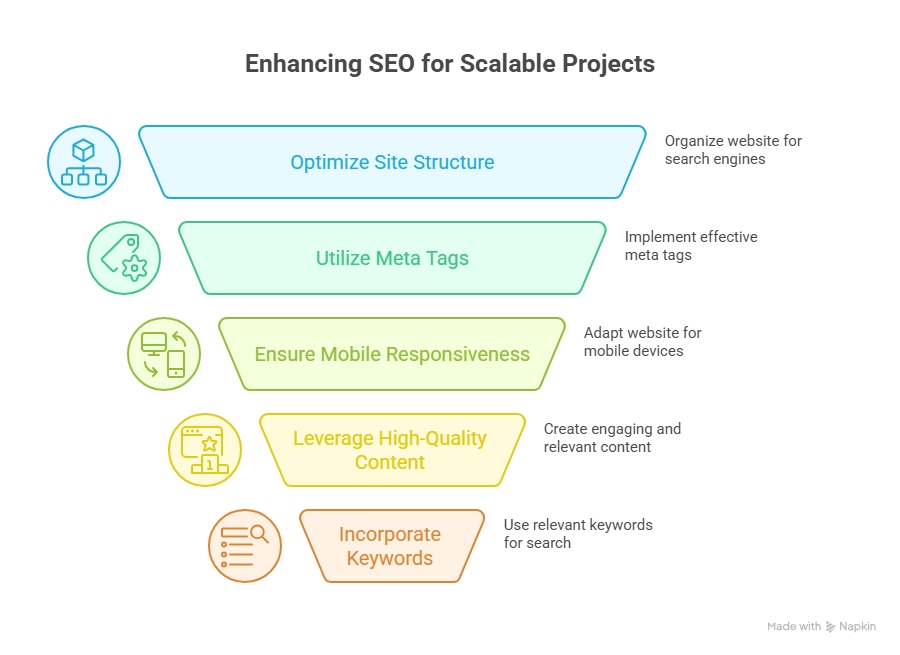
    Key Webflow SEO Strategies For Scalable 2026 Projects 

    Key Webflow SEO Strategies For Scalable 2026 Projects 

    Conduct a Comprehensive Migration or Redesign Audit 

    Before migrating to Webflow or planning a webflow redesign, it’s essential to evaluate your current website. Identify common mistakes, technical debt, and usability issues that could impact SEO and user experience. A thorough migration checklist ensures your Webflow project aligns with business goals, improves online presence, and sets the stage for scalable growth. 

    Evaluate Core Web Vitals and Load Times 

    Improving core web vitals is critical for SEO and visitor retention. Focus on metrics like largest contentful paint, cumulative layout shift, and seconds to load. Use lazy loading, optimized CSS, and streamlined site structure to enhance performance and ensure your Webflow site delivers measurable results in search engines. 

    Optimize On-Page SEO and Content Readability 

    Webflow SEO best practices include semantic HTML, structured headings, alt text for images, and internal linking. Prioritize readability and accessibility to meet customer expectations and improve user experience. AI-driven tools and plugins can help optimize your content for search engines while maintaining a scalable design system. 

    Build a Scalable Framework With Best Practices 

    A scalable Webflow project requires a structured workflow and a consistent design framework. Use Figma or design system guidelines to standardize layouts and responsive design. Focus on accessibility, responsive design, and avoiding overuse of plugins to maintain long-term performance and SEO capabilities. 

    Focus on Conversion and User Experience 

    Turning visitors into customers requires more than technical optimization. Align your webflow development with usability principles, business goals, and design trends. Ensure intuitive navigation, clear calls-to-action, and seamless UX to maximize conversion while maintaining performance and accessibility. 

    Track Analytics and Continuously Optimize 

    Monitoring analytics allows you to refine your Webflow site over time. Track SEO metrics, user engagement, and load times to optimize your website continually. Regular audits and AI-driven performance optimization ensure your online presence remains powerful, measurable, and ready for 2026 trends. 

    Avoid Common Mistakes When Migrating To Webflow Sites 

    Migrating to Webflow can unlock a powerful Webflow project with better scalability, improved SEO capabilities, and enhanced user experience, but it requires careful planning. Avoiding common mistakes ensures your site meets business goals, improves online presence, and converts visitors into customers. Below is a step-by-step guide for a successful migration. 

    Step 1: Conduct a Migration Checklist and Audit 

    Before migrating to Webflow, start with a migration checklist to evaluate your current website. Identify technical debt, broken links, and usability issues. Analyze core web vitals like largest contentful paint and seconds to load to ensure optimal performance. Review webflow SEO, on-page SEO, and accessibility compliance to prevent future issues. 

    Step 2: Plan a Scalable Webflow Framework 

    A scalable Webflow project requires a clear design system and structured framework. Use Figma to standardize layouts, CSS, and responsive design. Prioritize accessibility and readability to improve UX and meet customer expectations. Avoid overloading your site with unnecessary plugins or inconsistent design patterns. 

    Step 3: Optimize Performance and SEO 

    Improving core web vitals, performance and SEO, and on-page SEO ensures your Webflow site ranks well in search engines. Implement lazy loading, clean site structure, and semantic HTML. Use AI-driven tools to optimize content, metadata, and readability. Proper optimization converts more visitors into customers. 

    Step 4: Align With Business Goals and Design Trends 

    Your webflow redesign should align with business goals and current design trends. Maintain usability, intuitive navigation, and clear CTAs. A scalable Webflow project allows you to add new pages and content while maintaining accessibility and SEO best practices. 

    Step 5: Monitor, Audit, and Continuously Improve 

    After migrating to Webflow, continually audit your site structure, core web vitals, and SEO performance. Track analytics to optimize user experience and refine the workflow. Continuous improvement ensures your Webflow site remains fast, accessible, and scalable, delivering measurable business results. 

    Conclusion 

    Successfully executing a Webflow project in 2026 requires more than just moving your website it demands strategic planning, scalable design frameworks, and a focus on SEO, accessibility, and user experience. From conducting thorough migration audits to optimizing core web vitals, implementing webflow SEO best practices, and maintaining a consistent design system, every step contributes to measurable results in conversion, performance, and long-term scalability. 

    By aligning your webflow redesign with business goals, design trends, and accessibility standards, and continuously monitoring analytics, your site can remain fast, responsive, and fully optimized for both visitors and search engines. Leveraging professional development and AI-driven tools ensures that your Webflow site not only meets today’s standards but is also prepared to adapt to the evolving demands of 2026. 

    Frequently Asked Questions (Strategic Considerations For Webflow Projects Heading into 2026)

    What are the 7 major steps to designing a webpage?

    The 7 major steps to designing a webpage are: 1) Define goals and target audience, 2) Plan site structure and layout, 3) Create wireframes and mockups, 4) Design visuals and branding, 5) Develop the website with coding or CMS, 6) Test functionality and responsiveness, 7) Launch and maintain.

    What are the 5 major components of a web page?

    The 5 major components of a web page are: 1) Header – contains navigation and branding, 2) Content main text, images, or videos, 3) Sidebar optional navigation or additional info, 4) Footer – contact info and links, 5) Call-to-Action (CTA) buttons or forms driving user interaction.

    What makes Webflow a strategic choice in 2026?

    Webflow allows rapid, no-code development, highly customizable designs, and scalable CMS options, making it ideal for startups and agencies seeking efficiency and innovation.

    What are the 7 C’s of a website?

    The 7 C’s of a website are: Content relevant information, Context design and layout, Community user interaction, Customization personalized experience, Communication two-way engagement, Connection links to other sites, and Commerce – online transactions. Together, they ensure an effective website.

  • How Webflow Websites Will Be Built Differently In 2026

    How Webflow Websites Will Be Built Differently In 2026

    How Webflow Websites Will Be Built Differently In 2026

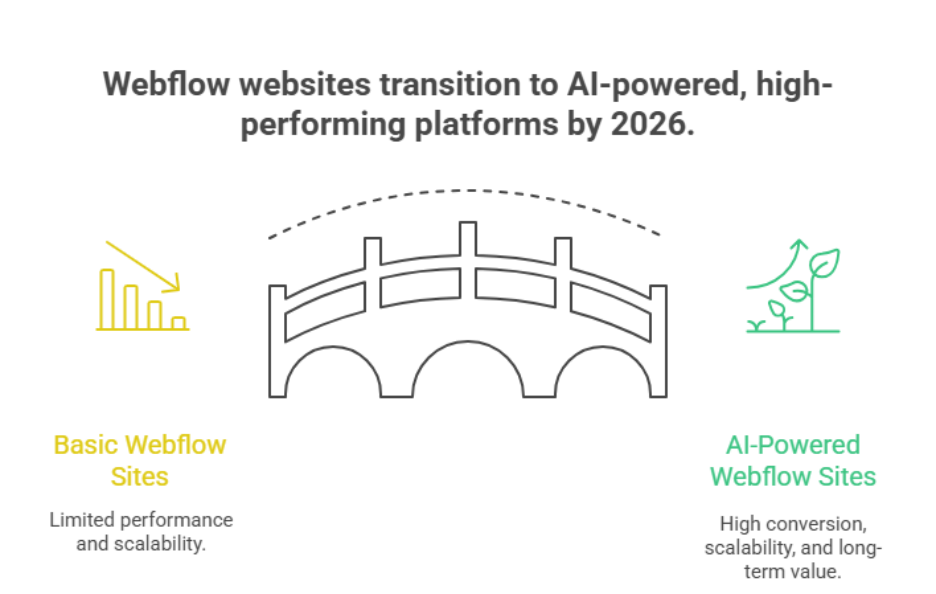
    Why do some Webflow websites outperform others, even with similar content? The answer lies in a combination of factors influencing website performance from seamless UX design and AI-driven functionality to SEO optimization and strategic layout choices. By 2026 businesses that rely solely on templates or basic configurations risk falling behind competitors who leverage professional development ongoing support and intelligent integrations.

    By 2026, Webflow websites will be built using AI-driven tools seamless Figma integrations, and advanced Webflow CMS workflows. Professional development smart SEO and optimized layouts will drive higher conversion while plugins and automation enhance functionality. Businesses will prioritize performance support and design to future-proof and transform their websites effectively.

    You need more than just a functional website the real value comes from a well-designed Webflow site that converts scales and aligns with your marketing goals. Investing in professional development ensures your Webflow CMS plugins and AI tools work together efficiently while expert maintenance keeps your site secure and optimized. For context professional agencies typically structure pricing to cover design development and ongoing optimization reflecting the long-term value of a high-performing conversion-focused website.

    This blog will explore how Webflow websites will be built differently in 2026, highlighting AI-driven enhancements, Figma integrations, SEO strategies, and powerful Webflow workflows. You’ll discover practical approaches to transform your website, optimize conversion, and future-proof your online presence while understanding the essential role of expert guidance.

    How AI Will Transform Your Webflow Website 2026

    How AI Will Transform Your Webflow Website 2026

    The landscape of website building is evolving rapidly, and Webflow has integrated artificial intelligence to redefine how modern websites are designed, managed and optimized. Heading into 2026 businesses can leverage AI-powered tools to enhance user experience, boost Webflow SEO and streamline Webflow development for both content-driven and e-commerce projects.

    AI-Driven Design and User Experience

    Webflow uses AI to automate design tasks suggest layout improvements and create visually consistent elements across a Webflow project. By analyzing user behavior and engagement, AI can optimize UX ensuring that visitors navigate your Webflow site effortlessly. AI features also help identify design inefficiencies early reducing technical debt and supporting long-term scalability.

    Automation, CMS, and Content Optimization

    With AI integration, Webflow CMS collections can be managed more efficiently. AI-driven content suggestions and analytics ensure your content aligns with search engines improving visibility without manual intervention. Automation of repetitive tasks from tagging to layout adjustments allows marketing teams to focus on strategy rather than manual upkeep. Plugins further extend AI capabilities enabling customization and advanced optimization.

    AI for Performance and SEO

    Webflow hosting combined with powerful Webflow AI tools ensures faster load times and better Core Web Vitals directly impacting conversion. AI-powered insights allow your Webflow site to continuously adapt optimizing images, scripts and content for both website performance and online presence. Compared to platforms like Wix or WordPress using Webflow with AI provides a more streamlined high-performance website builder experience.

    Future-Ready Websites

    As Webflow has become increasingly AI-driven businesses can focus on strategic growth rather than maintenance. From automated optimization to smarter analytics and e-commerce solutions AI ensures modern websites stay competitive visually engaging and fully functional in 2026.

    Integrating SEO Plugins And AI Tools Into Webflow

    Effectively integrating SEO plugins and AI tools into your Webflow site can streamline workflows boost search visibility, and enhance user engagement. Here’s how agencies approach it in a professional, value-driven way:

    Streamlining SEO With Plugins

    • Technical SEO Made Simple: Webflow allows plugins that handle meta tags, structured data and sitemap updates automatically.
    • Alt Text Automation: AI-assisted tools can generate descriptive alt text for images improving accessibility and answer engine optimization.
    • Content Optimization: Plugins identify keywords readability and current website content gaps to boost search engine ranking.
    • Google Analytics Integration: AI tools help track visitor behavior and conversion metrics seamlessly without complex coding.

    Using AI Tools to Automate Repetitive Tasks

    • Using AI for CMS Management: AI-assisted workflows reduce manual updates repetitive tasks and content scheduling.
    • Content Recommendations: AI makes suggestions to enhance engagement and align content with user intent.
    • Localization: Automated translation and localization features allow global reach for live sites.
    • SEO Prioritization: AI-driven search identifies which pages need optimization first, letting marketing teams prioritize optimization efficiently.

    Benefits for Webflow Design and Development

    • Streamlined Workflow: Combining Figma design handoff with AI-powered SEO integration reduces manual effort.
    • No-Code Flexibility: AI tools enable enhancements without relying on custom development.
    • Transform Your Website: Integrating SEO and AI ensures your site remains competitive and future-proof in 2026.
    • Performance and Delivery: Plugins and AI optimize content delivery and maintain fast load times on managed hosting.

    Conclusion

    By 2026, building a successful Webflow website is no longer just about choosing a template or publishing content. The future lies in AI-driven enhancements, seamless Figma integrations, and Webflow CMS workflows that optimize performance, UX, and SEO. Integrating plugins and AI tools allows you to automate repetitive tasks, prioritize optimization, and maintain a high-performing online presence with minimal technical debt. Businesses that invest in professional development, expert support, and smart design and development practices will enjoy higher conversion, scalability, and long-term value.

    The combination of AI, SEO, and intelligent workflows ensures your Webflow site not only meets current standards but is prepared for the evolving digital landscape. Whether it’s automation, content recommendations, or analytics-driven improvements, a powerful Webflow site is central to a competitive digital strategy.

    Ready to transform your website and future-proof your online presence? Here’s a tricky question for you: if you could optimize your Webflow site for maximum conversion and performance tomorrow, would you contact Integriti Studio today?

    Frequently Asked Questions (How Webflow Websites Will Be Built Differently In 2026)

    Is Webflow still relevant in 2025?

    Yes Webflow is still relevant in 2025. It continues growing in adoption, powers millions of websites with strong no‑code visual design tools, expanding CMS and e‑commerce features, AI enhancements, and professional use in design and business sites, despite a competitive landscape.

    What is the future of Webflow?

    Webflow’s future beyond 2025 looks strong: it’s evolving into an AI‑native, enterprise‑ready no‑code platform with faster design workflows, smarter automation, built‑in analytics, and expanding global infrastructure. Growth in market share, AI tools, and scalable features suggests broader adoption and deeper business integration.

    What is the future of web development in the next 5 years?

    In the next five years, web development will increasingly focus on AI-driven automation, no-code/low-code platforms, and personalized user experiences. Progressive web apps, voice interfaces, AR/VR integration, and enhanced security will dominate, while faster performance, accessibility, and seamless cross-device functionality become standard expectations.

    Will Webflow replace web developers?

    No, Webflow will not fully replace web developers. It empowers designers and small businesses to build websites without coding, but complex projects, custom integrations, performance optimization, and enterprise-level solutions still require skilled developers. Webflow complements, rather than replaces, traditional web development roles.

  • What webflow’s 2025 Growth Signals About The Future of No-Code

    What webflow’s 2025 Growth Signals About The Future of No-Code

    Why do some websites perform flawlessly while others struggle to load, scale, or convert despite using similar tools? The answer often lies in the choices you make around web development, not just the platform itself. In 2025, businesses are rethinking heavy coding, bloated plugins, and fragile setups that slow growth. This shift is placing webflow at the center of conversations about efficiency, performance, and long-term control.

    Webflow’s growth in 2025 signals a clear shift toward no-code as a serious web development solution. Businesses want speed, scalability, and control without heavy coding. Webflow bridges design and development, proving no-code platforms are shaping the future of professional, performance-driven websites.

    Website performance is influenced by many factors: clean structure, optimized design, reliable integrations, and ongoing maintenance. Without professional development, even well-designed websites can fail to deliver results. Investing in strong architecture, thoughtful design systems, and expert support ensures stability, scalability, and measurable ROI. While a basic build may start around a few hundred dollars, high-performing websites require strategic planning, customization, and long-term upkeep.

    The growth of webflow in 2025 signals more than popularity—it reflects how businesses are adopting a mature no-code approach without sacrificing quality. As a leading no-code platform, webflow empowers teams to build faster while maintaining precision and flexibility in an evolving digital economy.

    This blog explores what webflow’s momentum in 2025 reveals about modern no-code adoption, how it compares to traditional approaches, and how you can prepare for smarter, future-ready growth.

    Webflow vs Competitors in 2025 Preparing Web Development Future

    Webflow vs Competitors in 2025 Preparing Web Development Future

    Understanding the Competitive Shift

    The web development landscape is changing rapidly, and webflow in 2025 clearly reflects this shift. Traditional tools and generic builders are no longer enough for modern businesses. The rise of no-code platforms shows how companies now prioritize speed, flexibility, and maintainability over complex setups. This marks a defining moment in the future of no-code, where platforms are evaluated on real performance not just ease.

    Webflow Compared to Other No-Code Platforms

    Many no-code platforms offer simplicity, but they often limit customization and scalability. As a website builder, Webflow stands apart by supporting structured website development without sacrificing control. Unlike platforms that rely on rigid templates, platforms like Webflow enable teams to scale confidently, aligning better with web development in 2025 expectations and broader development in 2025 trends.

    Why Agencies and Businesses Choose Webflow

    From an agency perspective, use Webflow means efficiency across the entire development process. Webflow supports advanced design systems, making collaboration smoother and future updates easier. Webflow provides the flexibility to build high-quality web applications and marketing sites alike, which is why Webflow leads much of the modern no-code web development movement.

    Preparing for the Future

    For a small business owner, choosing the right platform is critical. The rise of no-code is not about shortcuts—it’s about smarter delivery. As web development in 2025 evolves, Webflow positions itself as a long-term solution that prepares businesses for scalable growth, evolving demands, and the future of digital experiences.

    Why Businesses Use Webflow Over Coding WordPress in 2025

    • Webflow stands as a modern alternative to heavy traditional development, reducing dependency on manual coding workflows.
    • Unlike wordpress in 2025, Webflow enables teams to build fully functional websites without code or a single line of code.
    • Webflow empowers non-technical users and teams with little or no technical background to manage and scale sites confidently.
    • Built-in responsive design tools ensure consistent performance across devices without extra plugins.
    • Compared to many competitors in 2025, Webflow offers faster execution, cleaner structure, and fewer maintenance risks.
    • The platform supports complex projects while still simplifying building a website from design to launch.
    • As part of the broader no-code evolution, Webflow is actively shaping the future of how businesses approach digital growth.
    • This makes Webflow a strong choice for companies preparing for the future of web platforms and long-term scalability.

    Conclusion

    Webflow’s growth in 2025 clearly reflects how businesses are redefining web development priorities. Performance, scalability, and long-term control now matter more than relying on heavy coding or fragile plugin-based systems. As a mature no-code platform, Webflow allows companies to move faster, maintain design consistency, and adapt to changing digital demands without compromising quality.

    When compared with competitors and traditional platforms like WordPress, Webflow stands out for its structured approach, cleaner development process, and ability to support complex, future-ready projects. This shift is not about avoiding expertise it’s about investing in smarter tools, professional execution, and sustainable growth. Businesses that choose platforms aligned with these values are better positioned to scale, optimize, and compete in an evolving digital landscape.

    If your website is critical to growth, the real question is not whether to adopt modern platforms but how well they are implemented. Is your current website strategy strong enough, or is it time to talk to Integriti Studio and rethink it?

    Frequently Asked Questions (What webflow’s 2025 Growth Signals About The Future of No-Code)

    What is the future of webflow?

    Webflow’s future in 2025 is strong, evolving as a no‑code, AI-enhanced platform that enables fast, scalable, and high-performance websites. With AI tools, enterprise capabilities, and flexible integrations, Webflow helps businesses and creators build, optimize, and maintain websites efficiently while bridging no-code and traditional development workflows.

    What is the future of no-code platforms?

    The future of no-code platforms is rapidly expanding, driven by AI integration and increased demand for fast, scalable, and customizable digital solutions. These platforms enable businesses and creators to build websites, apps, and workflows efficiently, reducing reliance on traditional coding while supporting innovation, automation, and faster time-to-market.

    Should I learn Webflow in 2025?

    Yes, learning Webflow in 2025 is valuable. As a no-code, AI-enhanced platform, it enables you to build responsive, high-performance websites without extensive coding. Mastering Webflow enhances your career opportunities, supports efficient web development, and prepares you for the growing demand for scalable, modern web solutions.

    Is web development still relevant in 2025?

    Yes, web development remains highly relevant in 2025. Despite the rise of no-code and AI-powered platforms, skilled developers are essential for creating custom, scalable, and secure websites, optimizing performance, integrating advanced features, and ensuring a superior user experience that meets evolving business and technological demands.